Выбор подходящей редакции
Вы можете загрузить Linux Mint c вебсайта Linux Mint.
Прочтите ниже, чтобы выбрать, какое издание и архитектура вам подходит.
Cinnamon, MATE или Xfce?
Linux Mint доступен в трех разных вариантах, с разными окружениями рабочего стола.
| Cinnamon | Самый современный, инновационный и полнофункциональный рабочий стол |
| MATE | A more traditional, and faster desktop |
| Xfce | The most lightweight desktop |
Наиболее популярная версия Linux Mint — это редакция Cinnamon. Cinnamon в первую очередь разрабатывается для Linux Mint. Он приятный, красивый и полон новых функций.
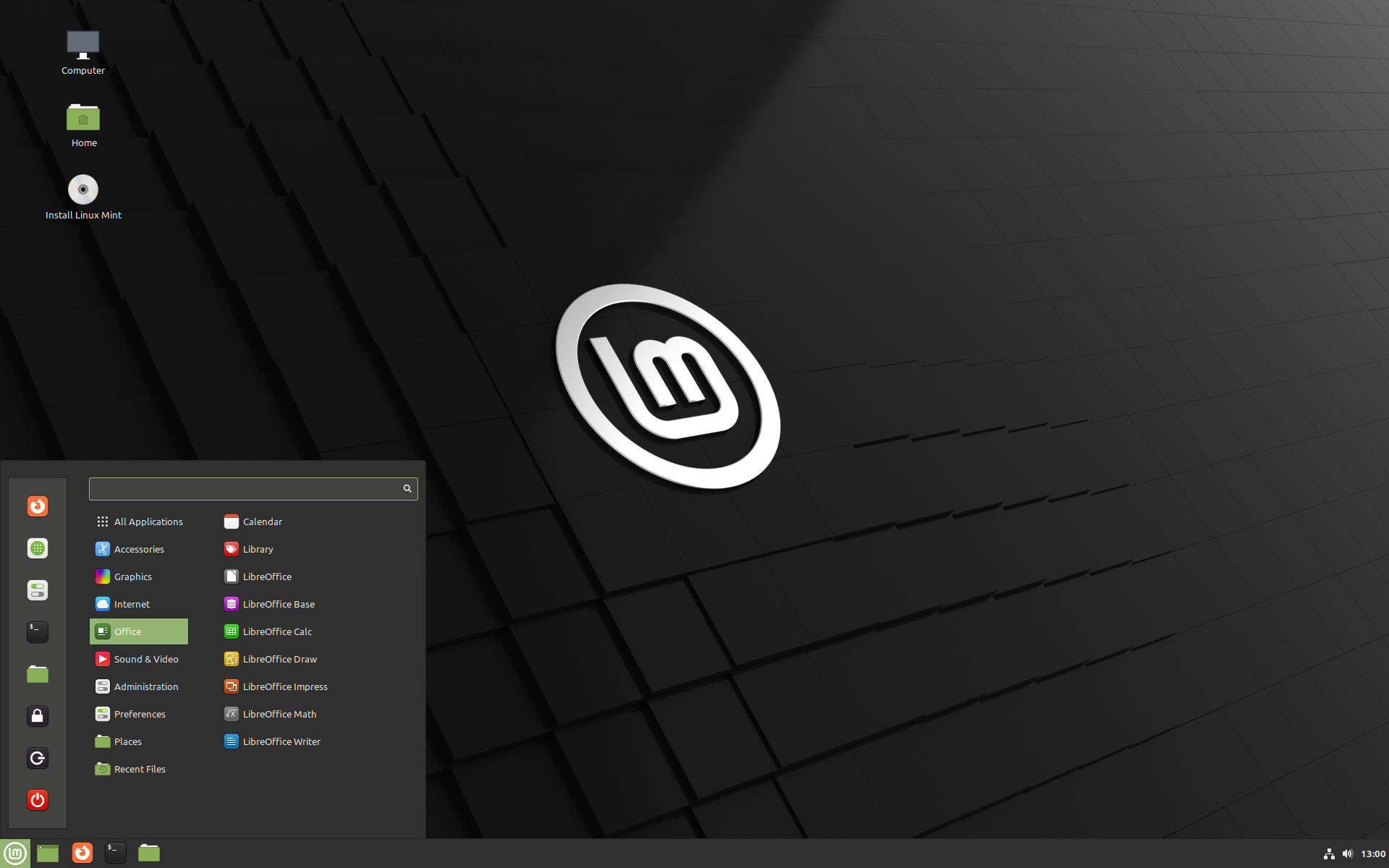
Linux Mint is also involved in the development of MATE, a classic desktop environment which is the continuation of GNOME 2, Linux Mint’s default desktop between 2006 and 2011. Although it misses a few features and its development is slower than Cinnamon’s, MATE uses less resources and can run faster on older computers.
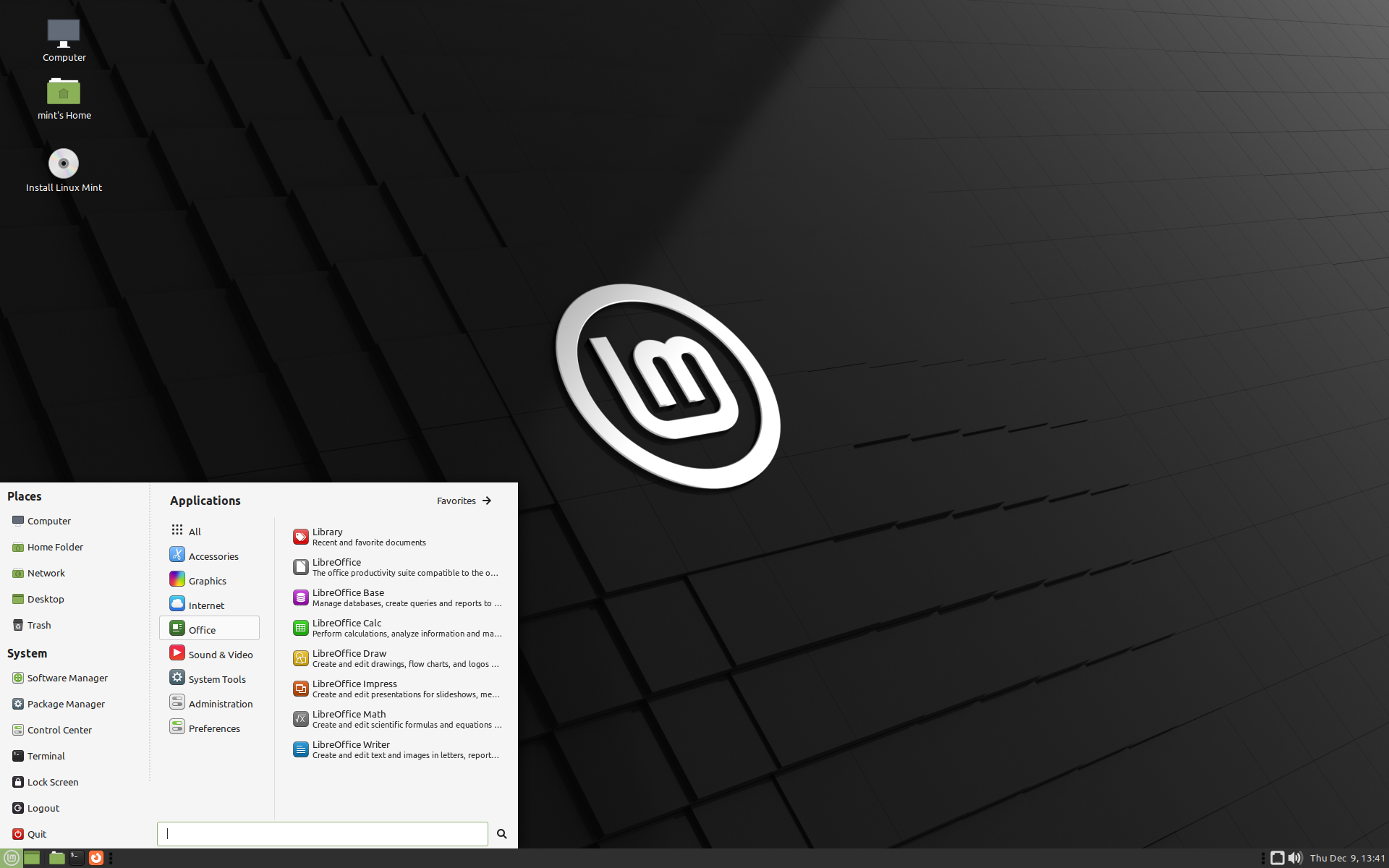
Xfce — лёгкое окружение рабочего стола. Он поддерживает меньше функций, как Cinnamon или MATE, но он чрезвычайно стабилен и очень лёгкий в плане потребления ресурсов.
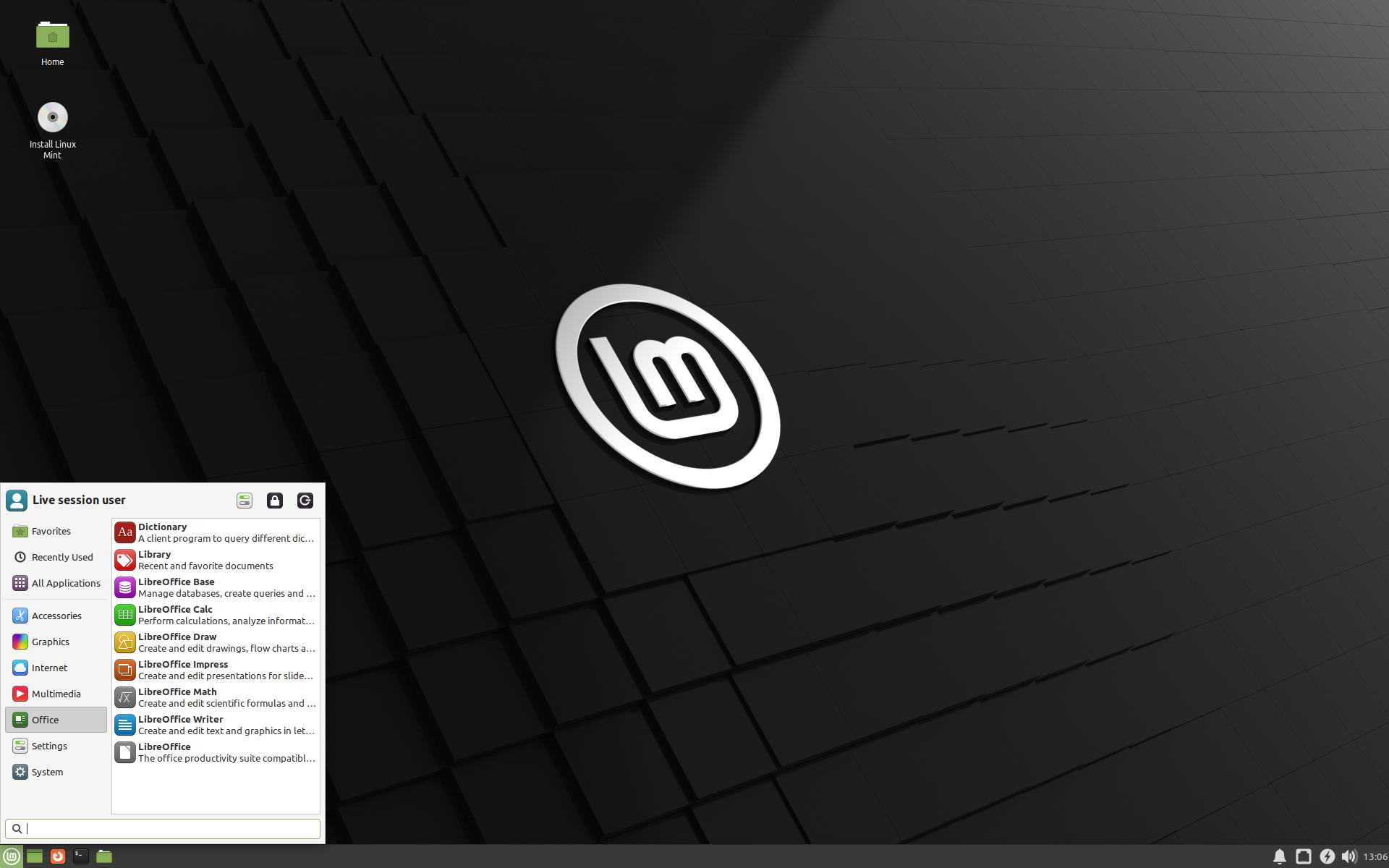
Разумеется, все три рабочих стола великолепны, и Linux Mint чрезвычайно гордится каждым изданием. Хотя в некоторых изданиях больше возможностей и улучшенная поддержка, а некоторые работают быстрее и используют меньше ресурсов — все они являются отличными альтернативами и выбор правильного издания в значительной степени зависит от вкуса.
Помимо их функционала и производительности, Cinnamon, MATE и Xfce также представляют три различных окружения рабочего стола с разными меню, панелями и инструментами настройки. Правильным выбором будет тот из них, где вы чувствуете себя как дома.
Если вы не знаете, какой рабочий стол выбрать, начните с редакции Cinnamon. Попробуйте их все, когда у вас будет время. Каждый из них имеет свою аудиторию в сообществе Mint Linux, и все они очень популярны.
32-bit или 64-bit?
From version 20 onward, only 64-bit is available.
The 32-bit ISO images on prior versions are provided for compatibility with older computers. 32-bit processors are extremely rare nowadays and most computers are able to run in 64-bit. If your computer was manufactured after 2007, you probably have a 64-bit processor.
Если у вас старый компьютер, и вы не знаете, может ли он работать в 64-битном режиме, прочитайте X86 Chronology.
Вы можете попробовать загрузить 64-разрядную версию Linux Mint на вашем компьютере. Если они несовместимы, ничего плохого не произойдёт. Вы просто увидите сообщение об ошибке.
If you cannot boot or install Linux Mint because your hardware is too recent and is not properly detected see the Edge ISO Images chapter in the Linux Mint User Guide for an alternative ISO.
Какой выбрать Linux Mint Mate или Cinnamon
Linux Mint — один из самых популярных дистрибутивов Linux среди начинающих пользователей. Он прост в установке и использовании, поставляется со всем необходимым программным обеспечением, у него меньше ошибок и багов, чем в Ubuntu, поэтому многие пользователи выбирают именно эту систему. Linux Mint поставляется с несколькими окружениями рабочего стола. По умолчанию используется Cinnamon, но есть версии с MATE и XFCE. Новичку эта статья поможет определиться, какой выбрать Linux Mint Mate или Cinnamon
Система остается одна и та же, но вот окружения сильно отличаются, несмотря на то, что основаны на Gnome. Мы рассмотрим основные различия между этими дистрибутивами.
MATE старается сохранить старый интерфейс, а Cinnamon в придачу к удобному интерфейсу добавляет новые возможности. Для удобства будем рассматривать по категориях.
1. Разработка
Как я уже сказал, оба окружения Cinnamon vs Mate основаны на Gnome. Но разрабатываются они разными командами.
Cinnamon
В те далекие времена, когда Ubuntu перешла на Gnome 3, а затем на Unity, разработчики Linux Mint захотели сохранить удобный и привычный для пользователей интерфейс. Они создали набор расширений, которые возвращали панель и меню в Gnome 3, а также другие привычные возможности. Но вскоре они увидели, что Gnome 3 движется совсем не туда, и сделали форк оболочки Gnome Shell и нескольких других компонентов из Gnome 3, в том числе и композитный менеджер Mutter. Дальше они начали развивать свою оболочку под названием Cinnamon. Сейчас именно она используется в Linux Mint по умолчанию, и над ней работает команда Linux Mint.
Окружение MATE появилось приблизительно в то же время. И это был форк финального состояния, больше не поддерживаемого Gnome 2. Многим пользователям не понравился новый Gnome 3, и они захотели сохранить старый интерфейс. С этой целью и был создан форк. Об этом объявил один из пользователей ArchLinux, а потом к нему присоединились ещё несколько человек. Сейчас команда насчитывает около 10 активных разработчиков.
2. Внешний вид
Хотя обе оболочки основаны на Gnome, они имеют разный внешний вид.
Cinnamon
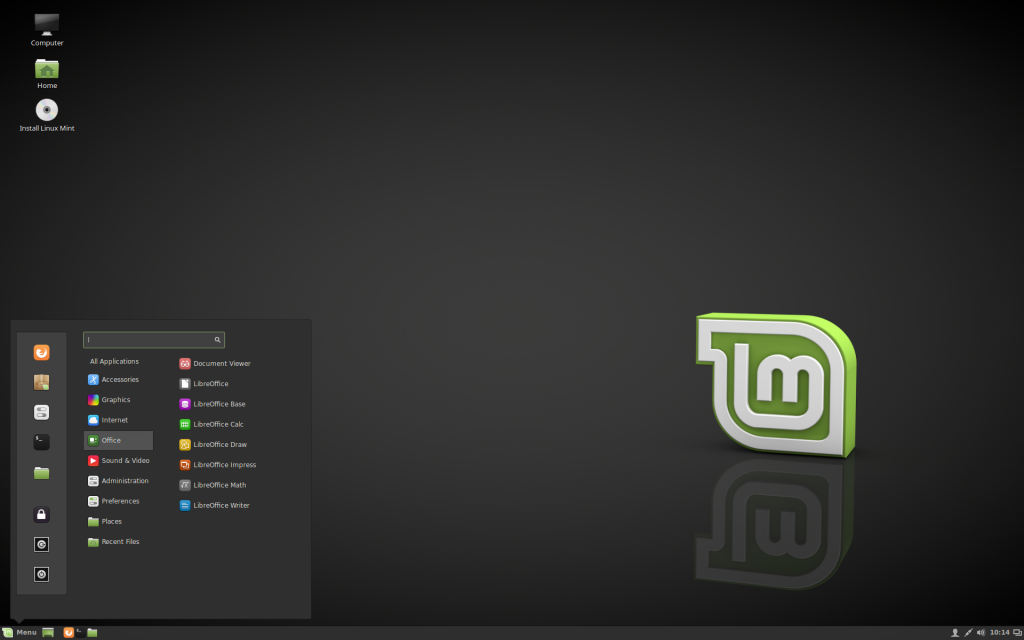
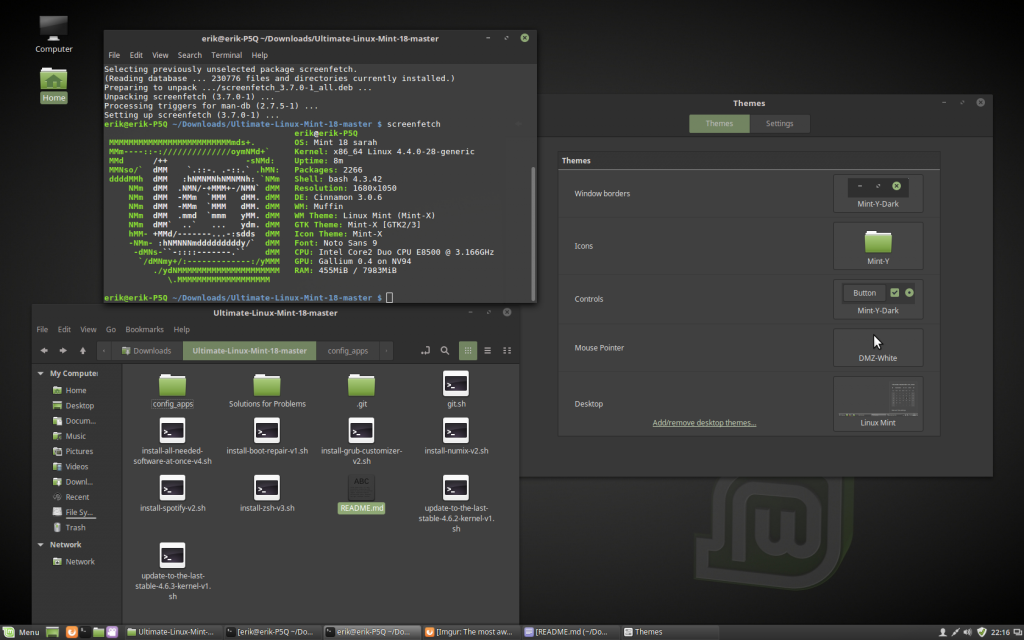
Оболочка Cinnamon сохраняет внешний вид более похожий на Windows. Здесь панель размещена внизу, есть меню на месте кнопки «Пуск», причём это классическое меню Gnome 2. Но оболочка основана на Gnome 3 и использует GTK3, поэтому выглядит достаточно современно. Постоянно создаются новые темы, например, в версии Linux Mint 18 была добавлена тема Mint-Y с плоским дизайном, которая выглядит очень красиво. Из дополнительных возможностей хочется отметить поддержку виджетов для рабочего стола, так называемых десклетов.
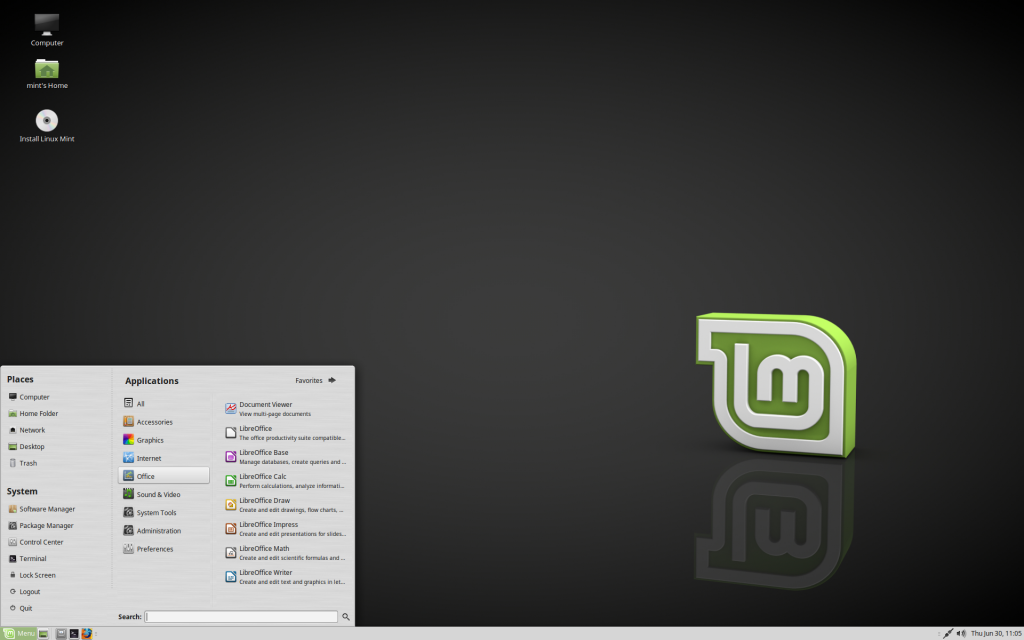 MATE больше похожа на Gnome 2, хотя в последнее время разработчики отказались от GTK2 и почти всё переделали на GTK3. По интерфейсу это остался тот же Gnome 2: панель здесь тоже расположена внизу. Виджеты, как в Cinnamon, не поддерживаются. В целом, обе оболочки не сильно отличаются в плане внешнего вида, исключая меню: в MATE оно более широкое и красивое, можно добавлять свои приложения; в Cinnamon в меню просто перечислены категории. Для многих пользователей внешний вид — это очень важный параметр при выборе «Linux Mint Cinnamon или Mate».
3. Производительность
По производительности окружения приблизительно одинаковы. Если верить тестам от Phoronix, то Cinnamon в некоторых случаях работает быстрее, а в большинстве — на том же уровне, что и MATE. По потреблению ресурсов проигрывает Cinnamon, однако, это нормально, учитывая, что он основан на Gnome 3. Cinnamon потребляет на 100-150 мегабайт оперативной памяти больше, чем MATE. Это сравнение Mate и Cinnamon выигрывает MATE.
4. Сообщество
За несколько последних лет оболочка Cinnamon стала одним из самых популярных окружений рабочего стола среди пользователей Linux. У неё большая команда активных разработчиков: система постоянно улучшается. Огромное количество людей используют Cinnamon — LinuxMint является одним из самых популярных дистрибутивов, а эта оболочка установлена по умолчанию. Вы сможете найти решения возможных проблем на многочисленных форумах по Linux Mint.
Большинство пользователей MATE — это любители Gnome 2, некоторые из них со временем переходят на другие оболочки. Количество разработчиков MATE не так велико как у Cinnamon, поэтому новые возможности добавляются медленнее и форумов меньше.
Выводы
В этой статье мы рассмотрели основные отличия Cinnamon и MATE. Как видите, их не так много, и оболочки в целом очень похожи. Но ваш выбор будет зависеть только от ваших личных предпочтений. А как вы считаете, какой выбрать linux mint mate или cinnamon? Напишите в комментариях!
Обнаружили ошибку в тексте? Сообщите мне об этом. Выделите текст с ошибкой и нажмите Ctrl+Enter.
Linux Mint Cinnamon vs MATE vs Xfce vs KDE [Best Desktop Environment]
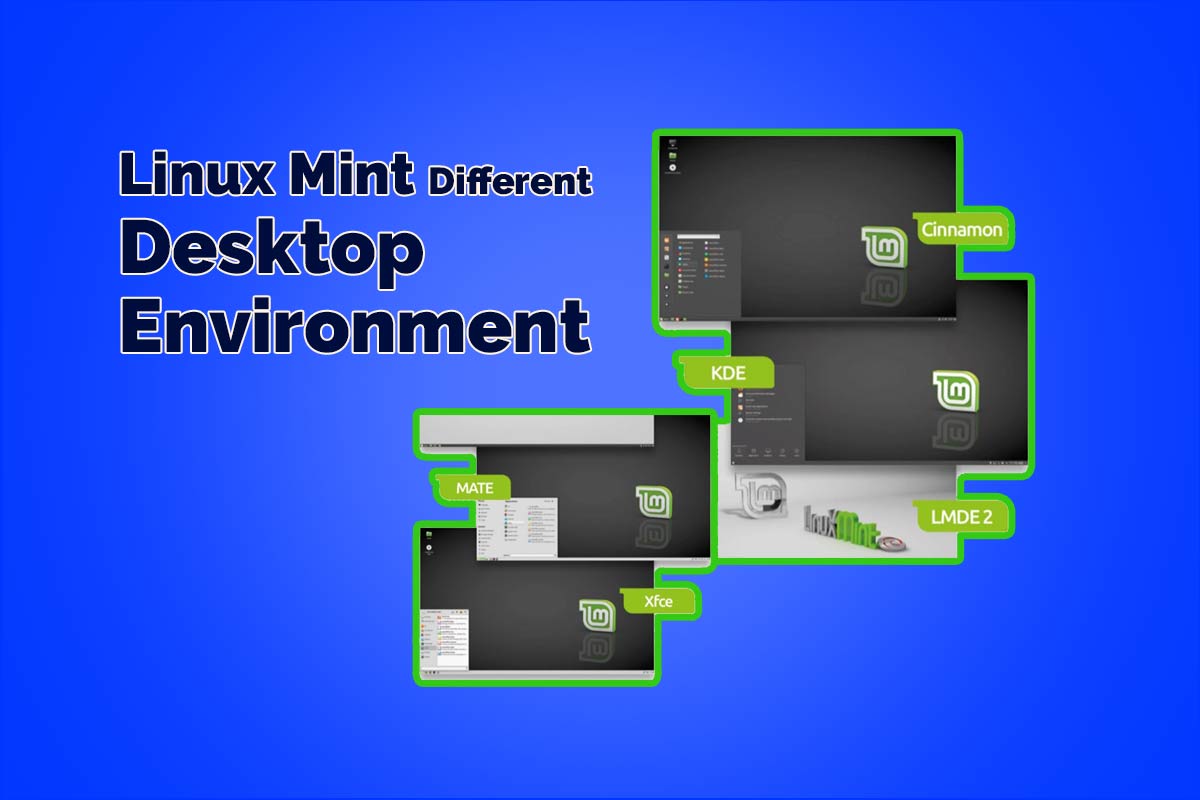
Linux Mint comes in a few unique versions, or flavors: Linux Mint Cinnamon vs MATE vs Xfce vs KDE, and LMDE 2; there are likewise 64-bit and 32-bit Versions of these, as well. What does everything mean however and which variant would it be a good idea for you to decide for your establishment?
Every version is just a various desktop environment, the Graphical User Interface (GUI) that you use to associate with the OS (except for LMDE 2).
Every desktop environment uses different applications for getting to or using the OS, for example, the file manager to browse the system’s file structure or manage other applications.
Also, the primary accessible productivity, video, and graphic suites are equivalent, and function similarly.
Which Desktop Environment ?
Over the coming information, we take a look at every one of the environments available. First here’s a quick presentation and reasons For their variety.
Linux Mint offers the client a choice of five types of the distro. such as Linux Mint Cinnamon vs MATE vs Xfce vs KDE vs LMDE 2.
While that may sound a bit mystifying for the new user, basically every one of the versions accessible contains a similar center Linux structure and kernel (the kernel is the center of the operating system), that handles all the guidelines between the hardware and software.
Why trouble than with a different (e.g. Linux Mint Cinnamon vs MATE vs Xfce) desktop environment?
Users favor Cinnamon because it’s a present-day environment that performs better on modern equipment and features some forefront desktop code.
Basically, it’s down to individual taste. A few clients lean toward MATE, as MATE is a fork of the exemplary GNOME 2 climate, is somewhat more menu-driven, and works well on older PCs.
Xfce, on the other hand, is a lightweight desktop environment that works great on older hardware.
KDE is a little weighty on the system assets but it looks glorious and for the most part, offers more customizations and effects.
LMDE (Linux Mint Debian Edition) 2 depends on Debian rather than Ubuntu, also other versions use this. It’s a cutting-edge distro that is focused on experienced Linux users who need to test and utilize the most recent versions of the applications available.
It can, subsequently, be very unstable at times and requires significantly more user administration to master. It’s accessible with Cinnamon and MATE desktop environments.
To put it plainly, Linux Mint Cinnamon is a flagship desktop environment.
MATE is more viable with a more extensive assortment of hardware.
KDE utilizes more system assets however looks awesome.
Xfce is a lightweight DE for low-asset systems.
At last, LMDE 2 is truly for specialists only.
Where Windows, for instance, just offers one environment to work in, Linux gives many. Linux Mint has consequently selected to give the client an abundance of choice, and we believe that is quite good of them.
In this article, We explained each Linux Mint Desktop Environment details. Such as Linux mint Cinnamon vs MATE vs Xfce vs KDE.
CINNAMON Desktop Environment
Linux Cinnamon is known as the Flagship desktop environment for Linux Mint. Cinnamon was created by the Linux Mint group and launched around 6 years ago. It’s a superb DE(Desktop Environment), which looks incredible and performs sublimely on modern frameworks just as in a virtual environment.
A BOLT OF CINNAMON
Linux Mint Cinnamon has various advantages behind their feel and look, despite the fact that they are significant factors. We’ve sketched out a couple of features to assist you with choosing if it’s the DE for you.
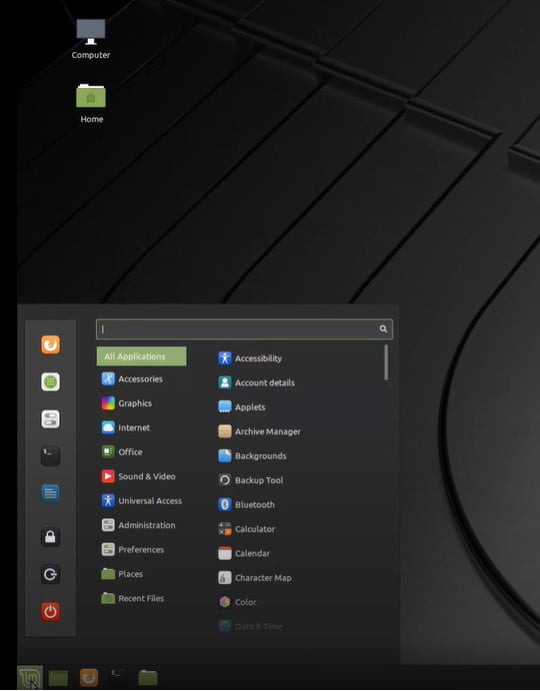
It works perfectly on more modern systems yet it’s much more steady than it used to be and not exactly the asset hoard it used to be. Hence, don’t be put off Cinnamon in case you’re utilizing an older PC to install and test Linux Mint on.
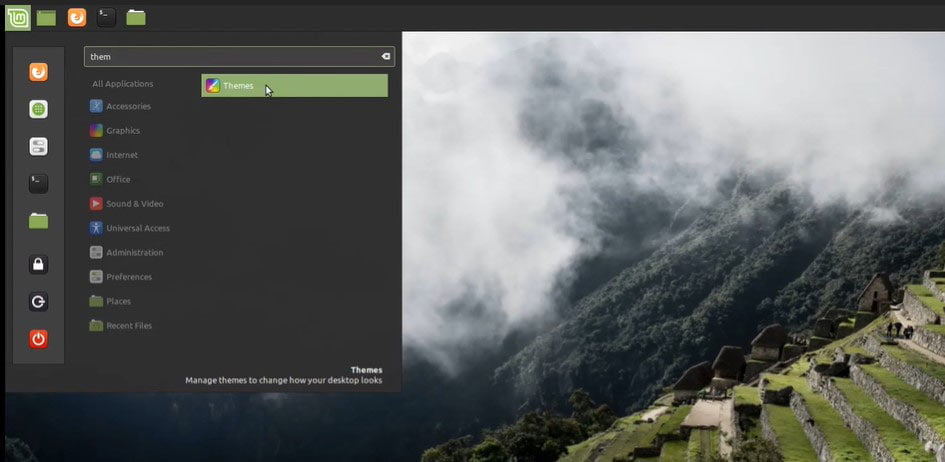
You’re ready to arrange your Panels to the sides of the window (Up/Left/Right) and the Panel and icons features will naturally situate themselves to the vertical plane. This makes the screen simpler to customize, and more fertile for certain users.
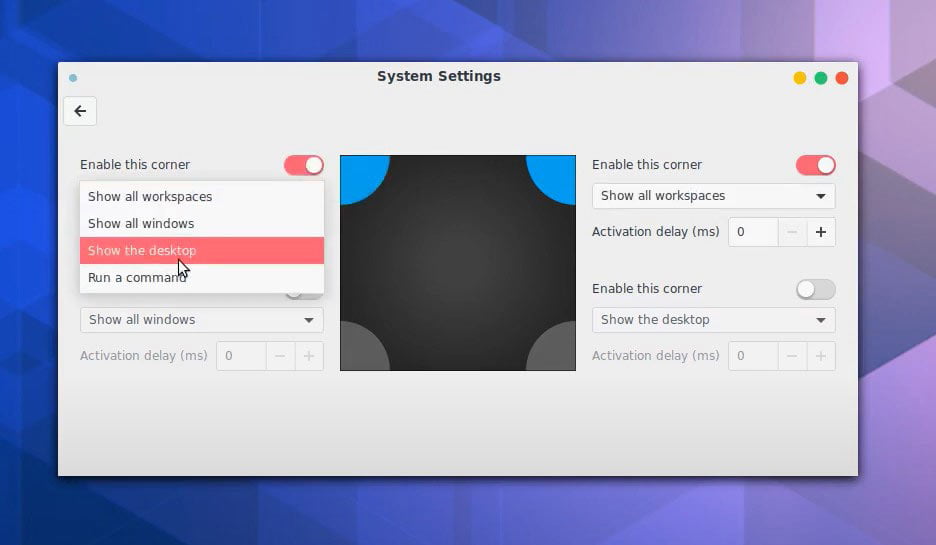
Hot Corners
Linux Mint Cinnamon has configurable Hot Corners, where every corner of the window can be clicked to play out a specific task, for example, display the Workspaces, Run a Command or Show all Windows. The Hot Corners are a superb method to switch between various help and views to make the pc a more effective environment.
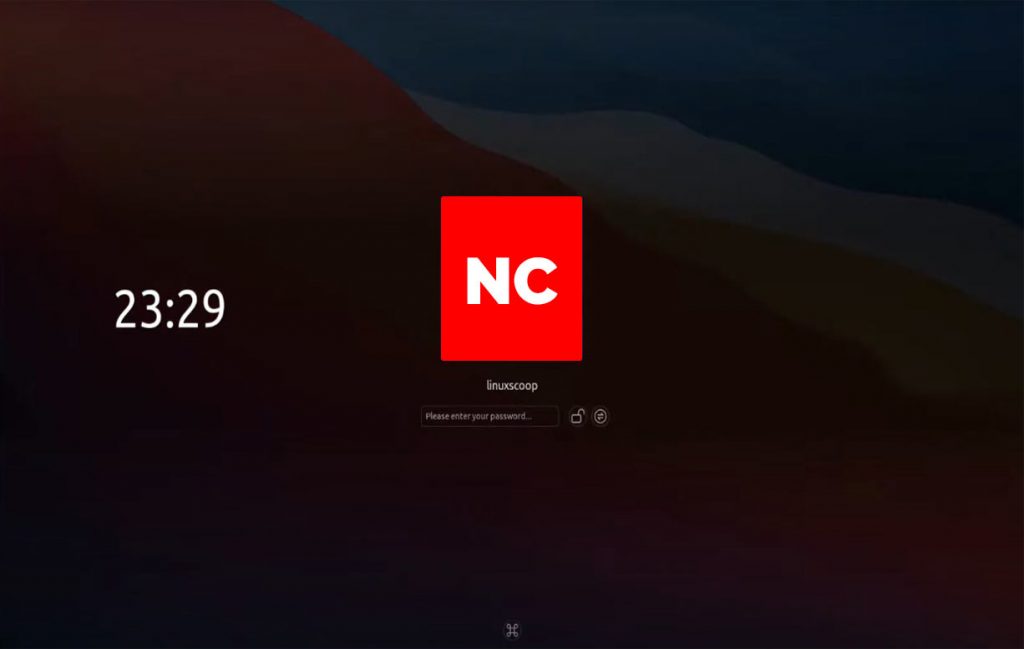
Linux Cinnamon Screensaver
The latest version of Cinnamon comes with a new screensaver, on Linux Mint 18.1. you can see the battery status without signing in and also Background slideshows features are available; and there are media controls as well, so you are able to use Linux Mint as a jukebox.
Let’s take a look at Linux Mint Mate Desktop Environment. After that, you can easily differentiate between Linux Mint Cinnamon vs MATE environment.
Linux Mint Mate Environment
The default PC environment For various Linux distros in the previous days was GNOME 2 until the organization launched GNOME 3. But GNOME 3 was not user-friendly that’s why many people did not use it. MATE is an improvement version Of the main project.
BEST MATE
MATE is an easy to utilize and natural DE that is quick and stable. In comparison with Cinnamon, it looks somewhat out of date yet that is just on a superficial level. There’s a bounty to like with MATE.
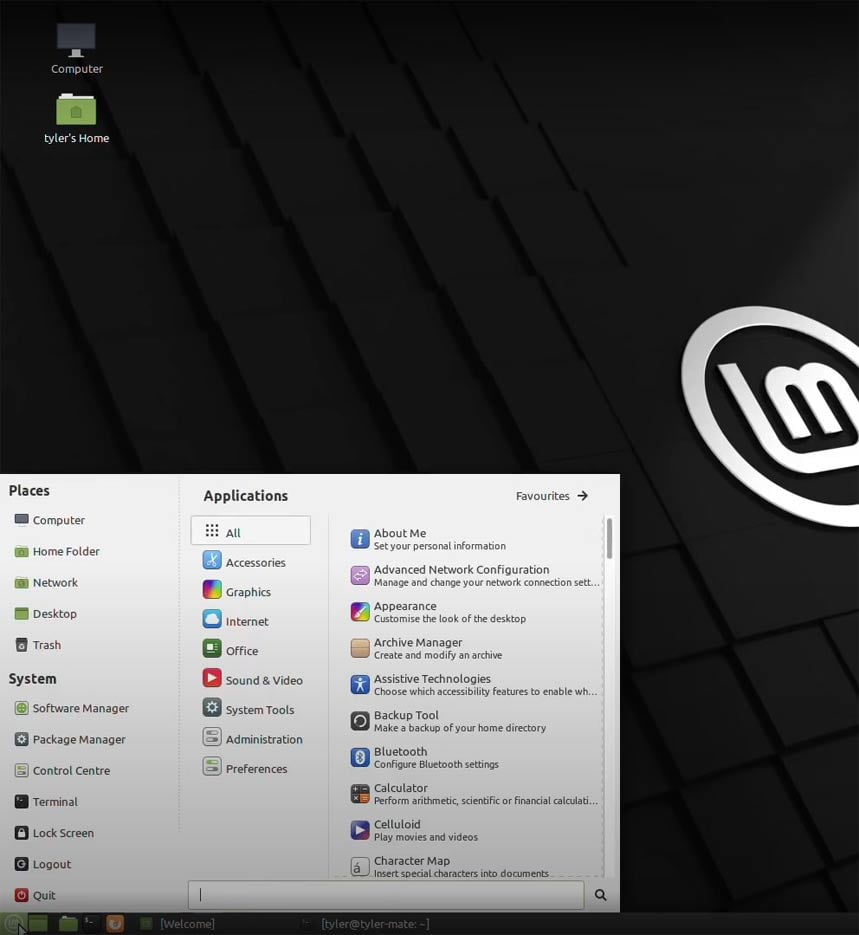
Linux Mint MATE is a magnificent desktop environment For old PCs. It works better with a bigger number of hardware segments than Cinnamon normally does and is likewise similarly equipped for conveying an incredible looking desktop alongside advanced customizations.
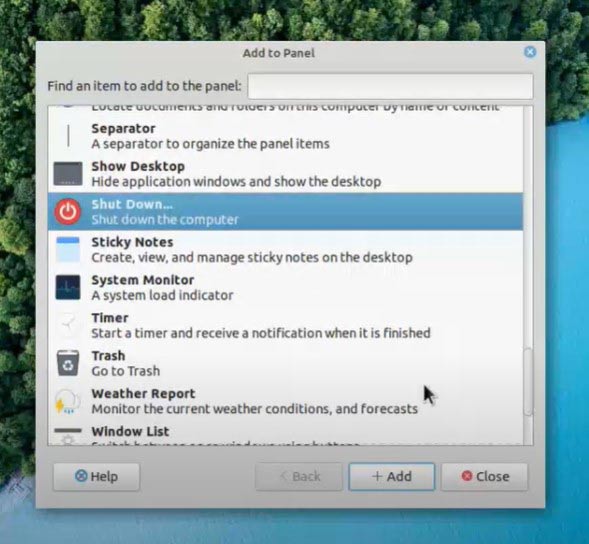
There are various Panel features and applications you are able to add. Some are for no reason in particular, similar to a couple of eyeballs that follow after your mouse cursor; and others are more helpful, for example, a weather application.
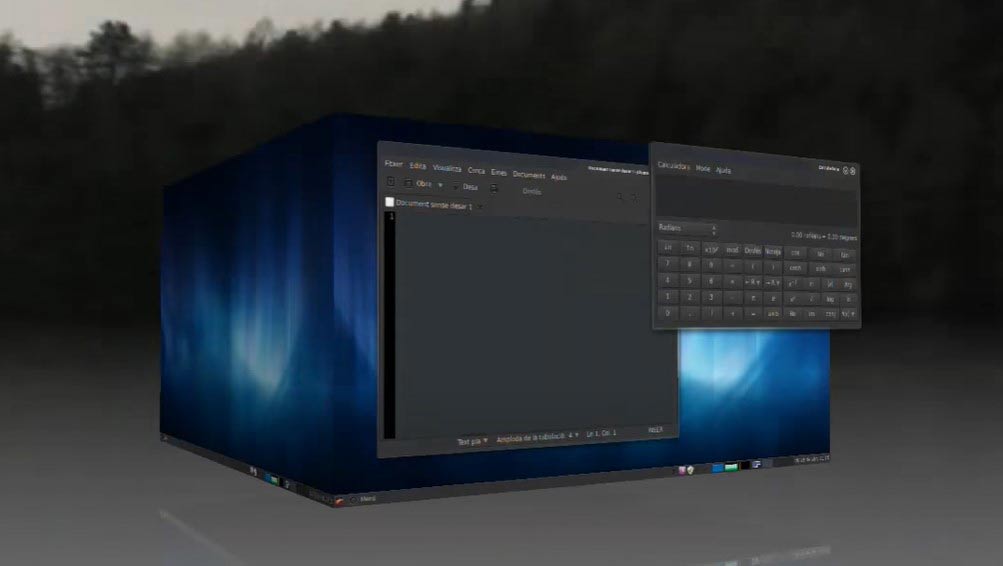
Because of its distinctly configurable nature, MATE can be tweaked to a fine degree. There are a lot of features accessible to users who request somewhat more from their desktop environment, including Compiz Settings; here you can configure all ways of desktop impacts, even a 3D desktop solid shape.
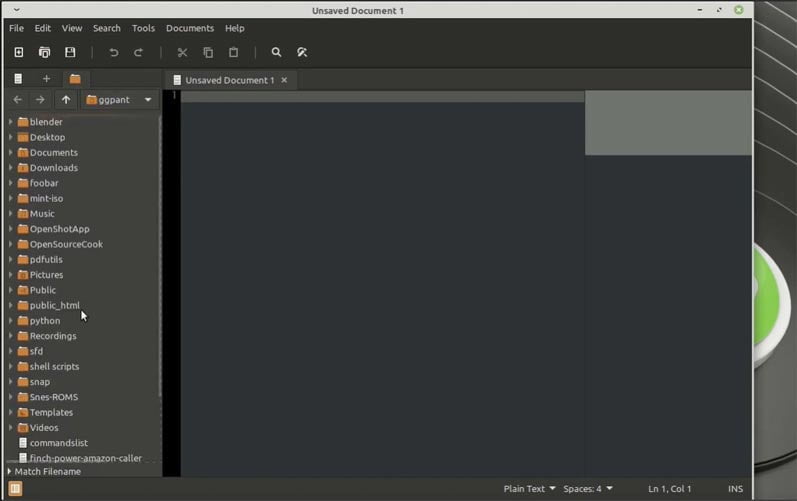
Despite the fact that you don’t have a quite graphical list of capabilities of Cinnamon, you are still able to enjoy such options as customizable notifications, Xed the magnificent word editor, Xplayer the media player, and some other brilliant MATE applications.
Let’s take a look at KDE(KDE Plasma) Desktop Environment. After that, you can easily differentiate between Linux Mint Cinnamon vs MATE vs KDE environment.
Read More:
Linux Mint KDE(Kde Plasma) Desktop Environment
Carefully, we should allude to KDE as the K Desktop Environment, rather than KDE Desktop Environment as we’d rehash Desktop Environment twice. KDE is a showy, excessively graphical UI with endless setup features. It’s a brilliant environment to flaunt Linux Mint.
COOL DESKTOP
KDE was created 20 years ago by Matthias Ettrich, a student at the Eberhard Karls University of Tubingen. It’s a remarkably versatile desktop system and looks outstanding when utilized on the latest systems.
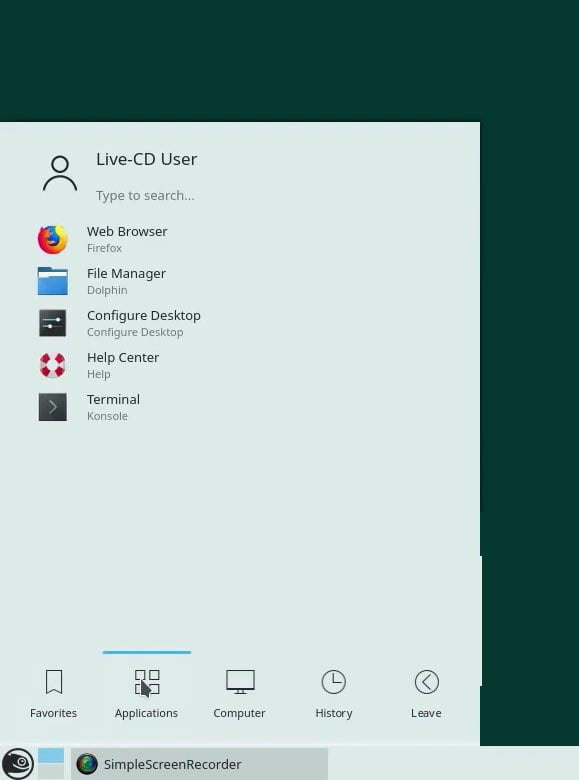
Linux Mint 8.1 KDE utilizes Plasma 5.8, and this is the most recent version and contains some incredible features. The PC itself is very demanding on system assets at times, contingent upon what’s being run and how much customization you’re utilizing, yet it’s exceptionally amazing.
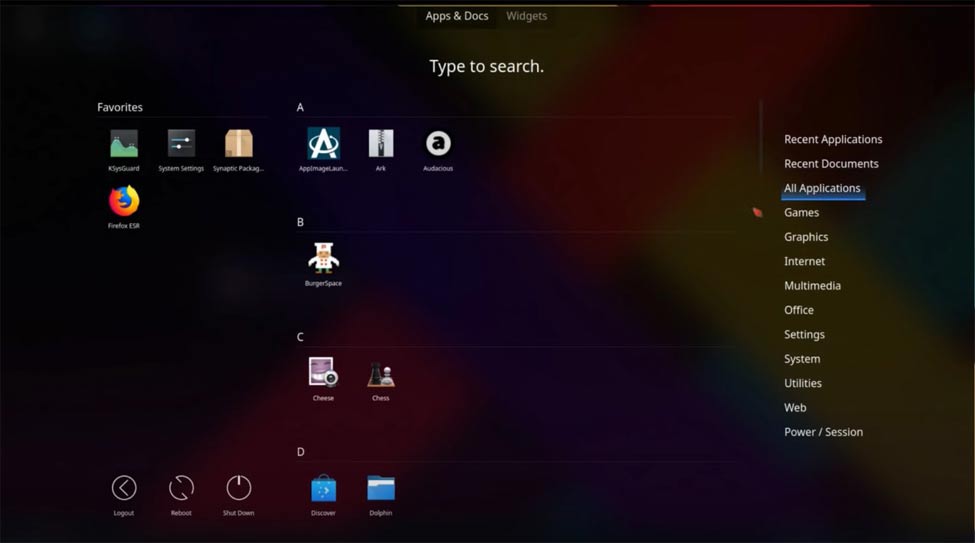
You can start typing to the pc to release the KDE search work. With it, you are able to search for apps, folders, files, and even sites. You are also able to customize the search feature to cover everything from calculator use to clarify dictionary words.
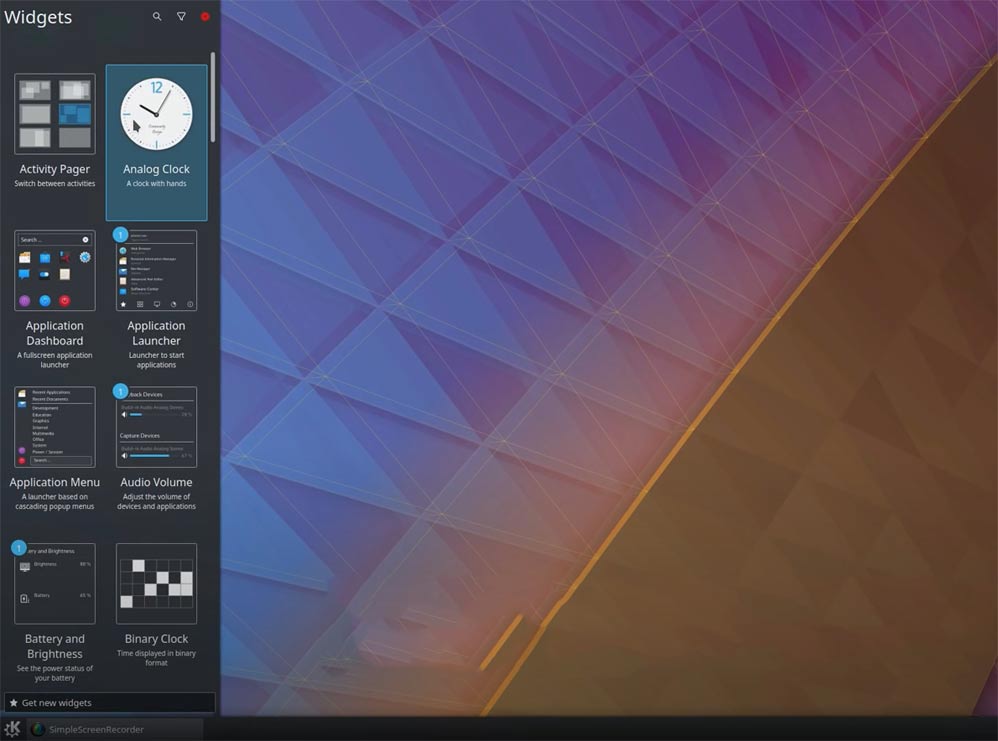
Widgets are one of KDE’s most great additions. With them, you can add a dynamic and active application straightforwardly to the desktop.
Ever liked having a simple clock on the desktop or what about an adjustable funny comic? These and endless more are accessible as Widgets. The one issue is running out of desktop storage space.
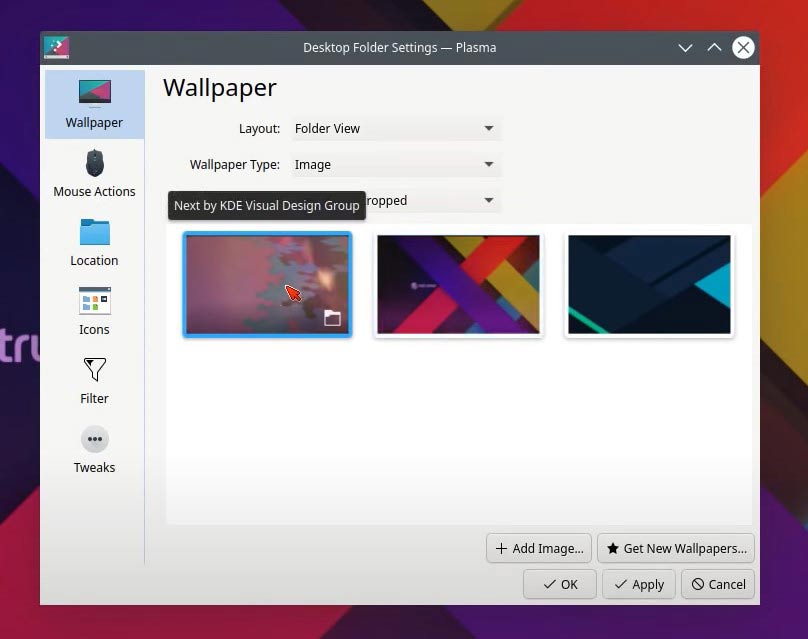
Because of KDE’s configurable nature, it has an immense scope of desktop wallpapers and features accessible. You are able to download more wallpapers and different features straightforwardly from inside the desktop configuration utility as well.
Let’s take a look at Xfce Desktop Environment. After that, you can easily differentiate between Linux Mint Cinnamon vs MATE vs KDE vs Xfce environment.
Linux Mint Xfce Environment
Xfce has focused on two resource PCs that are lightweight DE. Because of its lightweight nature, Xfce is a surprisingly responsive and quick desktop. It has gone through many upgrades over its 21-year history and is today one of the top Des on proposal For the Linux user.
GLUCOSE FREE DESKTOP
Xfce began its journey as the Common Desktop Environment (CDE) in 1996. From that point forward it’s changed the name a couple of times and is presently just Xfce with the epithet Cholesterol Free Desktop Environment.
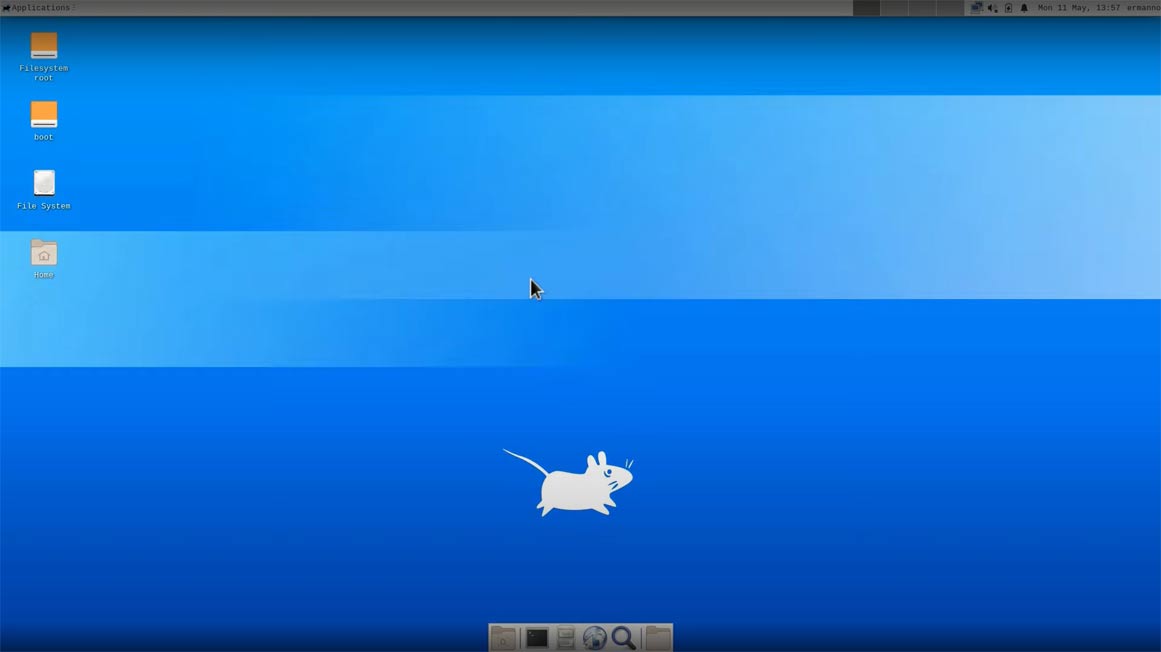
Linux Mint Xfce truly is a speedy desktop and draws out the best in Linux as a fast operating framework. Indeed, it’s taken us to this point from the highest point of the page to install it onto another PC; we’re utilizing a fresh out of the plastic new OS. Not awful.
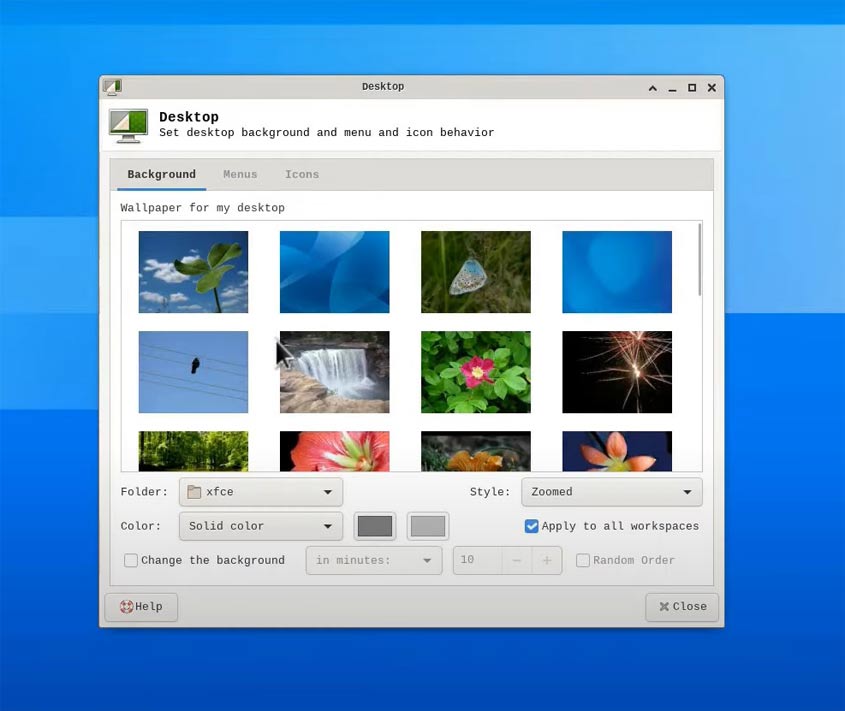
There’s additionally an abundance of desktop and environmental customizations accessible inside Linux Mint Xfce. You can locate a similar great desktop BG on offer, also you are able to use your own pictures; you can even customize the setup further with additional features.
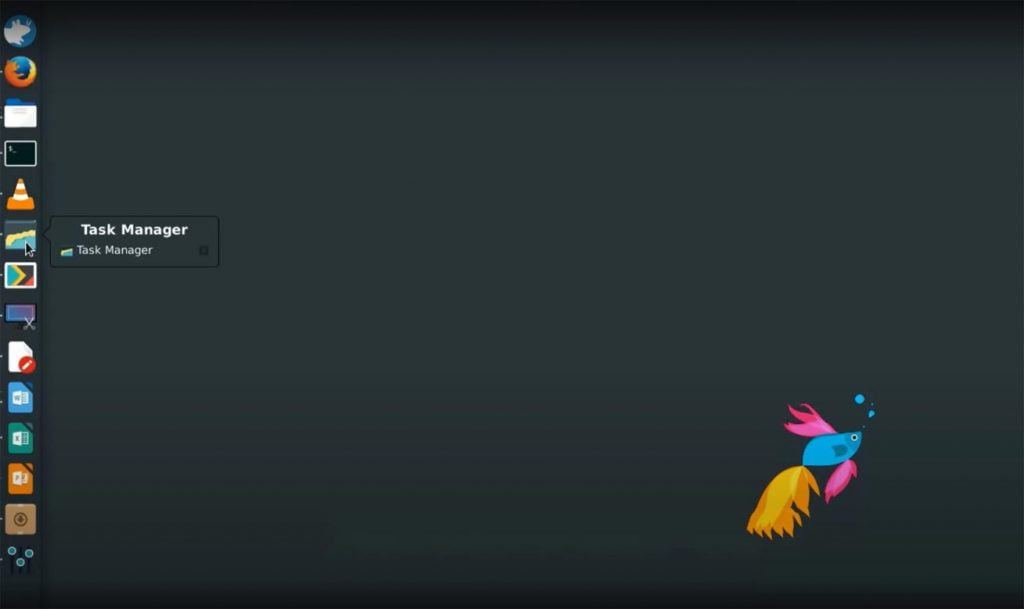
Because it’s fast and lightweight doesn’t mean that Linux Mint Xfce is not a full work PC OS. It is also available like environments, you get the latest LibreOffice, Firefox, Gimp, chat apps, VLC, and even torrent clients.
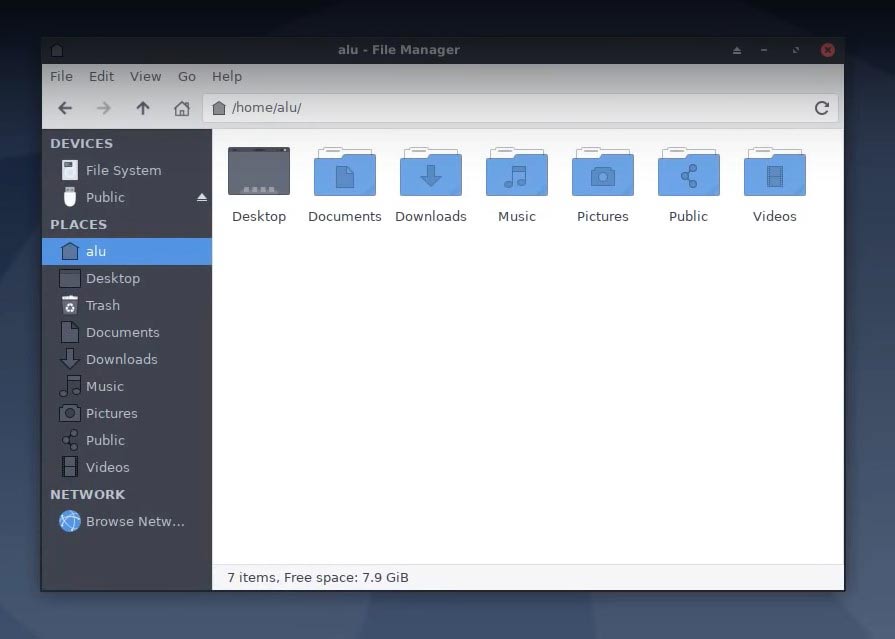
It’s astounding how graphically amazing the desktop is, though, this is quite a lightweight system. The new Xfce Windows Manager (xfwm4) offers Window Switching, Window Thumbnails, Zooming, Tiling, and active desktop corners to click windows into position.
Let’s take a look at LMDE(Linux Mint Debian Edition) Desktop Environment. After that, you can easily differentiate between Linux Mint Cinnamon vs MATE vs Xfce vs LMDE 4 (Linux Mint Debian Edition) environment.
Linux Mint LMDE 4 Desktop Environment
As we referenced already, LMDE is Linux Mint’s Debian Version. It’s a bleeding-edge distro utilizing either Linux Mint Cinnamon or Linux Mint MATE as the desktop environment and as such, it very well may be somewhat unsteady at times.
HERE BE FIREDRAKE
While it’s positively of interest running a bleeding-edge Linux distro, and the benefits of doing such a huge number, the principal disadvantage is that you may wind up with a dead OS should a new update break it.
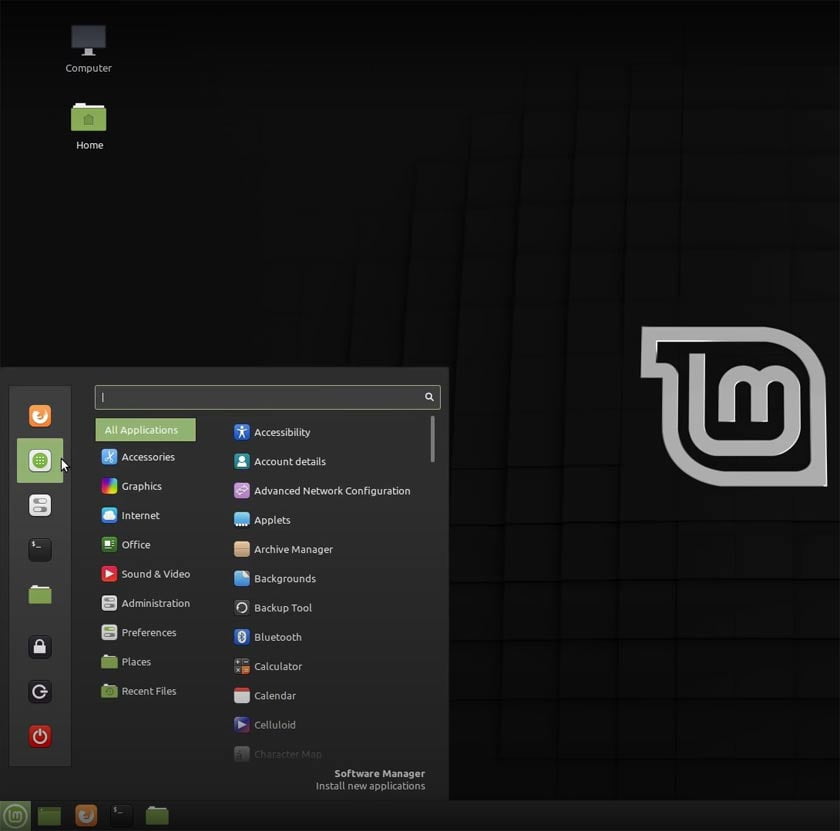
LMDE utilizes a Debian testing bundle base instead of the stable Ubuntu bundle base that different variants of Linux Mint use. This implies that the OS is somewhat quicker and will have the latest versions of applications and code contrasted with the mainline Mint. This implies that things can turn out wrong from time to time, however.
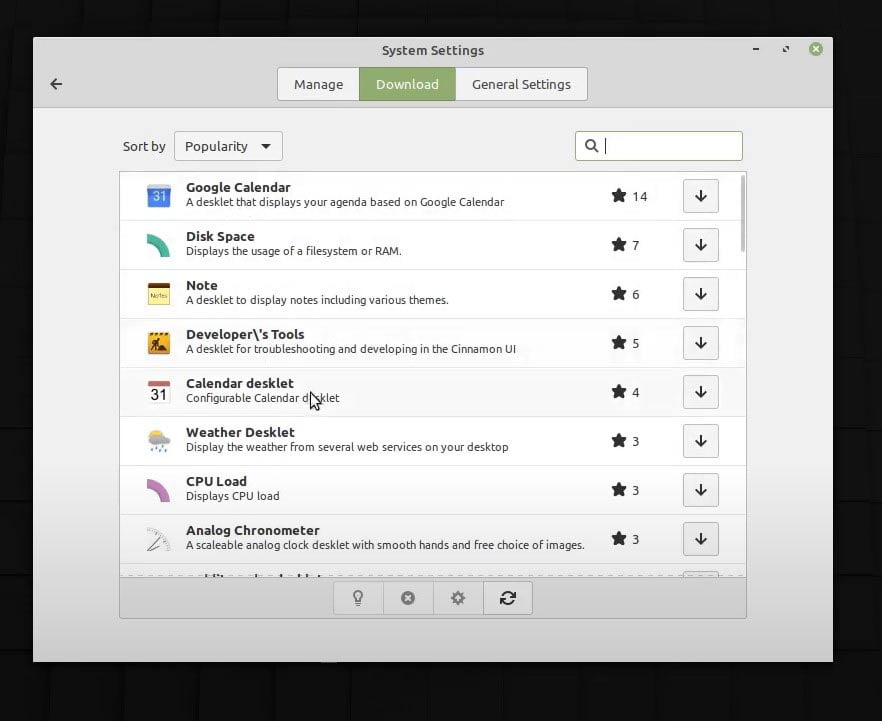
LMDE 2 has both MATE and Cinnamon DE accessible, so you’re actually getting similar incredible advantages from the two versions. You additionally get new Features For one or the other environment before they’ve made it into the stable and secure editions of Mint. As the Mint expresses, “It’s riskier, yet all the more exciting”.
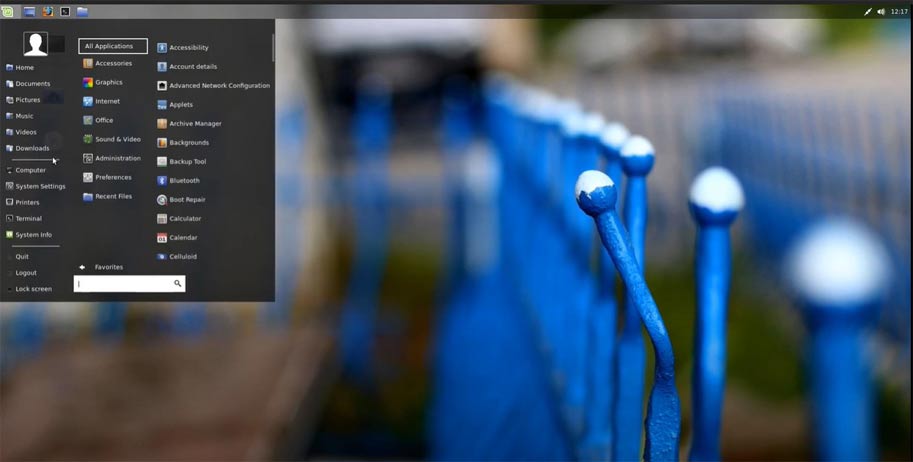
As LMDE is a more smoothed out work area than that of the standard Linux Mint, it’s blisteringly measured and fast facing the previous versions we’ve explained, LMDE is most likely as fast as the Xfce rendition of Linux Mint, which is really fast; you actually have all the other core applications and productivity accessible.
Obviously, as we’ve already mentioned, and it should be plainly mentioned, that LMDE 2 is only for experienced users. At the point when things do turn out wrong with it, and there’s a decent possibility as it’s utilizing the testing bundle base, you should have the option to either fix it yourself or a backup or start again from scratch.
If you like this information or understand the differences between Linux Mint Cinnamon vs MATE vs KDE vs Xfce desktop environment. Please leave your opinion in the comment.
Чем различаются версии Linux mint: cinnamon, mate, kde, xfce?
Все перечисленные в вопросе названия: cinnamon, mate, kde, xfce — это ГРАФИЧЕСКИЕ оболочки. Отличие только в используемых ресурсах, в оформлении. Самая прожорливая среди перечисленных это кеды или kde. Если компьютер слабоват, то лучше не скачивать дистрибутивы linux с этой оболочкой. Хотя она самая "продвинутая", самая красивая (среди перечисленных), самая развиваемая. Но вот мне лично она не нравится, мне нравится Gnome, это еще одна продвинутая и хорошо развиваемая графическая среда (или графическая оболочка). Так что вывод — linux mint — это и есть mint, только с разными графическими средами. Ядро то все равно одно. Вы можете поставить хоть все перечисленные оболочки в mint и сегодня сидеть в кедах, завтра в mate, а послезавтра cinnamon или xfce. Выбор за вами.
Различия исходят из названий.
Linux mint: cinnamon — построена на базе рабочего окружения cinnamon, которое является ответвлением в ветке развития рабочего окружения Gnome3, в котором сохранилась привычная для пользователей среда Gnome2 + все новые функции от Gnome3.
Linux mint: mate — построена на базе рабочего окружения Mate, которое является альтернативной веткой развития Gnome2, с альтернативными функциями, которые являются аналогами некоторых функций Gnome3.
Linux mint: kde — построена на базе достаточно мощного и требовательного окружения KDE, которое использует требовательную библиотеку Qt.
Linux mint: xfce — построена на базе легкого рабочего окружения xfce, которое не требовательное к ресурсам видеокарты и процессора, но требует дополнительных библиотек для Qt и Gtk+ программ.