What is WorkspaceOne Intelligent Hub
Let’s start with the basic question, what WorkspaceOne Intelligent Hub is and what does it do?
So, lets start first with, what VMware WorkspaceOne Hub is — WorkspaceOne Intelligent Hub is a Mobile Device Management application for Android phones and it falls under an umbrella term called Enterprise Mobility Management (EMM) app. Similar apps are also available on different Platforms like iOS, Windows and different companies have their own client application created. For example, Microsoft has InTune, IBM has MaaS360, Ivanti got MobileIron and there are many more. This client app allows organizations to securely enable employees to use their mobile phones and the applications on them. EMM apps help IT department of a company to control the device (not as in actual control but manage the device settings, applications, etc). They can deploy and remove the applications on the phone remotely. They also can deploy restrictions on the device like Not allowing a user to open Camera or to open Playstore app etc. Thus, managing the device to increase the productivity of the workforce. Most of the device users are either being requested by the company to install the Hub app from Google playstore OR the company’s IT department itself would install the app and have it enrolled for the user.
Why can’t you uninstall Hub?
The moment you try to enrol the phone with Intelligent Hub, the app would request certain permission which I will be discussing later in the article, which is the cause of the issue. Be it company-owned mobile devices (i.e. Corporate Owned) or your personal device (i.e. Bring Your Own Device — BYOD), the day you do not want to use this app, you will have to unenroll yourself from the Intelligent Hub application first. Point to note here is unenrolling from the Hub app will not uninstall the app.
Although, it’s just a 100MB-150MB app, but no one would want an app that just sits on device ideally and consume space. You try to go to Settings > Apps > Find Hub. Here, what you find is, Uninstall Option is Disabled. This is what annoys everyone, why would an App which is installed by you, does not get uninstall.
And you would ask, why I am not able to uninstall it from my Android mobile. The simple reason is — it’s Google (of course because Android is from Google) and your company’s IT Admin does not want you to uninstall it from the phone. But if you have a mobile enrolled in a specific mode you should be able to. Let’s look into it further.
Now another question arises, what is Device Admin? Let’s do a small quick dive into it before proceeding.
As the name suggests, Device Admin applications are the ones that have control of the device.
For example, «Google Find my Device» will be pre-installed on every Google Playstore supported device and this app will be de-facto a Device Admin. As the app has elevated permission already given by Android OS, this app is capable of ringing the device and locating the device without user’s intervention. That is the only reason, we are able to find the device even if the mobile screen is locked and no one is using it.
You can see the same on your mobile phone under the Settings > Security & Location > Advanced > Device Admin App . The Find My Device app is set as Device Admin with a Tick mark. The Tick suggests that the listed app is Device Admin and Un-tick refers that the app is installed but not set as Device Admin.
Steps to Uninstall Intelligent Hub from Android phones
So, if you want to Uninstall the Intelligent Hub from your mobile and if your phone is enrolled with and Android Legacy mode of enrolment called Device Admin mode, you just need to perform the below steps. For more details, you can check this guide from Google on Legacy Deprecation .
Go to Settings > Security & Location > Advanced > Device admin apps
Untick or Disable the WorkspaceOne Intelligent Hub
On the next screen, select «Deactivate this device admin app»
Go to Settings > Applications & notifications > Search for Hub and click on Uninstall
How to Delete Intelligent Hub Completely
There are 2 methods to get your data (and account) deleted by Intelligent Hub:
- Under GDPR: EU/UK Residents have the right to ask (via email), an organization that holds data about them to delete it. This is known as the ‘right to erasure’. Organizations have one month to respond to the request.
- Under CCPA: California residents have the right to request that a company delete the data/personal information it has on them. A failure to comply with this will result in a fine of upto $7,500.
Now you understand what the Law says, Send your Request directly to Intelligent Hub using the form below:
Email Support directly
Chat with our AppContacter AI Support
Alternatively, you can follow these steps below to get Intelligent Hub to delete your account/data:
- To delete your Intelligent Hub account, contact Intelligent Hub via email and provide the reasons for your request.
- Mention the law under which you make your request (GDPR or CCPA).
- Notify Intelligent Hub of the penalty for non-compliance — A $7,500 fine under CCPA and 4% of annual turnover under GDPR.
- Send the email to support@redacted.Login to see email.
2. How to Delete Intelligent Hub on Iphone
- On iphone, Goto «Settings «
- Click on «General» » «Iphone Storage».
- Select the app, and click «Delete Intelligent Hub».
3. Delete Intelligent Hub on Android phone
- Go to your Android phone Settings.
- Click on «Apps & Games».
- Select «Intelligent Hub» and Click «Uninstall».
11 details about Intelligent Hub app
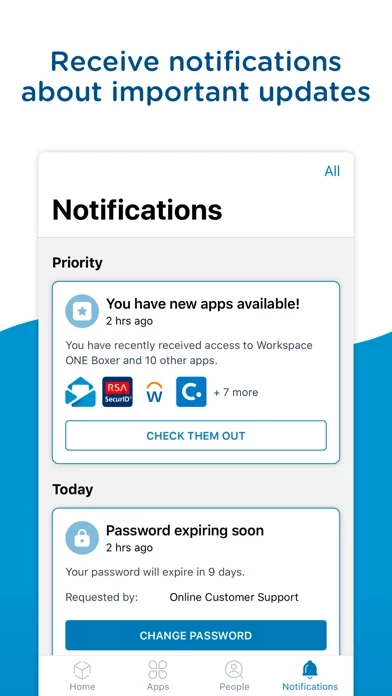
1. The Intelligent Hub app is the single destination where employees can have an enhanced user experience with unified onboarding, catalog, and access to services such as People, Notifications, and Home.
2. Easily search through your corporate directory by first name, last name, or email address and view employee details such as photos, titles, email addresses, phone numbers, office location and reporting structures.
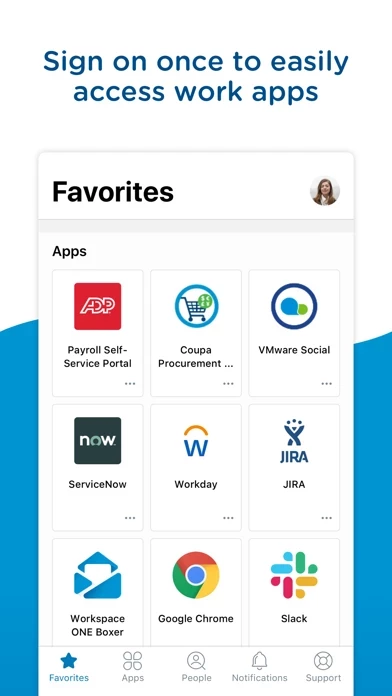
3. You can now favorite apps and websites that you need quick access to, rate apps, use the search function in the Catalog, get recommended & popular apps, access corporate resources and home page, and much more.
4. Intelligent Hub extends mobile device management (MDM) and mobile app management (MAM) capabilities and enables your company to keep your device secure, compliant and connected.
5. Single catalog experience with optional services such as People, Notifications, and Home.
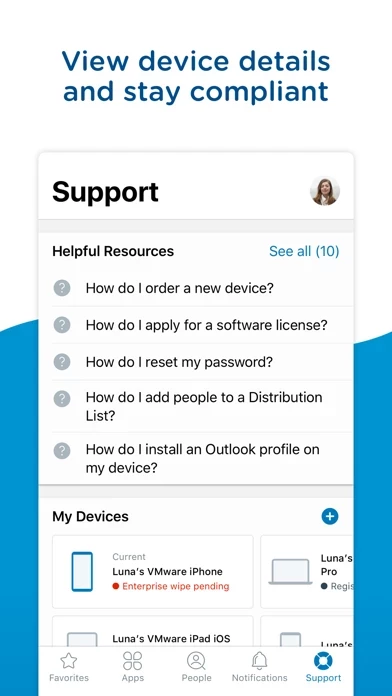
6. You can also view device details, messages from IT, and verify compliance status and request support from your IT administrator.
7. Custom notifications can be notification alerts, downtimes, and participation in surveys.
8. Disclaimer: Please note that your experience may vary depending on the capabilities enabled by your IT organization.
9. Improve productivity wherever you are and get notified with app notifications and custom notifications.
10. You can call, text, or email easily from within the app.
Liked Intelligent Hub? you may also like other Business apps like Aflac Agent Hub; Flipkart Seller Hub; Grubhub for Drivers; HubSpot CRM: Grow better;
Reported Deleting Issues
I am having trouble downloading the profile for my NYU Langone account. I would like to start from scratch by deleting my directory account. Everytime I delete the app, it configured on re download and reaccesses the directory account without letting me download the prior. My directory account username is afl330
Gostaria de mim junta a vocês
O aplicativo não funciona corretamente e não me deixa fazer outras tarefas do trabalho, como entrar no KM da própria empresa.
Cuenta vinculada con dispositivo mobil, seminuevo
I will like the hub to be removed from my iphone.
Please delete the Intelligent App on my mobile. It is currently located in my work area and can't be de-installed although I tried all the below approaches. I use it on my private android phone which I also use for work purposes (with my Allianz email adress)
Подробное руководство: отмена подписки Intelligent Hub и удаление приложения
Хотите отменить подписку Intelligent Hub или удалить приложение? Это руководство проведет вас через шаги на различных платформах, таких как iPhone, Android, ваш ПК (Windows / Mac OS) и PayPal. Помните, что отмена должна произойти за 24 часа до окончания пробного периода, чтобы избежать сборов.
Руководство по отмене и удалению приложения Intelligent Hub для разных платформ
Вот как вы можете легко отменить подписку Intelligent Hub на различных платформах.
Как отписаться от Intelligent Hub
Зарегистрироваться на услугу через приложение очень просто, но отписаться от подписки может быть немного сложнее. Если вам интересно, как отписаться от вашей учетной записи Intelligent Hub, вот краткое руководство, которое поможет вам:
Отмена подписки Intelligent Hub на iPhone или iPad:
- Откройте приложение Настройки.
- Коснитесь своего имени вверху, чтобы получить доступ к своему Apple ID.
- Нажмите Подписки.
- Здесь вы увидите все свои активные подписки. Найдите подписку Intelligent Hub и нажмите на нее.
- Нажмите Отменить подписку внизу.
Отмена подписки Intelligent Hub на Android:
- Откройте Google Play Маркет.
- Убедитесь, что вы вошли в правильный аккаунт Google. Нажмите Меню, а затем Подписки.
- Найдите Intelligent Hub в списке подписок и нажмите на него.
- Нажмите Отменить подписку.
Отмена подписки Intelligent Hub в Paypal:
- Войдите в свою учетную запись PayPal.
- Щелкните значок Настройки.
- Перейдите в раздел «Платежи», затем Управление автоматическими платежами.
- Найдите Intelligent Hub в списке подписок и нажмите Отмена.
Поздравляем! Ваша подписка Intelligent Hub отменена. Обратите внимание, что вы по-прежнему можете пользоваться преимуществами подписки до конца текущего платежного цикла.
Related Guides
Как удалить приложение Intelligent Hub
Помните, что отмена подписки не удаляет приложение с вашего устройства. Вот как это сделать:
Удалить Intelligent Hub с iPhone или iPad:
- Найдите приложение Intelligent Hub на главном экране.
- Нажмите и удерживайте приложение, пока не появятся параметры.
- Выберите Удалить приложение и подтвердите.
Удалить Intelligent Hub с Android:
- Найдите Intelligent Hub в панели приложений или на главном экране.
- Нажмите и удерживайте приложение и перетащите его в «Удалить».
- Подтвердите удаление приложения.
Примечание: простое удаление приложения Intelligent Hub не останавливает платежи.
Enrolling ios devices in workspace one using the intelligent hub
Как получить возмещение
Если вы считаете, что вам был ошибочно выставлен счет, или хотите получить возмещение за Intelligent Hub, обратитесь в службу поддержки Apple, Google Play или PayPal в зависимости от вашей платформы подписки. Политика возврата может различаться в зависимости от причины запроса на возмещение.
Если у вас возникли проблемы с отказом от подписки или вам нужна дополнительная помощь, посетите форум Intelligent Hub. Наше дружелюбное сообщество поможет вам на каждом этапе пути.
How to Delete Intelligent Hub
Option 3: Contact Intelligent Hub Support/ Customer Service:
- 100% Contact Match
- Developer: VMware Workspace ONE
- E-Mail:[email protected]
- Website:Visit Intelligent Hub Website
How to Delete Intelligent Hub from your iPhone or Android.
Delete Intelligent Hub from iPhone.
To delete Intelligent Hub from your iPhone, Follow these steps:
- On your homescreen, Tap and hold Intelligent Hub until it starts shaking.
- Once it starts to shake, you’ll see an X Mark at the top of the app icon.
- Click on that X to delete the Intelligent Hub app from your phone.
Method 2:
Go to Settings and click on General then click on «iPhone Storage». You will then scroll down to see the list of all the apps installed on your iPhone. Tap on the app you want to uninstall and delete the app.
For iOS 11 and above:
Go into your Settings and click on «General» and then click on iPhone Storage. You will see the option «Offload Unused Apps». Right next to it is the «Enable» option. Click on the «Enable» option and this will offload the apps that you don’t use.
Delete Intelligent Hub from Android
- First open the Google Play app, then press the hamburger menu icon on the top left corner.
- After doing these, go to «My Apps and Games» option, then go to the «Installed» option.
- You’ll see a list of all your installed apps on your phone.
- Now choose Intelligent Hub, then click on «uninstall».
- Also you can specifically search for the app you want to uninstall by searching for that app in the search bar then select and uninstall.
Have a Problem with Intelligent Hub? Report Issue
Leave a comment:
Reviews & Common Issues: 7 Comments
3 weeks ago
I got this ph from a friend and had it a week. Then I reset it by accident and now this freaking hub app I can’t log in because idk the user name and password. Then now I’m trying to delete it some how. Please help!!
By Gregory Czepiel
1 month ago
I would like to completely delete intelligence hub from my Android phone but can’t seem to find a way to do it. Can I please have some assistance with this please
1 month ago
In not able to delete Intelligence Hub from my Android phone. Please advice.
2 years ago
I also want it gone! It’s disruptive and annoying to say the least as I need none of its features. It appeared last week in an android update. As a retiree, with my own Anti-Virus and email account, I want nothing to do with the MyHub / MyMail / MyDay. It gets in my way and feeds me garbage that I do not need or want. Please tell me how to remove it!
2 years ago
I want it gone! It is disruptive and annoying to say the least. I have my own AntiVirus and email account and do not want to combine anything with the MyHub/MyMail/MyDay. Please tell me how to remove it! PJM
2 years ago
I’ve been trying to uninstall intelligent hub from my phone so I can reinstall it so it can work. But I’ve been receiving a message saying I can’t uninstall the hub because I need to uninstall the old version of it first. But I can’t do so because my phone created a work profile when I installed for the first time and it is now lock under that work profile. How can I go about being able to delete it so I can get everything back again?
By Mary Gossett
2 years ago
Delete the MyHib
What is Intelligent Hub?
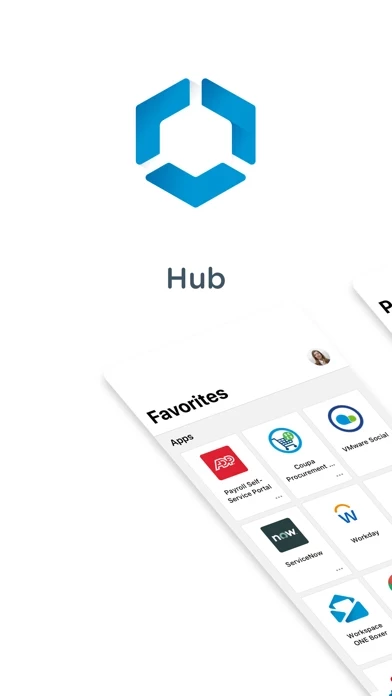
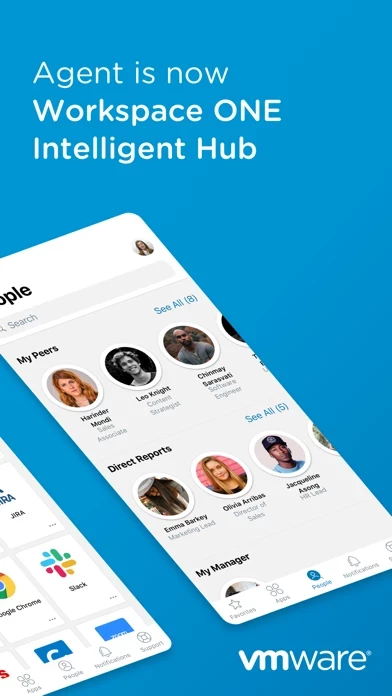
AirWatch Agent is now Intelligent Hub! The Intelligent Hub app is the single destination where employees can have an enhanced user experience with unified onboarding, catalog, and access to services such as People, Notifications, and Home. Capabilities: **Stay Secure, Stay Connected** Intelligent Hub extends mobile device management (MDM) and mobile app management (MAM) capabilities and enables your company to keep your device secure, compliant and connected. You can also view device details, messages from IT, and verify compliance status and request support from your IT administrator. **App Catalog, People, Notifications, and Home in a Single App** Single catalog experience with optional services such as People, Notifications, and Home. You can now favorite apps and websites that you need quick access to, rate apps, use the search function in the Catalog, get recommended & popular apps, access corporate resources and home page, and much more. **The Entire Company in Your Pock.