Как подсчитать NaN в MATLAB (за 3 шага)
Видео: ЕГЭ ифнорматика. Онлайн разбор заданий №24,25. ФИПИ дострочный этап.
Содержание
В среде математического программирования MATLAB NaN — это специальное значение, которое означает «не число». Значения NaN могут возникать в ваших переменных в случаях, когда происходит необычная операция, например деление нуля. Это также может происходить в некоторых бесконечных операциях, представленных как + Inf и -Inf в MATLAB. Значения NaN также могут возникать при импорте данных из поврежденных файлов или необычных форматов. MATLAB предлагает специальные функции для работы с матрицами, содержащими значения NaN.
Шаг 1
Создайте или получите массив, содержащий значения NaN: Например, myArray = nan (m, n); "создает массив значений NaN размером m на n для переменной myArray.
Шаг 2
Определите, равно ли каждое значение NaN, используя функцию isnan (). Это необходимо, поскольку обычные логические операции, такие как «==», не могут сравнивать значения NaN. Следуя приведенному выше примеру:
myBooleanArray = isnan (myArray);
Шаг 3
Суммируйте значения в myBooleanArray, чтобы определить количество значений NaN, содержащихся в myArray. В MATLAB сумма операций работает только с последним измерением. Итак, в приведенном выше примере myArray m-by-n вам нужно либо вызвать:
how_many_NaNs = сумма (сумма (myBooleanArray));
how_many_NaNs = сумма (изменить форму (myBooleanArray, m * n, 1));
Во втором примере кода массив реконфигурируется в одномерный массив, так что сумма функции работает по всему массиву.
Что значит nan в матлабе
Description
NaN returns the IEEE arithmetic representation for Not-a-Number ( NaN ). These result from operations which have undefined numerical results.
These operations produce NaN :
-
Any arithmetic operation on a NaN , such as sqrt(NaN) Addition or subtraction, such as magnitude subtraction of infinities as (+Inf)+(-Inf) Multiplication, such as 0*Inf Division , such as 0/0 and Inf/Inf Remainder, such as rem(x,y) where y is zero or x is infinity
Because two NaN s are not equal to each other, logical operations involving NaN s always return false, except
What Is Nan In Matlab
MATLAB represents values that are not real or complex numbers with a special value called NaN , which stands for “Not a Number”. Expressions like 0/0 and inf/inf result in NaN , as do any arithmetic operations involving a NaN : x = 0/0 x = NaN.
How does Matlab calculate NaN value?,
Direct link to this answer
- % Generate sample data.
- x = rand(1, 10);
- x(x > 0.5) = NaN;
- % Find NaN values in two different ways.
- y1 = isnan(x) ;
- y2 = (x
Furthermore, How do you write NaN in Matlab?, X = NaN returns the scalar representation of “not a number”. Operations return NaN when they have undefined numeric results, such as 0/0 or 0*Inf . X = NaN( n ) returns an n -by- n matrix of NaN values.
Finally, What is NaN element?, Return a scalar, matrix, or N-dimensional array whose elements are all equal to the IEEE symbol NaN (Not a Number). NaN is the result of operations which do not produce a well defined numerical result. … To find NaN values, use the isnan function. When called with no arguments, return a scalar with the value ‘ NaN ‘.
Frequently Asked Question:
What can cause NaN?
“Nan” is produced if a floating point operation has some input parameters that cause the operation to produce some undefined result. For example, 0.0 divided by 0.0 is arithmetically undefined. Finding out the square root of a negative number too is undefined.
Why do I get NaN?
It’s because you haven’t assigned a value to your count and sum variables. Right now you’re trying to increment count, but count isn’t a number to begin with. If you try to increment something that isn’t a number, the result is also not going to be a number.
What causes NaN in C++?
The most likely explanation is that some data is being read from the wrong address, and that the read data (which may not even be floating-point data) happens to match a quiet NaN encoding. This can happen pretty easily, because the relatively common pattern 0xffff… encodes a quiet NaN.
What causes NaN JavaScript?
By definition, NaN is the return value from operations which have an undefined numerical result. Hence why, in JavaScript, aside from being part of the global object, it is also part of the Number object: Number. NaN. It is still a numeric data type , but it is undefined as a real number .
How do I get NaN in Matlab?
X = NaN returns the scalar representation of “not a number”. Operations return NaN when they have undefined numeric results, such as 0/0 or 0*Inf . X = NaN( n ) returns an n -by- n matrix of NaN values.
What is NaN value in Matlab?
MATLAB represents values that are not real or complex numbers with a special value called NaN , which stands for “Not a Number”. Expressions like 0/0 and inf/inf result in NaN , as do any arithmetic operations involving a NaN : x = 0/0 x = NaN.
How do you use zeros in Matlab?
X = zeros( sz ) returns an array of zeros where size vector sz defines size(X) . For example, zeros([2 3]) returns a 2-by-3 matrix. X = zeros(___, typename ) returns an array of zeros of data type typename . For example, zeros(‘int8’) returns a scalar, 8-bit integer 0 .
What causes NaN in Matlab?
Any of these arithmetic operations will produce a NaN: zero/zero, zero*infinity, infinity/infinity, infinity-infinity. For example, if any of the three quantities, dd_Anis, ddu_acos, or du_dMph were to become zero at the same time that sin(Mtheta) is zero, that would produce a NaN.
How does Matlab calculate NaN values?
Direct link to this answer
- % Generate sample data.
- x = rand(1, 10);
- x(x > 0.5) = NaN;
- % Find NaN values in two different ways.
- y1 = isnan(x) ;
- y2 = (x
What is NaN value in Matlab?
MATLAB represents values that are not real or complex numbers with a special value called NaN , which stands for “Not a Number”. Expressions like 0/0 and inf/inf result in NaN , as do any arithmetic operations involving a NaN : x = 0/0 x = NaN.
How does Matlab ignore NaN values?
V = var(_,nanflag) specifies whether to include or omit NaN values from the calculation for any of the previous syntaxes. For example, var(A,’includenan’) includes all NaN values in A while var(A,’omitnan’) ignores them.
What causes NaN in Matlab?
Any of these arithmetic operations will produce a NaN: zero/zero, zero*infinity, infinity/infinity, infinity-infinity. For example, if any of the three quantities, dd_Anis, ddu_acos, or du_dMph were to become zero at the same time that sin(Mtheta) is zero, that would produce a NaN.
How does Matlab calculate NaN value?
Direct link to this answer
- % Generate sample data.
- x = rand(1, 10);
- x(x > 0.5) = NaN;
- % Find NaN values in two different ways.
- y1 = isnan(x) ;
- y2 = (x
How do you write NaN in Matlab?
X = NaN returns the scalar representation of “not a number”. Operations return NaN when they have undefined numeric results, such as 0/0 or 0*Inf . X = NaN( n ) returns an n -by- n matrix of NaN values.
What is NaN element?
Return a scalar, matrix, or N-dimensional array whose elements are all equal to the IEEE symbol NaN (Not a Number). NaN is the result of operations which do not produce a well defined numerical result. … To find NaN values, use the isnan function. When called with no arguments, return a scalar with the value ‘ NaN ‘.
How does Matlab calculate NaN value?
Direct link to this answer
- % Generate sample data.
- x = rand(1, 10);
- x(x > 0.5) = NaN;
- % Find NaN values in two different ways.
- y1 = isnan(x) ;
- y2 = (x
Matlab nan

In Matlab, a function that represents the values that are not real or not a complex number is known as the NaN function. NaN function means not a number with a special value that containing expressions like inf/inf or 0/0.
Hadoop, Data Science, Statistics & others
Syntax
- X = NaN
- X = NaN(n)
- X = NaN(sz)
- X = NaN(___,’like’,p)
How Nan Function Work in Matlab?
In Matlab, to write a special value that is not a real number or complex number, we used the “Matlab NaN function”. To use the Matlab NaN function, we can simply call the appropriate syntax. To know how the “NaN function” actually works in Matlab, we can see some examples of the NaN function.
Examples
Different examples are mentioned below:
Example #1
Let us see an example related to the Matlab NaN function. In this example, we can see how to assign the NaN values with the Matlab NaN function as we know that in Matlab, a NaN function can be used to get special values like Y = 0/0. For this, we used a syntax that is A = NaN. It is the syntax of the Matlab NaN function; here, A is the variable name where NaN values can assign.
Code:
clc;
clear all;
close all;
A = NaN
Output:
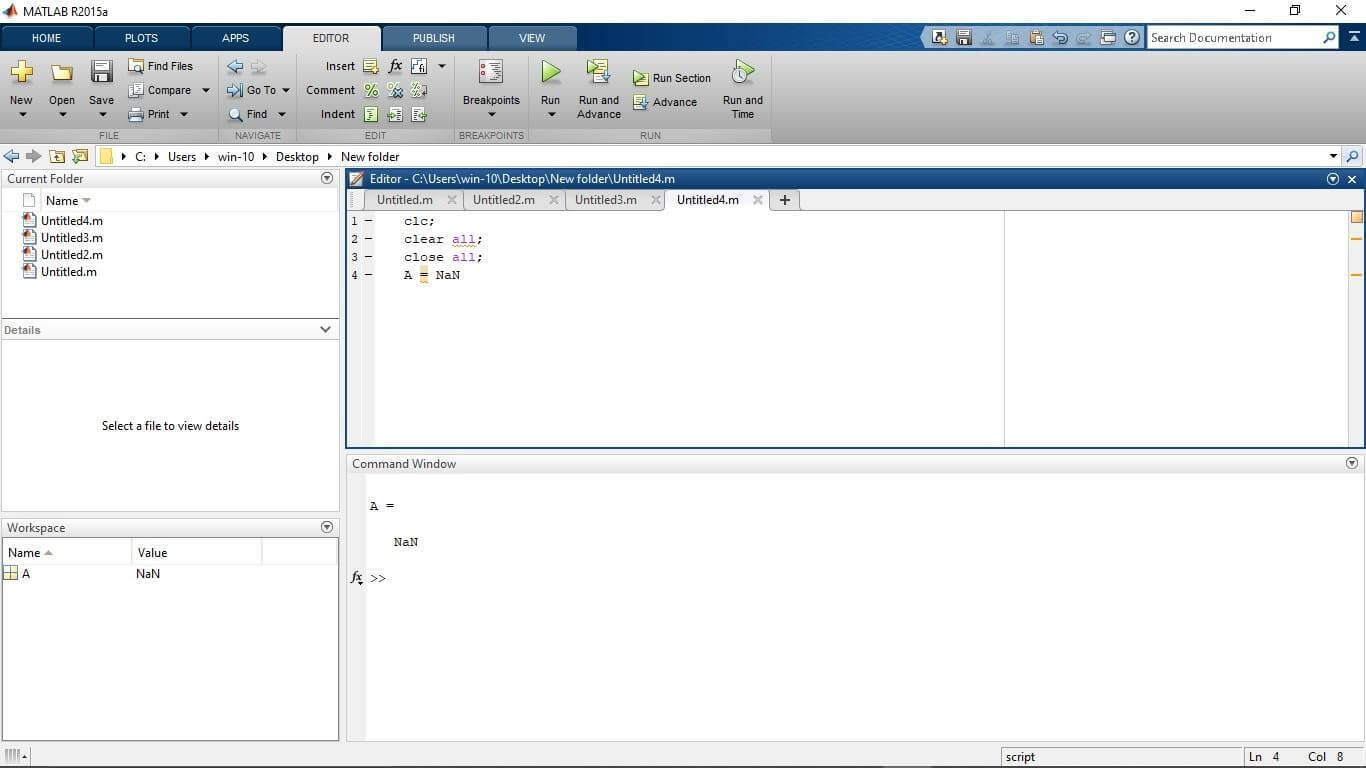
After executing the 1 st Matlab code, the NaN value is assigned to the variable A, and it is shown in figure 1.
Example #2
Let see another example of the NaN function; in this example, we can see how to create the 4×4 matrix of special values that cannot be a real number or complex number. So as we know, that ‘NaN function’ returns a special value which containing expressions like inf/inf or 0/0. Hence we can use Matlab ‘NaN’ function for creating the 4×4 matrix of special values that cannot be a real number or complex number. Matlab NaN function is written Special values as NaN So for creating a 4×4 matrix; we used the syntax of NaN function. B = NaN(4) gives the 4×4 matrix, which contains special values that cannot be a real number or complex number. Here B, is the name of the matrix. After executing the Matlab code, we get the 4×4 matrix which congaing the special values.
Code:
clc;
clear all;
close all;
B = NaN(4)
Output:
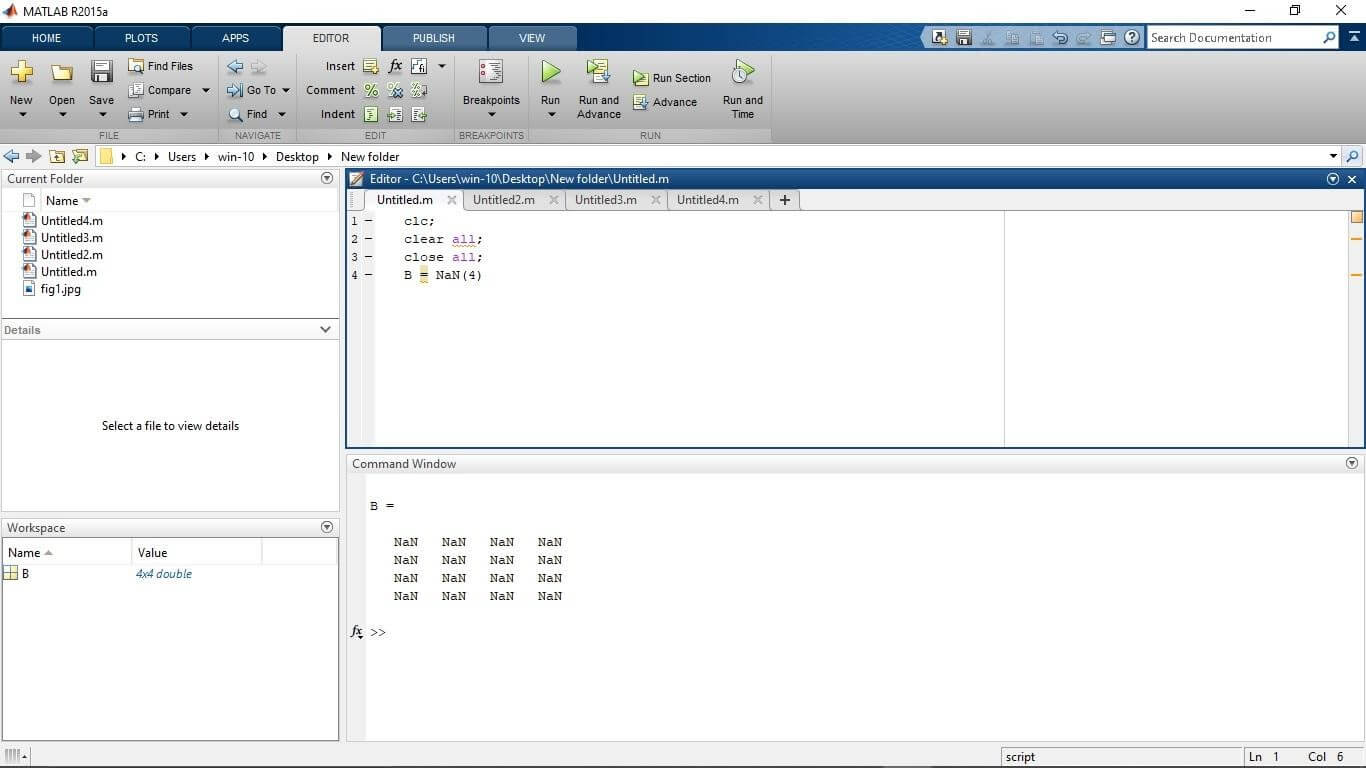
We got a 4×4 matrix of special values by using the NaN function, and the matrix is shown in figure 2.
Example #3
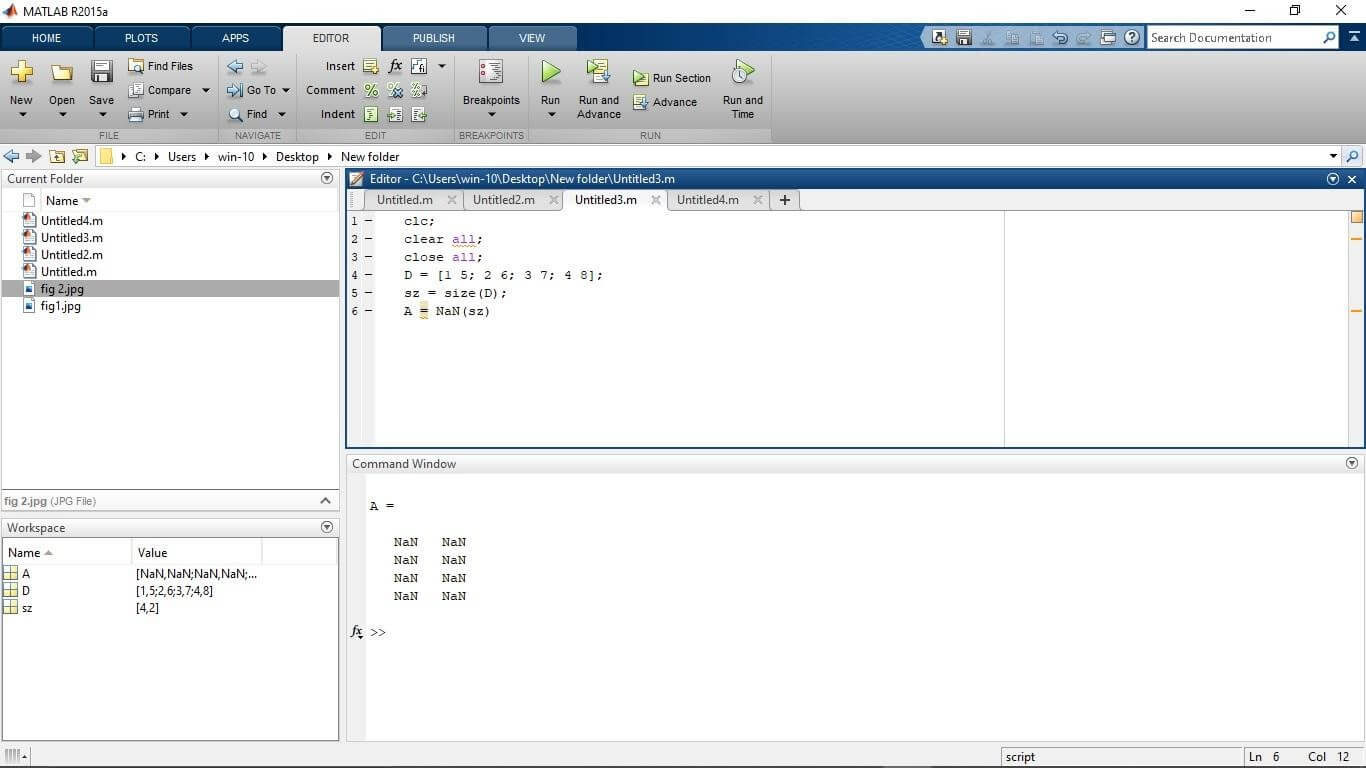
Let us see another example related to the Matlab NaN function. In this example, we can see that how we can create an array of specific sizes of special values that cannot be real numbers or complex numbers. So first, we take one array containing the data. After that, we can measure the size of the matrix, and last we used a syntax of the NaN function. Here we take array ‘D’. A array containing the data [1 5 ; 2 6 ; 3 7 ; 4 8 ]. Now we can measure the size of the array. sz = size(D) measures the size of the array ‘D’, and the measured size is stored into the ‘sz’ variable. So as we know, that ‘NaN function’ returns a special value which containing expressions like inf/inf or 0/0. Hence we can use Matlab ‘NaN’ function for creating the 4×4 matrix of special values that cannot be a real number or complex number. Hence we can use the NaN function of creating a matrix of special values that cannot be a real number or complex number. A = NaN(sz) it returns the matrix of size contains in the variable sz. After executing the code, the matrix is created into the command window.
Code:
clc;
clear all;
close all;
D = [1 5; 2 6; 3 7; 4 8];
sz = size(D);
A = NaN(sz)
Output:
Example #4
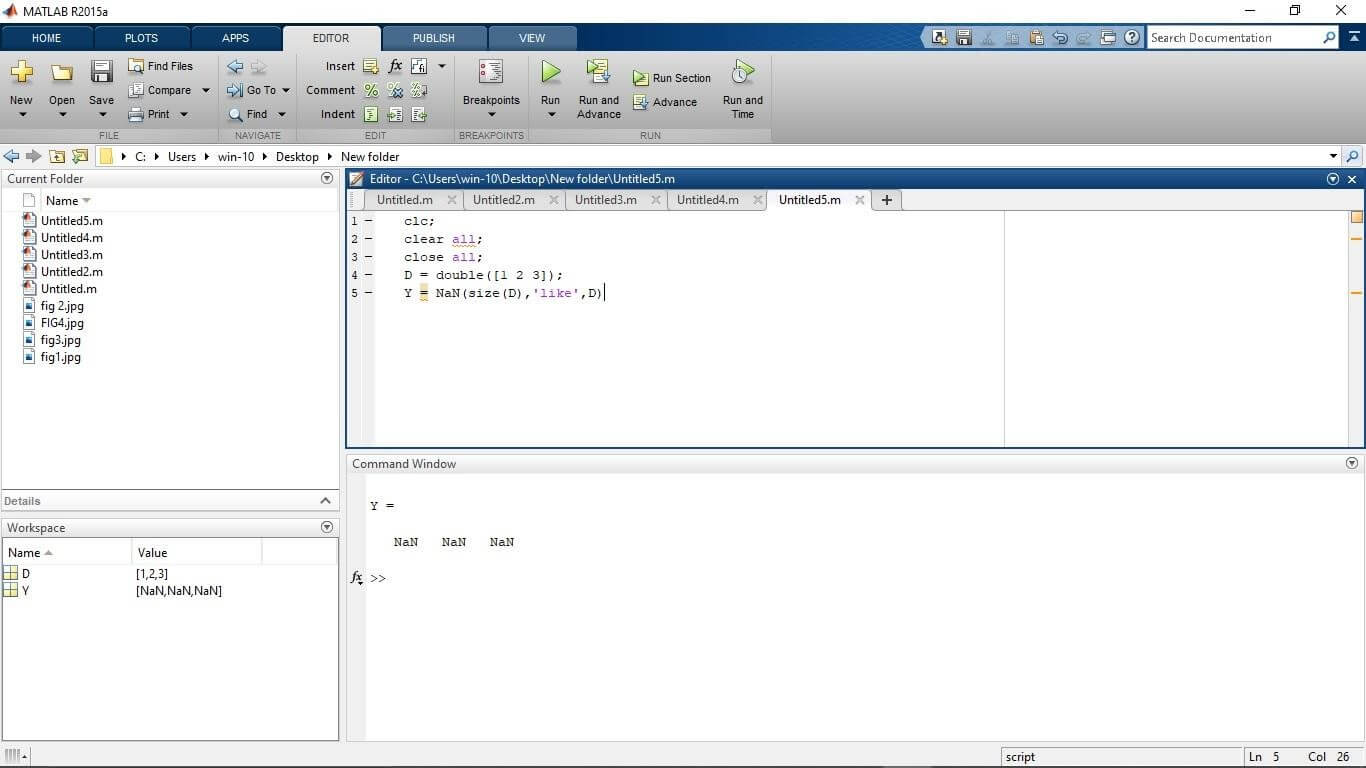
In this example, we can see how to specify the data type of NaN values. So first, we take array D, which has a data type that is double. Now we can use the syntax of the NaN function to create an array of NaN values with a specific function. D = double([1 2 3]) this is the array we can use in the example. Now we can use Y = NaN(size(D),’like’,D) syntax to create array of NaN values with specific function. In this syntax, size(D) measures the size of array D. The above syntax creates an array of size as same as the size of array D, and it also specifies the data type as like array D that is ‘double’. After executing, the code array Y of NaN values is created with the specific data type.
Code:
clc;
clear all;
close all;
D = double([1 2 3]);
Y = NaN(size(D),’like’,D)
Output:
Advantages
- Easy to create an array of “NaN” values in Matlab.
- Easy to do any arithmetic operations involving NaN values like Y = 0/0.
- We can directly assign the “NaN” values to a variable using the proper syntax.
Conclusion
In this article, we saw the concept of Matlab NaN. Basically, It represents the values that are not real or not a complex number. Nan function plays a vital role in the description and operations of the database because if there are no values present in the database, then it will produce an error.
Recommended Articles
This is a guide to Matlab nan. Here we discuss How Nan Function Work in Matlab and Examples along with the codes and outputs. You may also have a look at the following articles to learn more –