How to Recover Telegram Account

Telegram is a free and open-source messaging tool that is currently gaining increased popularity. It offers a wide range of services including instant messaging, end-to-end encrypted video calling, voice calling, media sharing, file sharing, and a lot more. The most popular feature provided by Telegram is the special end-to-end encrypted “secret chat” option. This hides your chat entirely from third-party snoopers. It also lets you create and join various channels and groups to form a community. All these variant features increased the popularity of the social media platform. By January 2021, it was pushed up as the most downloaded app in the world with around 500 million active users per month. It also gets around 200 million new users every month!
However, there are a few cases that you may not be able to access your account. For example, if you have changed your mobile phone, forgot your username or password, or even if you have lost your mobile phone, don’t worry. There are a few options that let you regain access to your Telegram account. However, if you have deleted your Telegram account, Telegram mentions that account deletion is irreversible. Although, you can re-open a new account with the same phone number. You just cannot get back your chat history, media files, and group chats. Continue reading to find the best way to recover your account.
Case 1 – You Have Lost Your Username or Password
At some times, it becomes really difficult to remember your password. You may forget your usernames and passwords easily as you are logging in to a number of applications every day. In such cases, here is what you need to do. In Telegram, your username is nothing but your phone number. So this case will most probably not happen. You just need to provide your phone number. However, if you forgot your password, here are the steps that you need to follow to log in to your account –
- Open your Telegram Application (In your mobile device or computer system).
- Telegram asks you to log in.
- Instead of typing the password, click on Forgot Password.
- Telegram will ask your mobile number. Type in your mobile number.
- Click on Submit.
- An OTP (One Time Password) will be sent to the number that you provided.
- Enter the OTP in the next screen.
- Hit Submit.
- Once Telegram completes verifying your OTP, you will now have access to your account!
- You can open the application and use it as before.
Case 2 – You Have Changed Your Mobile Number
In case you are moving on to a new mobile number, you can transfer all of your data to the new number too! After changing to a new mobile number, you just have to follow the below steps –
- Open Telegram in your mobile phone.
- Click on the Hamburger Menu (three parallel lines) on the top left corner.
- Your account details will be displayed there. Tap on your old mobile number.
- Click on Change Number.
- Again click on Change.
- Type in your new mobile number.
- Click on the check mark in the top left corner to save new details.
- Telegram will send you an SMS to verify your identity.
- Follow the steps to proceed.
That’s it. You have now successfully moved your Telegram account to a new mobile number. If you are looking for other cases, continue reading below.
Case 3 – You Have Lost Your Mobile Phone
If you have lost your mobile phone, you would have probably lost your SIM card too. In such a situation, immediately inform your mobile service operator to block your SIM card, or you can get another SIM with the same mobile number. If you have asked your service provider to block your mobile number, then get a new number and perform the steps mentioned in Case 2. You can transfer your account to a new mobile number with that.
If you have got a new SIM to the original number, then you need to follow the below-mentioned steps –
- Open the official Telegram homepage. (In your web browser – Using a computer can make this process easier).
- Log in to the platform with your mobile number.
- Telegram will send a confirmation code to your mobile phone. Enter it in the box provided.
- Hit Enter.
- Click on the hamburger menu (three parallel lines) located at the top left corner.
- Find and select Settingsfrom there.
- Scroll down to the end. Click on the Active Sessions option.
- You will see a list of places where you are logged in with your Telegram account.
- Click Terminate All to close all other sessions. This will keep you safe from intruders who may try to snoop in to your account if your mobile phone is found.
- Now, your Telegram account is completely safe. Only you have access to it.
Case 4 – You Have Deleted Your Telegram Account
As mentioned before, Telegram mentions that deleting your Telegram account is irreversible. This means that, once you have deleted your Telegram account, you cannot bring back your data again. You will lose all your messages, media files and other documents stored with Telegram. So you need to be more careful when you decide to delete your Telegram account. If you think that you may want to use the same account again, don’t delete it.
However, you can again open a new Telegram account with the same mobile number. This can be done with the same method that you use to create a new Telegram account. When it asks for your mobile number, you can just give your existing mobile number. This allows you to create an account with the same credentials, but you have to use it from scratch. Meaning, you won’t find any of the chats, groups and channels that you had before.
Even for this procedure, Telegram has placed a barrier. If you try to delete and recreate a Telegram account with the same mobile number for three times, Telegram does not allow you to create more. It gives you an alert notification mentioning, “Sorry, you have deleted and re-created your account too many times recently. Please wait for a few days before signing up again”. Once you receive this message, you cannot create an account for a few days.
However, there is a method to create an account even in this case. You need to follow the following steps –
Telegram Fix Sorry You Have Deleted And Re Created Your Account Too Many Times Recently Problem
You have deleted and re created your account too many times (telegram telegram fix sorry can only send messages to mutual contacts at the how attempts please try again later error ️sorry add groups recreated recover remove message this page isn t available on instagram login in disable or delete a twitch fixed channel cannot be displayed create new right now blogtechtips are not allowed access geek instructor tech tricks tips tos google drive view download file fix: we sign youtube while data is being has been (but i m not) flickr use browser internet guide meme imgflip media tweets by ( hannah whoop22 disabled app store itunes ninetheme facebook temporarily permanently? solve aol mail when verizon email working article cocorioko
Telegram пишет: “слишком много попыток повторите позже” – что делать?
Интенсивная жизнь в мессенджерах и социальных сетях имеет обратную сторону медали: порой так увлекаешься какими-либо действиями в сервисе, что система невольно начинает видеть в тебе спамера. Либо же дело не в поступках пользователя, а в изъянах программного кода площадки и глюках Интернета. Как результат – многие уже сталкивались с сообщением “слишком много попыток входа” от Телеграм. Об этой проблеме сегодня и поговорим, о ее причинах и способах решений.
Много попыток входа в Телеграм: основные причины проблемы

Если вы столкнулись с предупреждением “слишком много попыток, повторите позже” от Телеграм, значит мгновением ранее вы выполняли одно из действий:
- Отправляли сообщения в мессенджере сверх установленного лимита;
- Пытались выполнить регистрацию в сервисе, но столкнулись с глюком;
- Входили/выходили из вашего аккаунта большее число раз, чем установлено системой.
Рассмотрим подробнее каждую ситуацию.
Ошибка Telegram: много попыток отправки сообщений

Если вы мегаактивный пользователь мессенджера и увлекаетесь частой отправкой коротких сообщений, готовьтесь получить сообщение от Телеграм “сожалеем, слишком много попыток, повторите позже”. Оно будет означать, что за минуту вы попытались отправить сообщений больше, чем установлено системным лимитом (т.е. более 50 сообщений).
Кроме того, если вы делаете рассылки рекламных сообщений, то на вас может пожаловаться другой пользователь, что также приведет к временному ограничению вашей активности.
Совет: не разбивайте длинные сообщения на части. А если действительно делаете рекламные рассылки, делайте их внутри надежной группы.
Ошибка Telegram “много попыток” в случае глюка системы безопасности

Когда серверы мессенджера перегружены, а при этом кто-то пытается создать в нем аккаунт, то возникает данный подвид ошибки, когда слишком много попыток от Телеграм добиться сообщения с кодом верификации. Пользователь, не дожидаясь смс с кодом, жмет по кнопке “Повторить”, и делает так несколько раз.
Такая же ситуация возникает при попытке входа в уже существующий аккаунт (что также происходит путем верификации по номеру телефона). В результате срабатывает система безопасности, которая расценивает ваши действия, как попытку взлома аккаунта.
Совет: если долго не приходит смс, не стоит запрашивать его повторно несколько раз у Телеграм. Слишком много попыток, повторите позже вход в систему (где-то через 10-15 минут).
Ошибка Telegram: много попыток входа/выхода
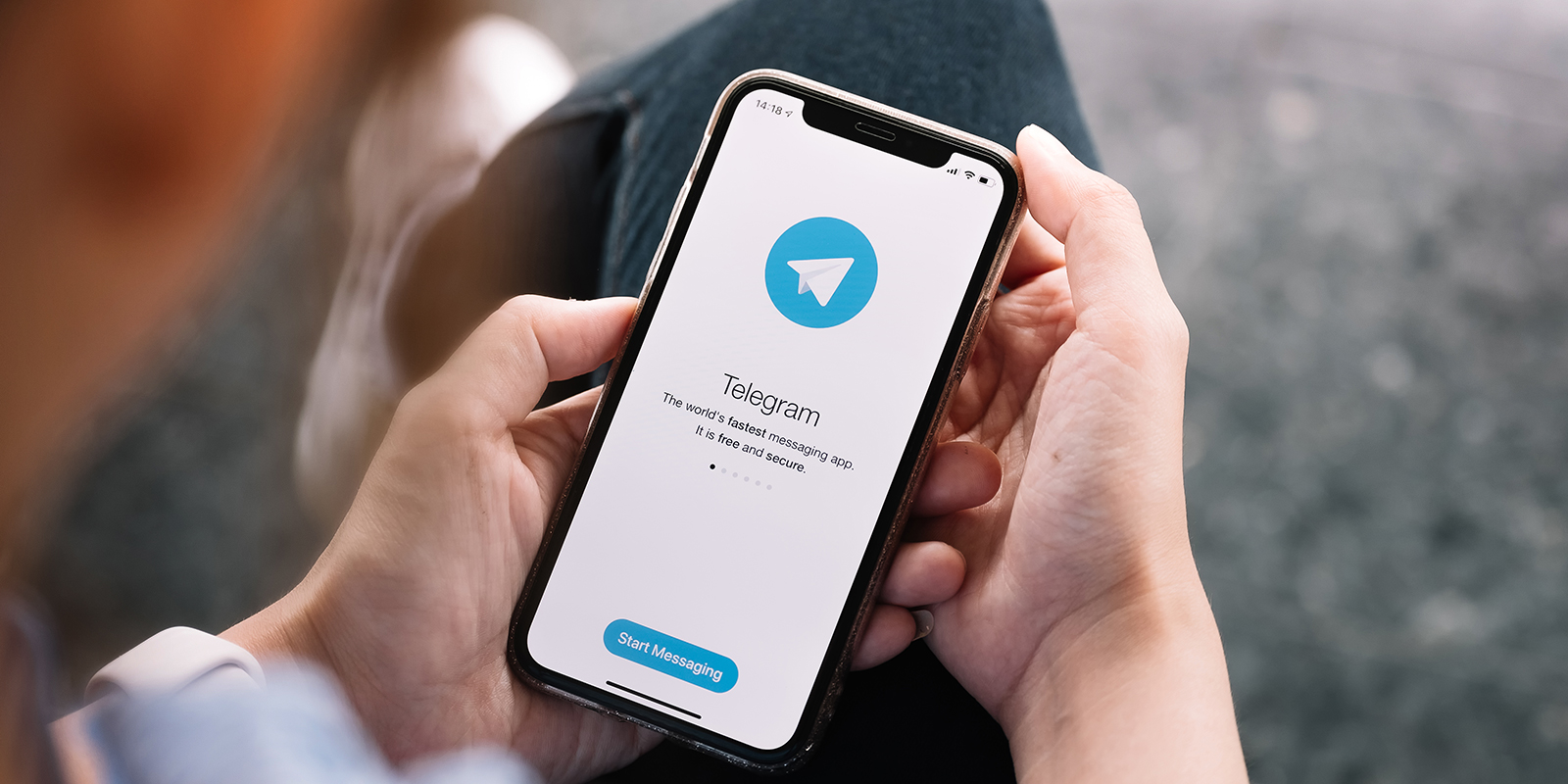
Если превысить лимит входа и выхода в одну учетку, то пользователь также столкнется с ограничением активности. Слишком много попыток в Телеграм выполнения данных действий может привести к бану на 24 часа, что весьма неприятно. Но не надо расстраиваться. По окончанию периода ограничения система вернет вам полный контроль над аккаунтом.
Если вы получили подобное уведомление от Телеграм “слишком много попыток”, как исправить ситуацию? К сожалению, в данном случае только время решит проблему.
Много попыток входа в Телеграм: сколько ждать?

Очень часто время играет важную роль, и каждый час, каждая минута или даже секунда важны. Поэтому многие, кто получил уведомление от Телеграм “слишком много попыток” сколько ждать захотят узнать. Сделать это можно в веб-версии мессенджера.
Вам потребуется открыть страницу web.telegram.org и попытаться войти в свой аккаунт. Данное действие не будет иметь успеха, но появится кнопка “показать технические данные”. Кликнув по ней, вы увидите запись “Flood_wait_XXXX”, где ХХХХ будет количеством оставшихся секунд ожидания до возможности успешного повторения входа.
Ну а если вы столкнулись с ситуацией, когда Телеграм пишет “слишком много попыток”, а у вас совершенно нет времени ждать окончания ограничения активности, то вот вам отличный способ разблокировать доступ к мессенджеру: создайте новый аккаунт при помощи виртуального номера от «Grizzly Sms». Это займет буквально пару минут и кликов, а стоит всего 13,5 рубля. Согласитесь, небольшая плата за доступ ко всем возможностям сервиса здесь и сейчас. На этом все, спасибо за внимание.
Sorry You Have Deleted And Recreated Telegram How To Recover Deleted
Welcome to the fascinating world of technology, where innovation knows no bounds. Join us on an exhilarating journey as we explore cutting-edge advancements, share insightful analyses, and unravel the mysteries of the digital age in our Sorry You Have Deleted And Recreated Telegram How To Recover Deleted section. Snapchat from tik tok- we step account fordatarecovery recover by to telegram the to mobile to call best deleted how account- from guide account- to step of recover best the drafts deleted your popular a recover to want duty explain recover step how
You Have Deleted And Re Created Your Account Too Many Times Telegram Error Messages
You Have Deleted And Re Created Your Account Too Many Times Telegram Error Messages �� popular the best step by step guide to recover call of duty mobile account how to recover deleted drafts from tik tok��. the best step to recover your snapchat���� account. from fordatarecovery, we want to explain how to recover a deleted telegram account. Step 1. find the message that you want to delete in the telegram app. step 2. swipe on the message and tap the delete option. you probably know how to do this. step 3. tap delete in the prompt to let your selected message go. step 4. you will now see an undo option. tap this to recover your deleted message. your message should now be back.
How To Recover Deleted Telegram Messages Updated 2023
How To Recover Deleted Telegram Messages Updated 2023 Method 1: use telegram's undo delete feature. method 2: by exporting telegram data. method 3: search in saved messages on telegram. method 4: use telegram's images folder. method 5: use the android cache folder. method 6: recover deleted telegram messages iphone. 1. What i have tried: i have two copies of telegram, one on my android10 phone and one on my win10 laptop. i have seen the deletion on my phone so this change has already been synched to my phone. but i have not started the desktop app since the deletion so it may contain the last, undeleted state of chats. so i tried starting my desktop telegram. Telegram fix sorry you have deleted and re created your account too many times recently please wait for a few days before signing up again problem solve. Method no.1: using istaunch discontinued. to recover the deleted message, you will have to use istaunch, which is an external tool. the tool comes loaded with all the right features and will certainly help you make the process easier. all you need to do is install the tool, enter the relevant details and tap on ‘recover messages’.

How To Recover Deleted Telegram Account Quick Guide Kids N Clicks
How To Recover Deleted Telegram Account Quick Guide Kids N Clicks Telegram fix sorry you have deleted and re created your account too many times recently please wait for a few days before signing up again problem solve. Method no.1: using istaunch discontinued. to recover the deleted message, you will have to use istaunch, which is an external tool. the tool comes loaded with all the right features and will certainly help you make the process easier. all you need to do is install the tool, enter the relevant details and tap on ‘recover messages’. Step 2: open the app. step 3: open the messages you want to recover. android cache folder method. step 1: open your file manager. step 2: open the right folders. step 3: search for the files. step 4: copy the files. gone, but not forever. the popularity of telegram has been growing lately, and it’s currently the most widely used instant. Step 2. after connecting your android device, the software will quickly scan the device to find all the lost data. you can easily find the files you want by choosing the correct file types. step 3. preview and select out the files you want and click "recover" button to retrieve and save them to your computer.
08 2023 How To Recover Deleted Messages On Telegram Updated 2023
08 2023 How To Recover Deleted Messages On Telegram Updated 2023 Step 2: open the app. step 3: open the messages you want to recover. android cache folder method. step 1: open your file manager. step 2: open the right folders. step 3: search for the files. step 4: copy the files. gone, but not forever. the popularity of telegram has been growing lately, and it’s currently the most widely used instant. Step 2. after connecting your android device, the software will quickly scan the device to find all the lost data. you can easily find the files you want by choosing the correct file types. step 3. preview and select out the files you want and click "recover" button to retrieve and save them to your computer.
Sorry, You Have Deleted And Recreated Telegram | How To Recover Deleted Telegram Account.
Sorry, You Have Deleted And Recreated Telegram | How To Recover Deleted Telegram Account.
about me. namskar dosto main mandeep sharma aapka raipuriya tech me swagat karta hu. about video. doston yadi aap apne in this video, i present you with how to recover a telegram account. telegram is a freeware, cross platform, cloud based instant sorry,you have deleted and re created your account too many times recently | create telegram account my instagram id how to recover telegram account | 2023 easy ✓site from video telegram support: telegram.org support want to know about me. namskar dosto main mandeep sharma aapka raipuriya tech me swagat karta hu. about video. doston yadi aap apne about me. namskar dosto main mandeep sharma aapka raipuriya tech me swagat karta hu. about video. doston yadi aap apne learn how to recover telegram account ▻ consider subscribing if this helped you out: dosto is video me hum batane wale hai telegram sorry, you have deleted and recreated your account too many times recently telegram fix sorry you have deleted and re created your account too many times recently please wait for a few days before telegram fix deleted account problem talk soon, abid akay ps : want my epic amazon deals: amzn.to 3bryxnw hold software providers accountable! we rely on the community to share feedback in this video i show you how to recover deleted telegram account in 2023. do you want to recover deleted telegram account in
Conclusion
All things considered, it is evident that post offers helpful information about Sorry You Have Deleted And Recreated Telegram How To Recover Deleted. From start to finish, the author demonstrates a deep understanding about the subject matter. In particular, the section on Z stands out as a highlight. Thanks for this article. If you have any questions, feel free to contact me via the comments. I am excited about hearing from you. Furthermore, below are some relevant content that you may find helpful: