Открытие файлов формата DXF онлайн
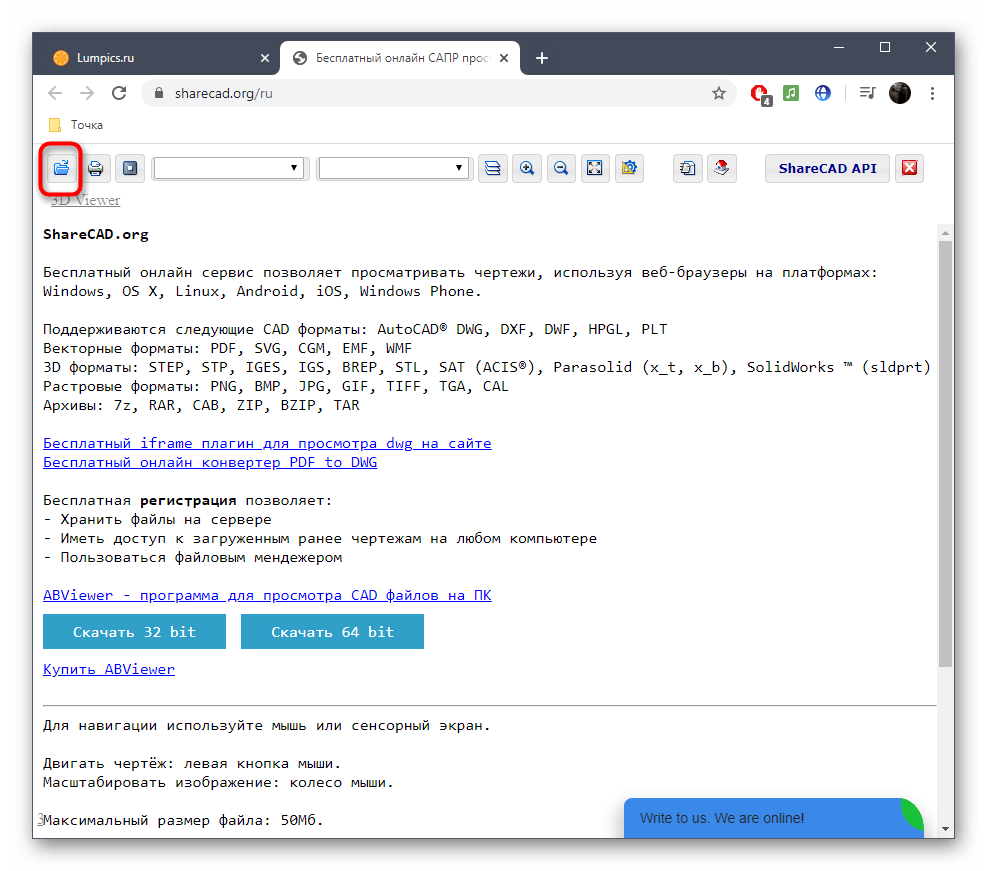
ShareCAD — один из самых продвинутых онлайн-сервисов, позволяющих открыть DXF-файлы в браузере для детального изучения развертки. Встроенный просмотрщик позволяет переключаться между видами и работать со всеми присутствующими в документе слоями.
- Воспользуйтесь ссылкой выше, чтобы попасть на главную страницу ShareCAD. Нажмите на кнопку «Открыть», чтобы перейти к выбору файла.
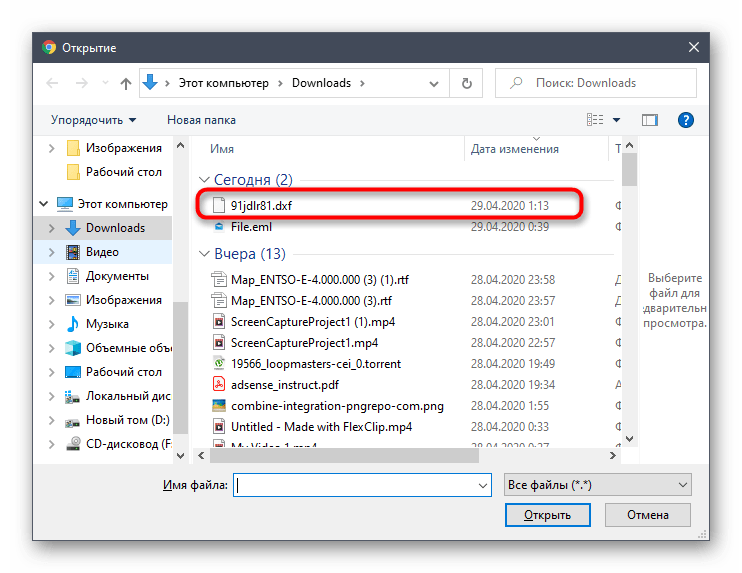
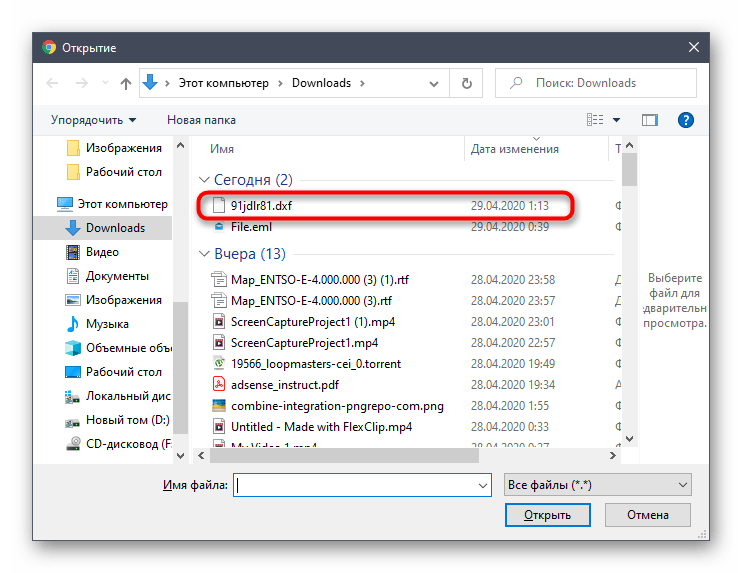
- В открывшемся окне обозревателя отыщите сохраненный в формате DXF чертеж.
Способ 2: Program-pro
Program-pro — многофункциональный онлайн-сервис, поддерживающий открытие разных форматов файлов, включающих и рассматриваемый DXF вместе с другими расширениями, относящимися к CAD-семейству.
- Откройте веб-ресурс и отыщите там кнопку «Выберите файл».
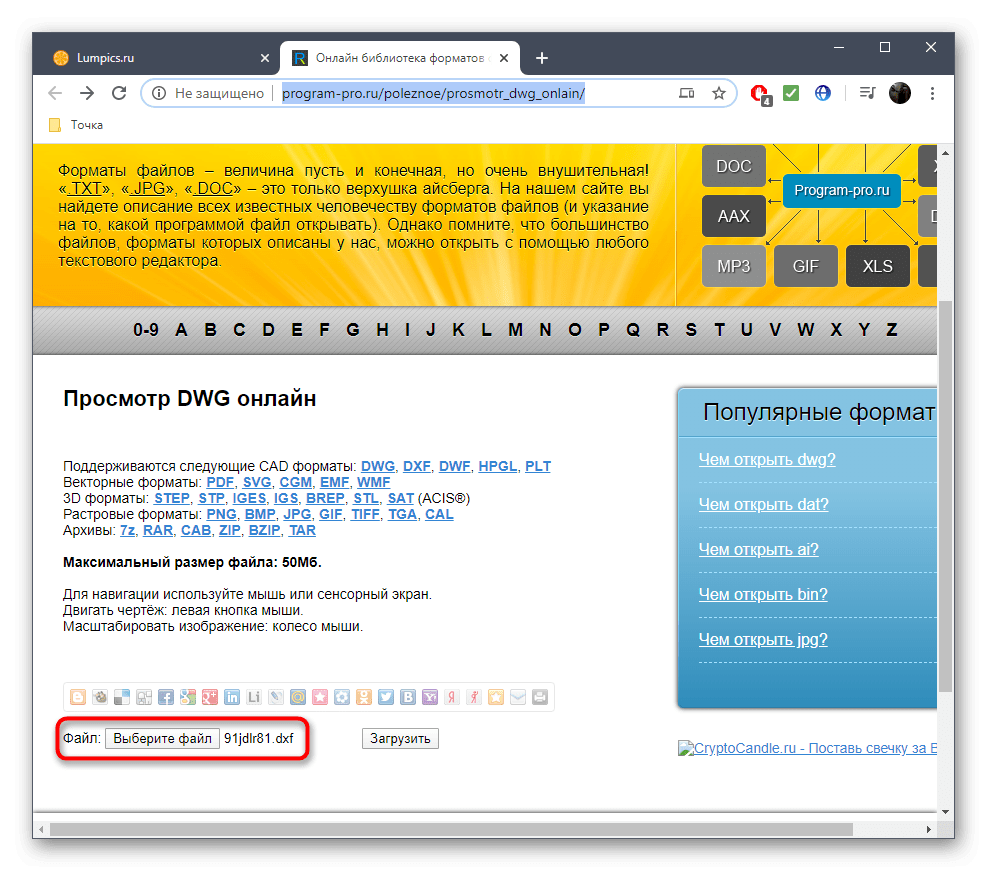
- В окне Проводника найдите требуемый DXF-объект в локальном или съемном хранилище.
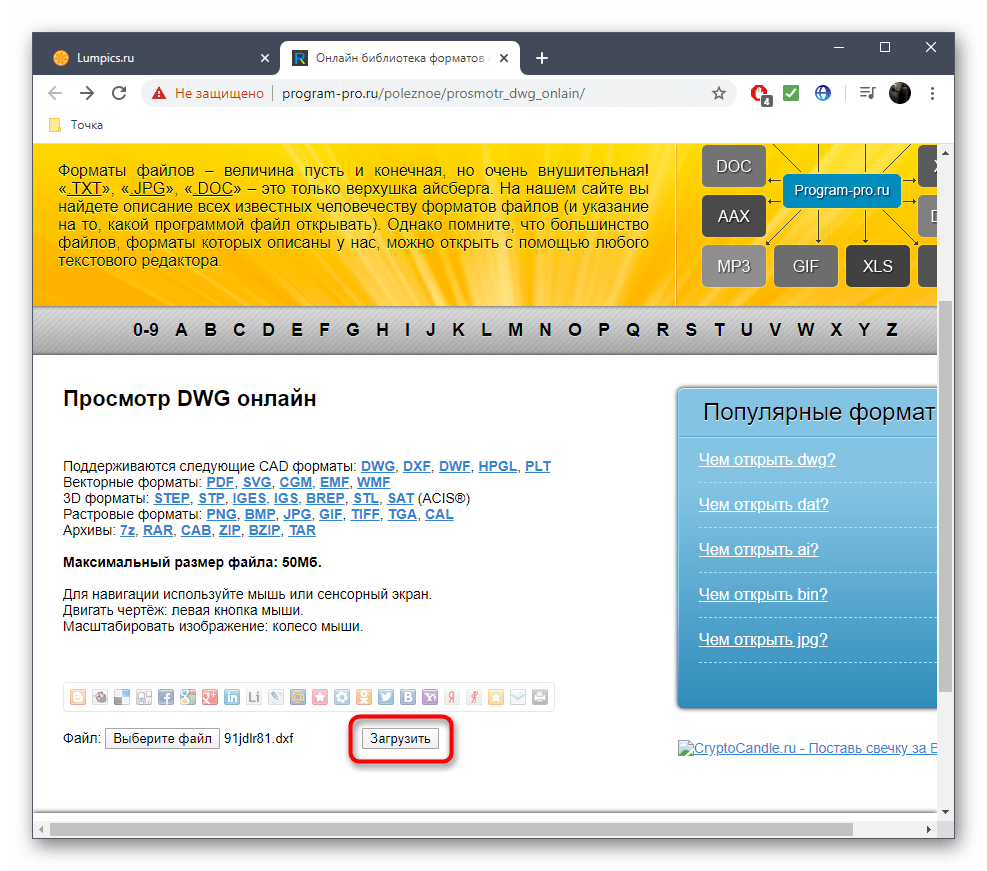
- После возвращения ко вкладке Program-pro остается только щелкнуть «Загрузить».
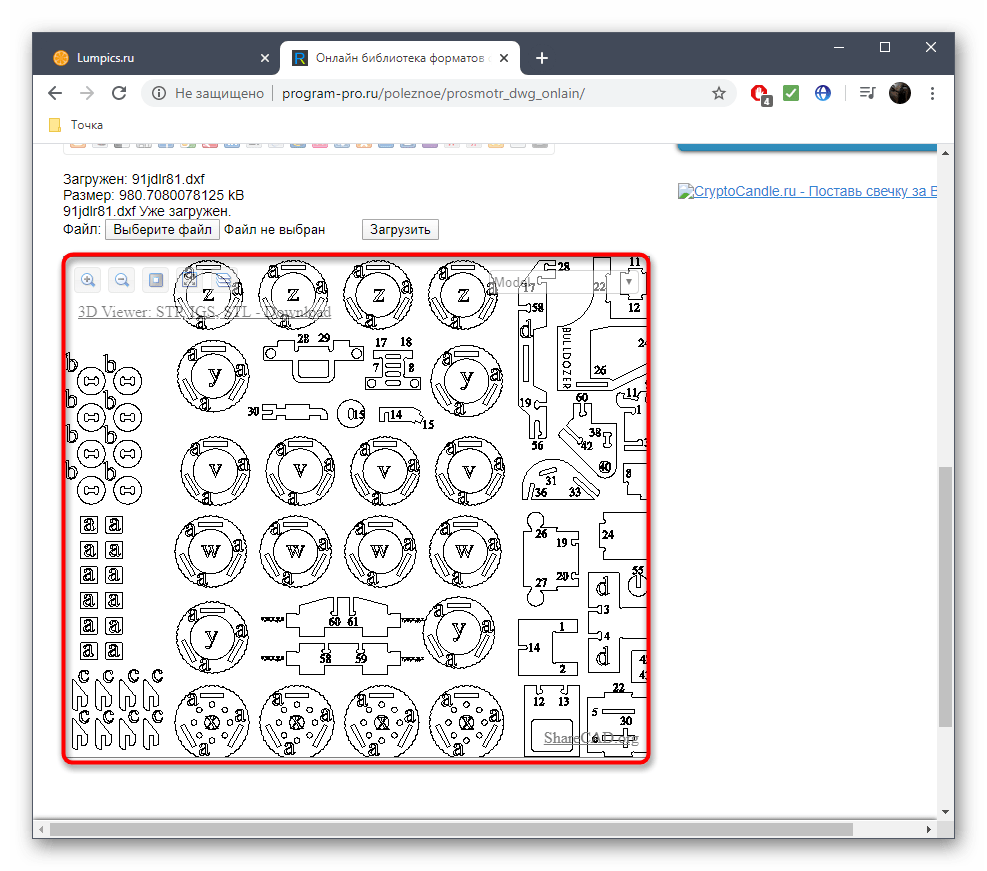
- На экране появится представление развертки в начальном виде.
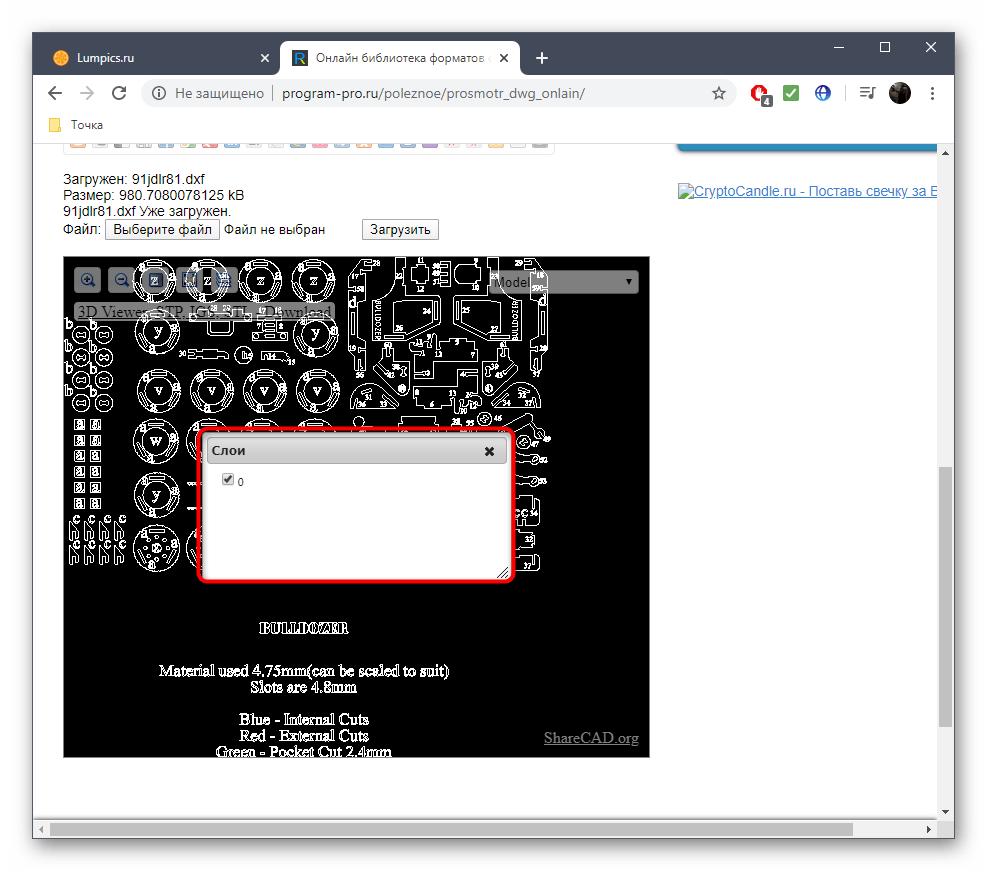
- При помощи расположенной вверху панели управляйте фоном, масштабируйте изображение и управляйте слоями.
Способ 3: ProfiCAD
ProfiCAD — англоязычный онлайн-сервис, функционирующий примерно по такому же принципу, как и описанные ранее инструменты. Вам не нужно обладать знанием иностранного языка, чтобы разобраться в управлении, с чем вы убедитесь далее.
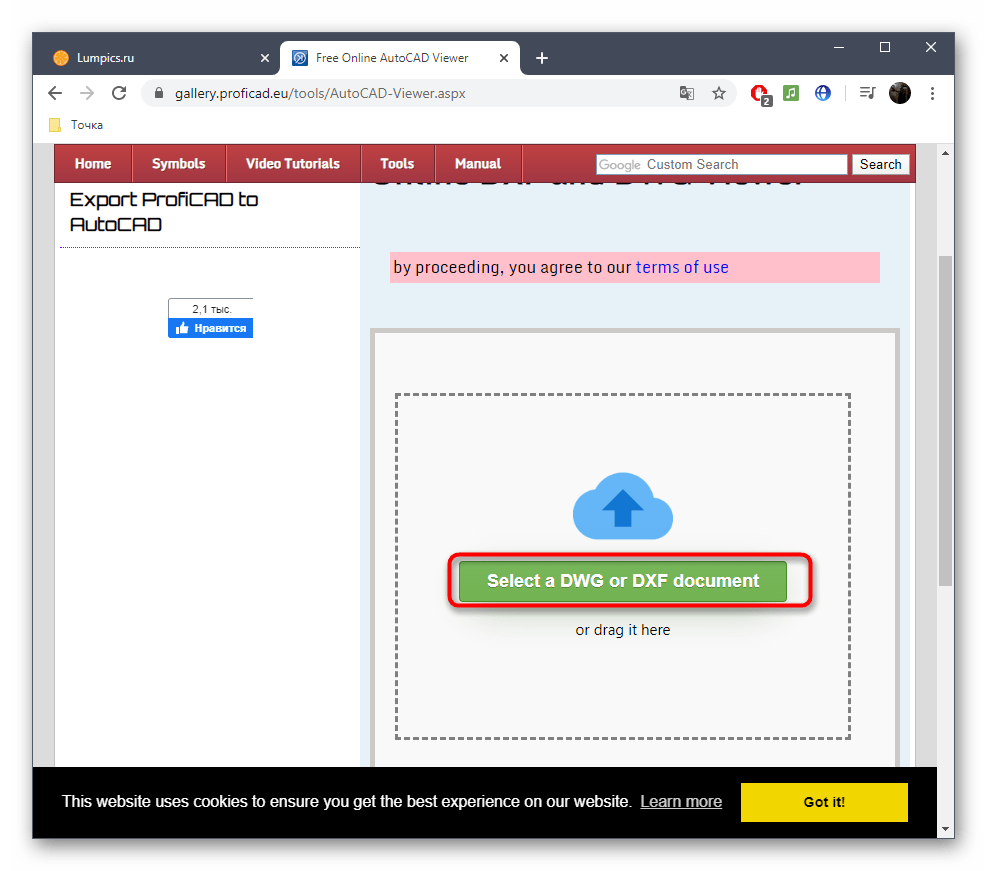
- Откройте сайт ProfiCAD и щелкните там «Select a DWG or DXF document».
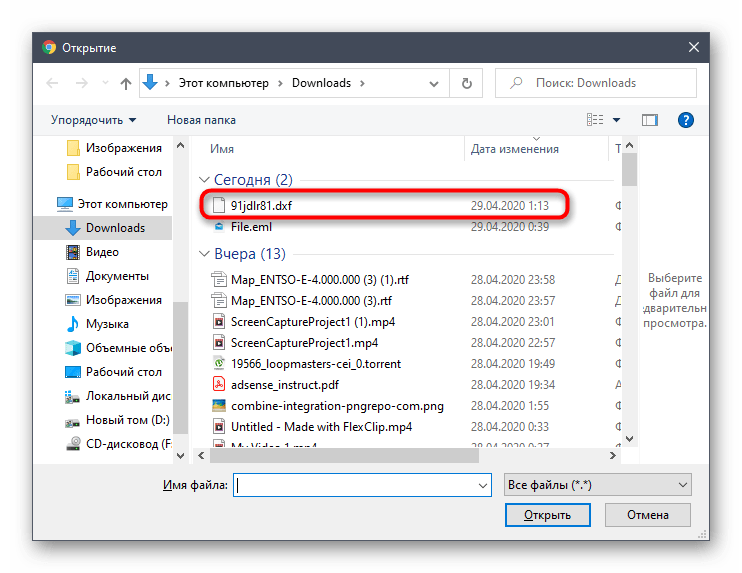
- Стандартным образом отыщите DXF-объект через Проводник.
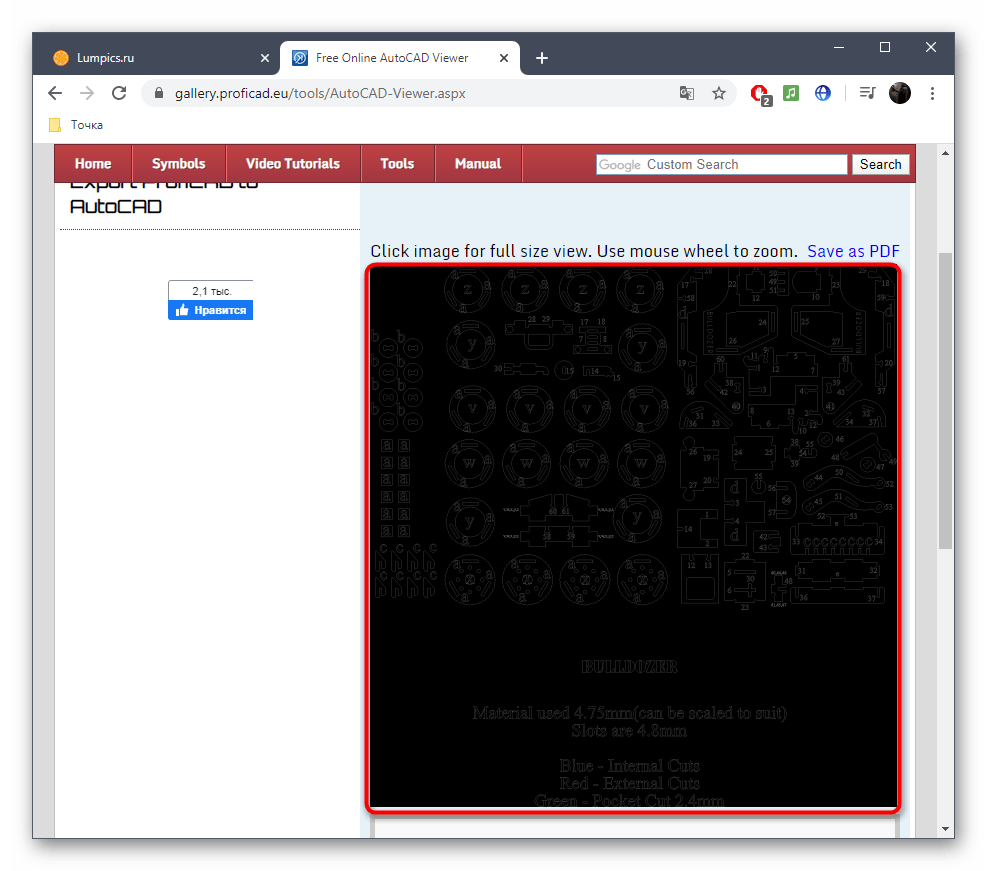
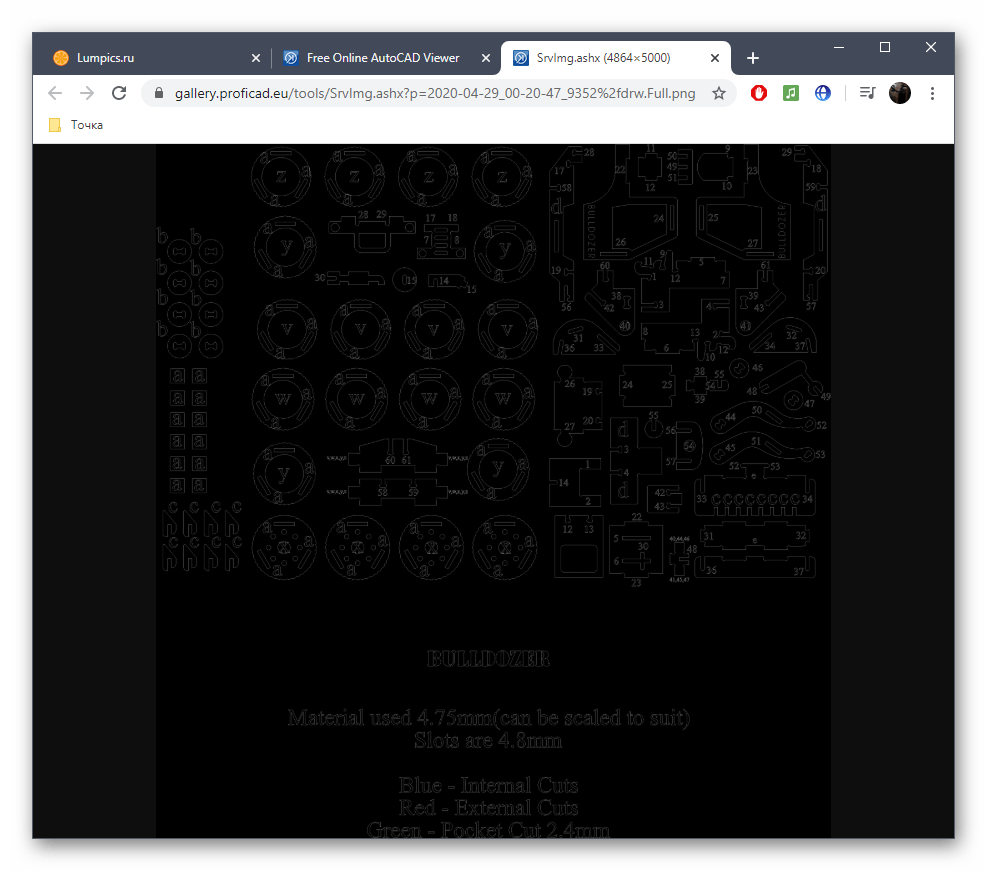
- Единственный недостаток ProfiCAD — отсутствие белого фона, поэтому придется привыкать к черному холсту.
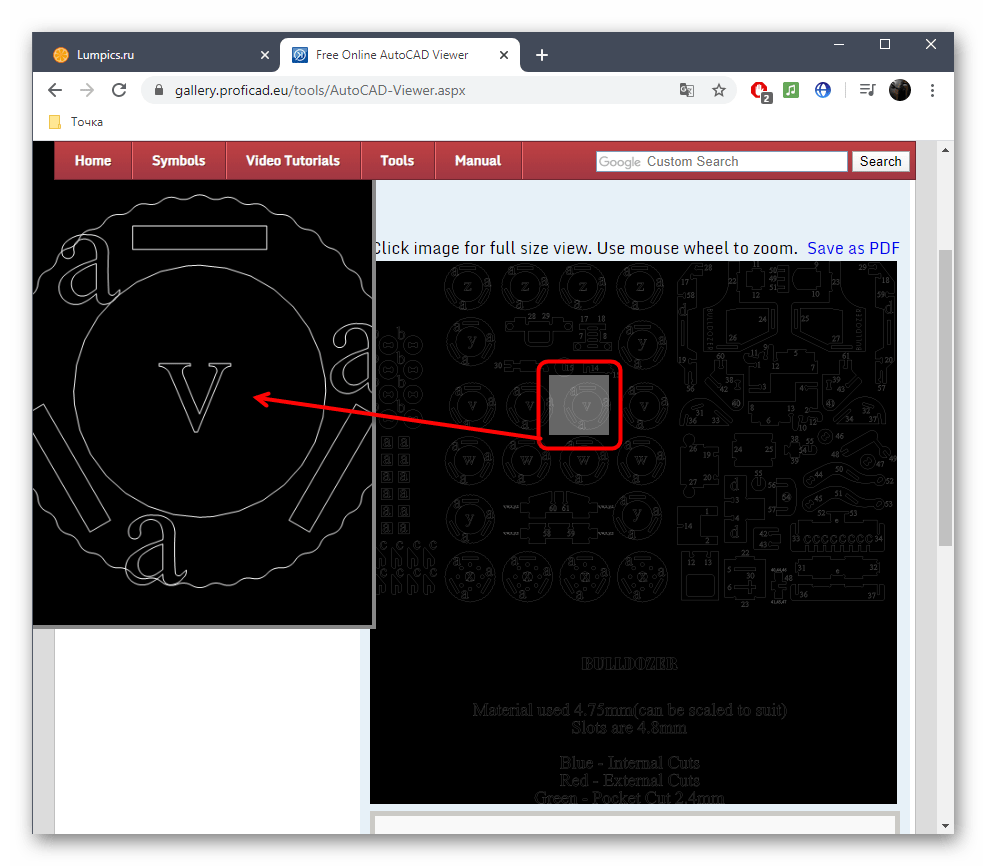
- При наведении курсора на определенную деталь она будет автоматически увеличена и отображена слева, что заменяет инструмент масштабирования.
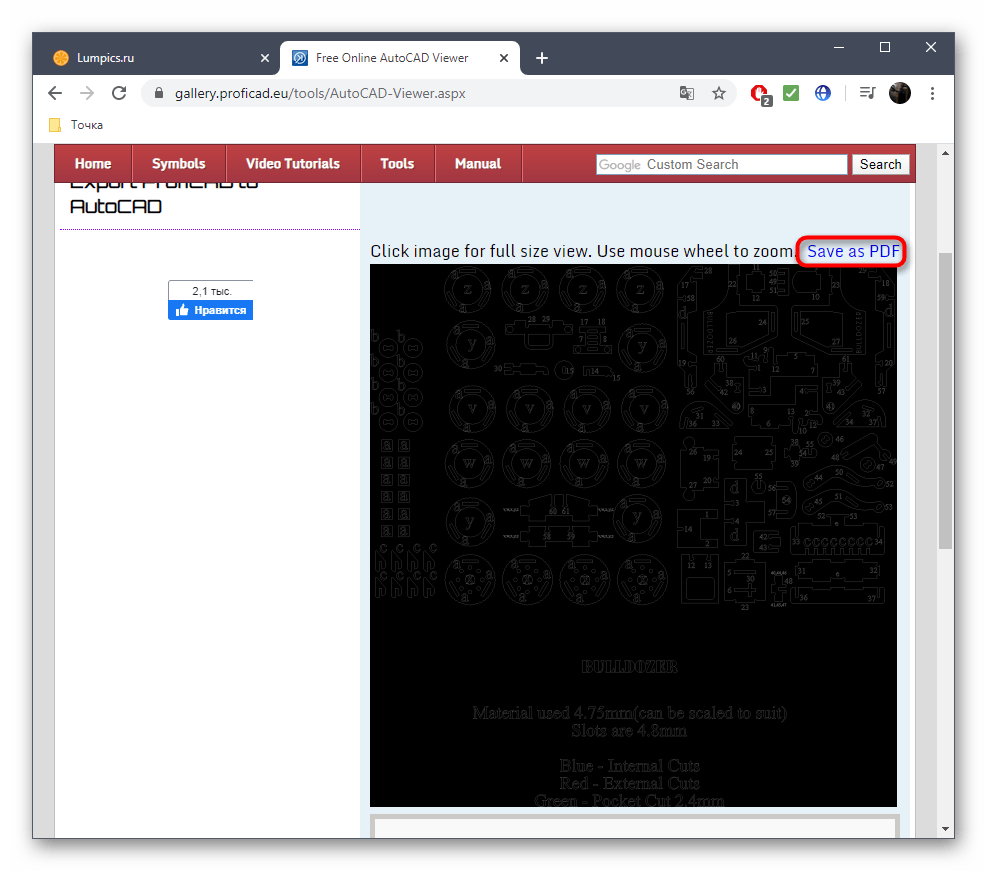
- Щелкните левой кнопкой мыши по изображению, чтобы открыть его в полном размере в новой вкладке. Это поможет ознакомиться со всеми элементами проекта.
- Используйте кнопку «Save as PDF», если хотите сохранить проект в этом формате файлов.
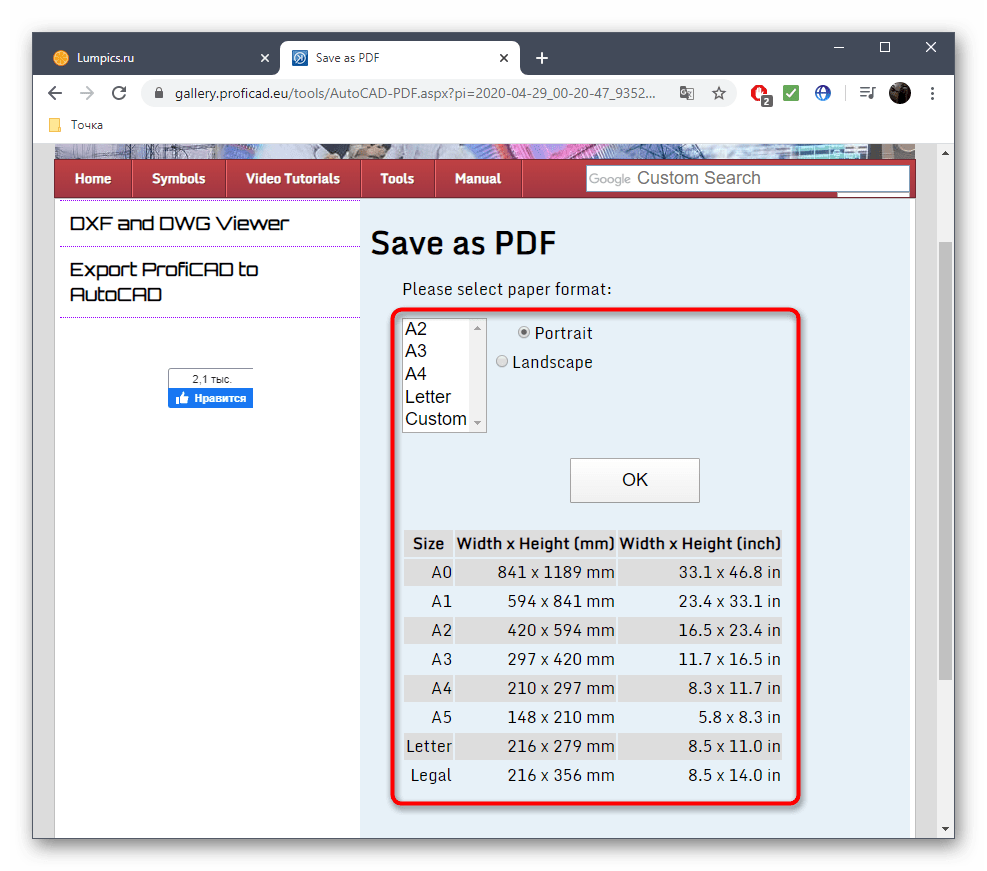
- Перед сохранением выберите формат бумаги и нажмите «ОК». Используйте приведенную таблицу для определения подходящего размера.
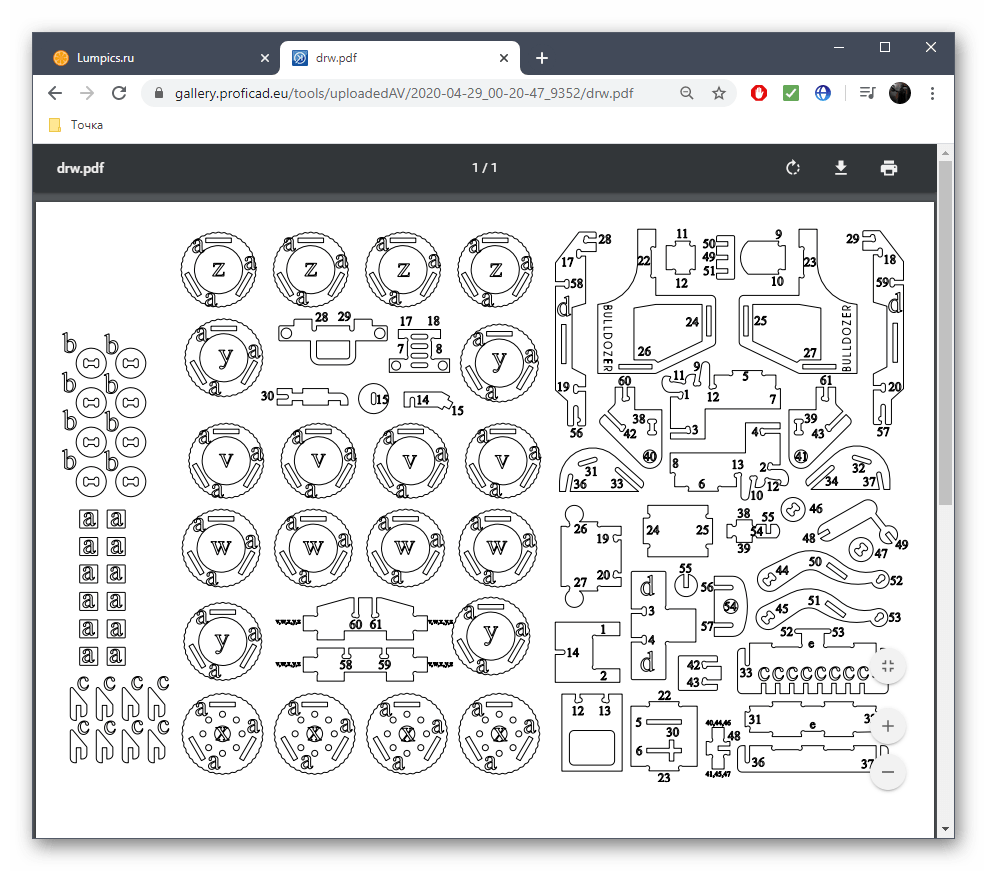
- Откроется отдельная вкладка с готовым PDF-документом или он будет загружен на компьютер автоматически, что зависит от настроек используемого браузера.
Онлайн-сервисы позволяют только открыть DXF для просмотра, но не предназначены для редактирования, а также не подходят, чтобы детально изучить каждую особенность проекта. Зато с этой задачей справляется специальное ПО, о котором более детально читайте далее.
Чем открыть dxf файл онлайн
Используйте этот бесплатный инструмент для просмотра файлов DXF (Drawing Exchange Format) в Интернете без необходимости загружать или устанавливать какое-либо программное обеспечение. Наш инструмент просмотра DXF отобразит ваш файл в браузере с возможностью просмотра в полноэкранном режиме, если это необходимо.
Сначала нажмите кнопку «Загрузить. » и выберите файл DXF, который хотите просмотреть. Как только ваш файл DXF будет получен, он отобразится в вашем браузере.
Мы стремимся обрабатывать все запросы на просмотр файлов DXF как можно быстрее. Обычно это занимает около 5 секунд, но может быть больше для больших или сложных файлов, поэтому проявите терпение.
Мы стремимся создать наиболее точное воспроизведение вашего файла DXF с помощью наших инструментов. Наши инструменты постоянно развиваются, каждую неделю добавляются новые функции и улучшения.
Безопасно ли просматривать мой файл DXF на ImageToStl.com?
Да, конечно! Мы не храним отправленный вами файл DXF. Сгенерированный файл предварительного просмотра в вашем браузере удаляется через 15 минут,
Могу ли я просмотреть свой файл DXF в Windows, Linux, Android, iOS или Mac OS?
Да! Наш просмотрщик файлов DXF будет работать в любой системе с современным веб-браузером. Для использования наших инструментов просмотра файлов не требуется специального программного обеспечения.
Чем открыть dxf файл онлайн
AutoCAD, DXF and DWG Viewer for Google Drive.
This is a online tool that allows you to view AutoCAD files (DXF, DWG, DWF. ) directly in your web browser.
You can choose a DXF, DWG, DWF, DWFX file to view from Google Drive and from local computer.
Supported Formats: DXF, DWG, DWT, DXB, DGN, DWF, DWFX. Free OO converts/1 Day. Max File Size 10M.
This Free DXF and DWG Viewer is mostly used by either people that use CAD or who wish to see CAD designs.
If you have a file that was created by CAD software but you to do not have a CAD compatible program on your computer
then this online app help you to view your CAD files as PNG image.
Just open any DWG CAD file with 2D, Model View, layout. No register required to View your DWG and DXF file.
Online DXF File Viewer
With eMachineShop’s free online DXF file viewer, you can simply upload a .dxf file and the online viewer will open the design in a three-dimensional representation which you can rotate around multiple axes. eMachineShop’s online DXF file viewer also displays data from the design file such as basic measurements, file information, and more. The viewer can support CAD files from numerous CAD Windows softwares including AutoCAD and AutoDesk.
- Show Metadata, Render Log 14″ x 9″ x 6″
- Show Instant Quote Total: $0.00
| Business Days | Each | Subtotal | |
|---|---|---|---|
| 32 | $214.99 | $214.99 | |
| 6 | $511.17 | $511.17 | |
- Upload from Computer
- Upload from Google Drive
- Upload from Dropbox
- Upload from URL
- Save DXF
- Save Image
- Link
- QR Code
- Embed
- Delete from server
- Background Color
- Part Color
- Part Transparency

×
Your quote will be emailed.
What are DXF files?
The moniker DXF stands for Drawing Exchange Format. Created in 1982 by Autodesk, the DXF format is used to represent 2D drawings in a way that can be transferable to multiple CAD (computer-aided design) software programs. DXF files are ASCII text files that contain vector data on numerous graphical elements of a CAD drawing, including polygons, circles, ellipses, arcs, lines, text, and other metadata. These files are commonly used in a variety of fields including engineering, architecture, and construction or anywhere else a 2D model is needed. DXF files are in open source format making them accessible to open and view easily.
Disadvantages to DXF files
While DXF files are popular among 2D designers, there are some potential drawbacks to using this file format.
- DXF files are only suitable for 2D models: Since DXF files are designed to represent 2D geometric models, any 3D features that a user may add may not be supported. In these cases, DWG, STEP, or IGES files are more appropriate formats for maintaining the model’s geometric data.
- DXF files may not retain all of the models information: Even though DXF files are meant to preserve a 2D model’s geometric data, sometimes information can be lost when converting to this format, especially if those defined features are proprietary to a certain CAD program or service.
- Some programs do not support DXF files: DXF files are one of the most commonly supported formats, through a variety of different CAD programs, but some programs have issues importing the data within the file to properly view. This can lead to distorted or degraded DXF imports, where the data is not properly transferred from one CAD program to another.
Why are DXF files popular in CAD modeling?
DXF files are popular among CAD 2D designers because they are not proprietary to any programs and can be easily shared, opened, viewed and manipulated among various CAD programs. DXF files are also quite good at compressing data, so they do not take up much space on a local hard drive and shareable web based platforms. DXF files are also easily converted into more manageable and available formats, such as PDFs or other Windows apps, which allow them to be shared with others who may not have CAD software to properly view them. Even though the DXF file format was conceived over forty years ago, it still remains prevalent and applicable in numerous CAD modeling industries, softwares, and apps.
As Seen In: 
How to convert DXF files
If your current design file is in DXF format, you can use eMachineShop’s Free Online CAD File Converter web service which can open and convert the file into other available formats.
Do you have another file type that you would like to view rendered?
If you have another file type, such as IGES, STL, or STEP, that you would like to see rendered into a three-dimensional model you can visit our resource page to find our other free online file viewers.
Manufacturing services

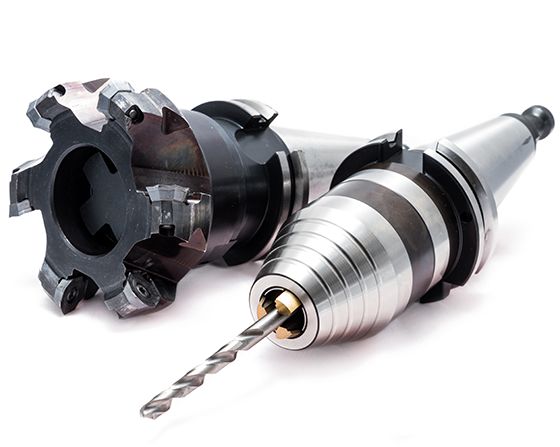
CNC Machining
Precision milling and turning for metal and plastic parts. Prototypes and production.

Sheet Metal Fabrication
Waterjet cutting, laser cutting, tapping, bending and finishes.

Injection Molding
Injection molding of moderate to larger quantities of plastic parts.
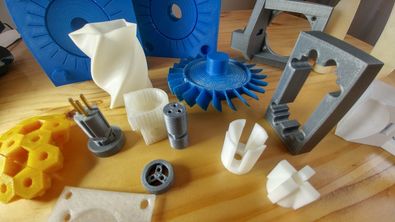
3D Printing
Rapid production of plastic and metal parts. Choose from a variety of colors.

Surface Finishing
Powder coating, anodizing, electroplating, brushing, polishing.

Secondary Processes
A wide variety of secondary machining such as tapping, bending, countersinking.