1366 X 768 Pixels vs 1920 X 1080 Pixels Screen Resolution Laptop | Is 1080p Resolution Preferable?
The choice of a screen’s resolution is not a simple matter. Many think that higher resolution is always good for a laptop, computer, or TV. Yes, it is true to some extent but not always. You also need to consider your preferences- which tasks are you going to frequently do with the new display? Is it gaming or movie watching or video editing? Before buying a monitor, you must study some of the commonly used displays- 1366 x 768 pixels and 1920 x 1080 pixels. There are differences between the two resolutions and this article is all about it. You will have a clearer viewpoint on the matter and will be able to know which resolution is better.

1366 X 768 Pixels vs 1920 X 1080 Pixels Screen Resolution – Which is Better One?
Looking for an appropriate display resolution for gaming? Then let’s get right into the point:
What are 1366 x 768 Pixels?
1366 x 768 pixels in other words 720p produces a full HD display. Before the invention of 1080p, it was the highest resolution producing good picture quality. Pixels are the smallest units of the screen through which images are built. Hence, a higher number of pixels mean better image quality on the display.
What are 1920 x 1080 Pixels
The 1920 x 1080 pixels are also known as 1080p. It is one of the highest resolution producing displays for modern computing systems. It is 2K resolution that can provide full HD image quality for your computer, laptop, or TV screens.
What are the Considerations to Make in Choosing the Right Resolution?
You may want to buy a laptop for gaming; not that you won’t do other things with the laptop, but gaming is the most preferred activity; whereas your friend may need a laptop majorly for watching movies. Hence, there appears a difference in choosing the right resolution for you and your friend. Everyone needs to consider their preferred activity before buying a laptop or computer monitor.
Gaming
There is no doubt that modern high-end games require higher resolution for better viewing. You might think choosing a 1920 x 1080 pixels laptop is a straightforward decision which is not always true. Higher resolution produces better picture quality but it also puts so much pressure on GPU (Graphical Processing Unit). As a result, a 1920 x 1080 p laptop with lower processing power won’t do any good to your gaming experience. You will see stuttering and a lack of smoothness during the gameplay. You may even need to lower the resolution from in-game settings.
On the other hand, a 1366 x 768 pixels laptop is not going to pressurize the GPU as much as a 1080p laptop does. Plus, the picture quality is not decreased too much as you can see from the following screenshot of a high-end game called ‘The Witcher 3’.

Monitor size
The higher the size of the monitor, the higher the resolution requires. For a 15.6 inch display, 1920 x 1080 pixels are a must for modern-day high-resolution videos and movies.
Desktop vs TV
We watch TV from a longer distance compared to a desktop or laptop. Hence, we need even more resolution-display when it comes to TV viewing because the blurred pixels of a low-resolution display unit is more visible if the viewer remains at a longer distance.
Font size
Although a 1920 x 1080 p laptop can produce high image quality, it can also make the font size of the texts smaller. No worry though, you can always adjust the font size to make it bigger. Also, you always have the opportunity to lower the resolution on a 1920 x 1080 pixels display which you cannot have the luxury to do on a 1366 x 768 p display.
Budget
Pricing is an important consideration to make while choosing one resolution over the one. Naturally, a 1080p monitor will cost you more than what 720p will. If you are low on budget, then other considerations are less and less significant.
Is 1920 x 1080 Pixels Better than 1366 x 768 Pixels
First of all, a 1920 x 1080 pixels display unit has twice as much pixel as a 1366 x 768 pixels display. Therefore, the picture quality is bound to get better in 1080p. Next, 1920 x 1080 p resolution gives you more desktop space to work with compared to 1366 x 768 p. Again, you have to consider your choice and preference along with the pros and cons of the two resolutions before picking the right one.
Conclusion
After considering everything mentioned in this article, it is up to you whether to choose 1366 x 768 pixels or 1920 x 1080 pixels for your next computer monitor.
Difference Between a 1366×768 and a 1920×1080 Screen (Explained)

If you love watching on a high-definition resolution screen, any of these types will do. However, one might show images in more detail than the other.
The higher the number the more pixels a screen has. In short, the 1920×1080 screen resolution is of higher quality, because it has more pixels per square inch. On the other hand, a 1366×768 screen would have a little lower number of pixels and thus affecting its resolution.
Many people tend to get confused about which screen to choose when they’re not really that far from each other. And yet, people take time to decide whether to pick a 1920×1080 screen or a 1366×768 for a laptop or their televisions.
But then, when it comes to tech, stats and facts are very important. So let’s get right to it!
What are Pixels?
Pixels, also known as picture elements, are the minor physical points and the base components on a display screen.
Before we go ahead in this article, it’s essential to understand first what pixels are. They are considered the building blocks of an image that you see on your laptop’s screen.
Pixels and resolution go hand in hand. They are directly correlated, which means that the higher the resolution, the higher the number of pixels on a screen.
Additionally, the physical size of a pixel depends upon how you’ve adjusted the resolution on the display screen. So a smaller screen with a higher resolution is better than the bigger one with the same amount of resolution.
What’s a 1366×768 Screen?
A 1366×768 screen is considered to have 1366 pixels horizontally and 768 pixels vertically. When you multiply these numbers, you get the total number of pixels on the screen.
So, in this case, this screen has approximately 1,049,088 pixels in total. Currently, this screen resolution is the most popular one behind the 1280×768 screen.
The cheapest laptop LED displays still come with 1366×768 pixels. I guess you might consider going for this one if you’re on a very tight budget. However, despite being HD, it’s slightly low on quality!
1366×768 is of standard resolution on most laptops that are HD only. That’s not the top of the ladder! There’s still Ultra High Definition resolution at 3840 x 2160 pixels.
Which is Better, 1366×768 or 1080p?
Obviously, the latter is better because 1080p is double 768p. Besides, resolutions above 1920×1080 or 1260×768 are regarded as Full HD.
When it comes to the image quality, you win if you use 1080p. On the other hand, if you want to leave some space on your processor, you might have to go with a lower resolution.
Don’t worry, you can always edit the settings of your device, however the value from there isn’t the same on every laptops or monitors. But 1366×768 is common to many laptops because a dominant LCD manufacturer made it possible!
What’s a 1920×1080 screen?
1920×1080 is considered the most common desktop screen resolution. This screen displays 1920 pixels horizontally, the width, and 1080 pixels vertically, its height. In this case, the total number of pixels on this screen is 2,073,600.
Come to think of it, this is usual on desktops while the 1366×768 is common to laptops.

A 23 inch LCD screen with 1920×1080 pixels and 110% text size shows an image as 5.75 inches wide.
Is 1920×1080 Better than 1080p?
They’re technically the same. 1920×1080 is a screen resolution, while 1080p and 1080i are broadcast formats intended for display on that screen resolution.
1920×1080 is a resolution specification referring to the size in pixels of an image or a screen, whereas 1080p is a video format that displays the video within that resolution.
1920×1080 vs. 1366×768
The significant difference is that 1920×1080 has more pixels than a 1366×768 resolution screen.
This is very important because 1920×1080 resolution will be able to provide a higher quality image on the screen that is more realistic and less pixelated. The thumb rule is that the higher the resolution, the sharper the image.
So if you have one 15.6 inch screen laptop with 1920×1080 pixels and another laptop of the same size but has 1366×768 pixels, then the former will have a higher level of detail than the latter.
While the 1366×768 screen will provide you with less desktop space to work with, the 1920×1080 will give you a better-quality image.
Is 1920×1080 Better than 1366×768?
Because higher-resolution screens display more pixels than lower ones, we can say that 1920×1080 is the better choice.
1980×1080 is also known as the 2K resolution. This resolution makes photos, videos, and texts appear more detailed and smoother than HD. It can’t be doubted that it can provide sharper image quality that justifies why it has become a preferred choice to many.
The other good thing is that nowadays, 1080p displays have become quite affordable. So now you have a better chance of getting a good quality screen and not worrying about it being that expensive!
However, it takes more processing power to control a screen with more pixels. A higher resolution can be more demanding, but most modern laptops are now built with a native resolution of 1920×1080.

It’s not expensive if you treat it as an investment.
Is the 1366×768 Screen Good?
According to some reviews, the 1366×768 screen has a terrible resolution.
They feel that any screen more significant than 12 inches with a 1366×768 resolution looks terrible as it’s too short for a web page and not wide enough to display two documents at once. They also believe that 768p is “ancient” in terms of resolution.
The 1366×768 screen is marketed with a ratio of 16:9, and in some cases, it’s still considered the most common screen resolution. There are a few reasons for that, and those include:
- Low Resolution
People tend to prefer budget laptops over expensive ones. Therefore, they’ll settle for low resolution as it costs less than higher pixels. - Widescreen Display
People love to watch movies on a widescreen. As it’s marketed with a 16:9 ratio aspect, this amuses the users with its expansive display. - User Response
When Manufacturers introduced this resolution, the feedback gathered from the public was very positive towards it. Therefore, this resolution is still standard because people prefer it. - Notebook Usage
People want things that are lightweight and portable. Notebooks have become an innovation, and they usually come with 1366×768 pixel resolution. Due to its expansive display and smart system, people are attracted.
Whether the 1366×768 screen resolution is reasonable depends on your preference and the device you prefer to use. However, If you use too many screens for streaming and work purposes, you might consider a 1920×1080 resolution screen for better quality.
Is 1366×768 Resolution Good for Gaming?
It’s okay for as long as it can satisfy the looks you want. Gaming resolution is a personal preference, and if your system can run smoothly in this specific resolution, it’s even better.
Games played on a widescreen should be enjoyed. As 1366×768 resolution is known for its wide display, some gamers tend to choose this resolution.
However, others feel that when playing games, this screen resolution stretches to 1920×1080 and then distorts the graphics and texts. Even though they won’t look that sharp, the difference is not that much.
In games, skills still play an important role. However, an advantage of 1920×1080 pixel resolution for gaming, on the other hand, is that your games will be more detailed, and images will be sharper.
Is 1366×768 Good for Eyes?
It depends. If your eyes suffer too much fatigue after hours of screen time, you might want to switch to screens with higher resolutions.
If your screen has a high resolution, it would also have a higher pixel density. This is a great relief to your eyes because it can make text and images look sharper.
How Do You Make 1366×768 Look like a 1920×1080?
If you’re stuck in 1366×768 resolution and want to upgrade to the 1920×1080 one, then follow these steps:
- Firstly, click on the desktop and then on the Display settings.
- Next, click on Advanced display settings.
- Where it says “Resolution,” click on the drop-down arrow and select 1920 x 1080.
- Under Multiple displays, click on the drop-down arrow again and choose to Extend these displays.
- Finally, click on Apply.
Can I Replace the 1366×768 with a 1920×1080 Display?
Yes, you can switch to this setting. It’s pretty simple if you follow the given steps directly!
However, you should check notice that the new setting isn’t working on your new monitor. Check its cable. If the new setting doesn’t work, you should go to your Display Properties and check out the higher resolutions available from your Graphics processing unit (GPU).
If the1920x1080 is there, but it won’t work, you might have to contact a technician to find out what’s keeping it from happening.
What’s the Best Resolution for a 15.6″ Laptop?
Microsoft recommends a 1400 × 1050 resolution for a 15-inch laptop. So I guess the 1920×1080 screen resolution is already a good choice. Besides, it has more pixels than recommended, a high-quality display, and is more detailed.
On the other hand, windows laptops that are less costly are 13.3 inches to 15.6 inches in general, have a resolution of 1336×768 pixels. These numbers are okay to work with and are acceptable for home use.
Better and more expensive laptops have sharper screens with 1920×1080 pixels or more resolution. They’re mainly used for work purposes and in professional industries to produce better quality work.
Here’s a table depicting screen resolution stats worldwide in February 2022:
| Screen Resolution | Percentage Market Share |
| 1920×1080 | 9.02% |
| 1366×768 | 7.35% |
| 360×800 | 5.22% |
| 414×896 | 4.17% |
| 1536×864 | 4.11% |
| 360×640 | 3.91% |
These statistics show how common 1920×1080 resolution is. This is because it’s considered the most appropriate screen resolution for laptops.
Final Thoughts
In conclusion, the difference between 1920×1080 and 1336×768 pixel screens is resolution, with the former being high in image quality than the latter.
The 1920×1080 is said to be smoother and is also a preferred choice for people. However, it can be more costly, so I’d only recommend you go for this one if you have a higher budget and essentially need better quality images.
If not, and you’re familiar with a 1366×768 screen that doesn’t bother you or your work, that’s not a problem at all. It also has the advantage of a widescreen display which is good for entertainment!
What is the Difference Between 1366×768 Resolution vs. 1920×1080 Resolution

In the previous few years, we’ve seen PCs get quicker, lighter and somewhat less expensive, however shockingly most of them actually have similar monstrous, low-res screens they had six or seven years prior. As per investigator firm NPD, in 2017, 66 percent of purchaser workstations sold had shows with 1366×768 Resolution vs. 1920×1080 Resolution that were lower than full HD; a large portion of those were a faltering, 1366 x 768 . These days, makers shouldn’t make a PC with not exactly a 1920 x 1080 screen, and as a buyer, you should bend over backward not to get one.
Are you yelling out for help and saying that “If it’s not too much trouble, Help! No choice for 1920×1080 resolution on my PC.” Well, I am here for you with the answer for how to get 1920×1080 resolution on 1366×768 screen windows 10. Innovation is refreshing step by step, and you need to know the fundamental tech-related capacities to stay up with the streaming period.
On the off chance that you are utilizing an individual PC and it has a 1366×768 Resolution vs. 1920×1080 Resolution, then, at that point you can’t appreciate the full HD video on that. So what to do? You need to expand the showcase resolution from HD to full HD. In this substance, you will get the system about how you can build the resolution rapidly and data about show resolution. In this way, how about we get into it.
How Display Resolution Can Help You
A windows show can show you the substance in your screen. A few of us are extremely keen on messing around, making illustrations substance, watching motion pictures, and some more. For these sorts of individuals, a higher showcase resolution can assist with making the substance smoother.
A higher resolution presents the articles on your screen plainly and precisely. Cause 4 Update Version 1.02 Fixes Motion Blur Issues you can run a smooth video on the high-1366×768 Resolution vs. 1920×1080 Resolution. In spite of the fact that 1366×768 choice is adequately clear, the best resolution is 1920 x 1080, which otherwise called full HD. It very well might be noticed that the edge each second likewise relies upon the showcase resolution, and that is the reason you can make the most of your games without slacking.
How You Can Increase The Resolution?
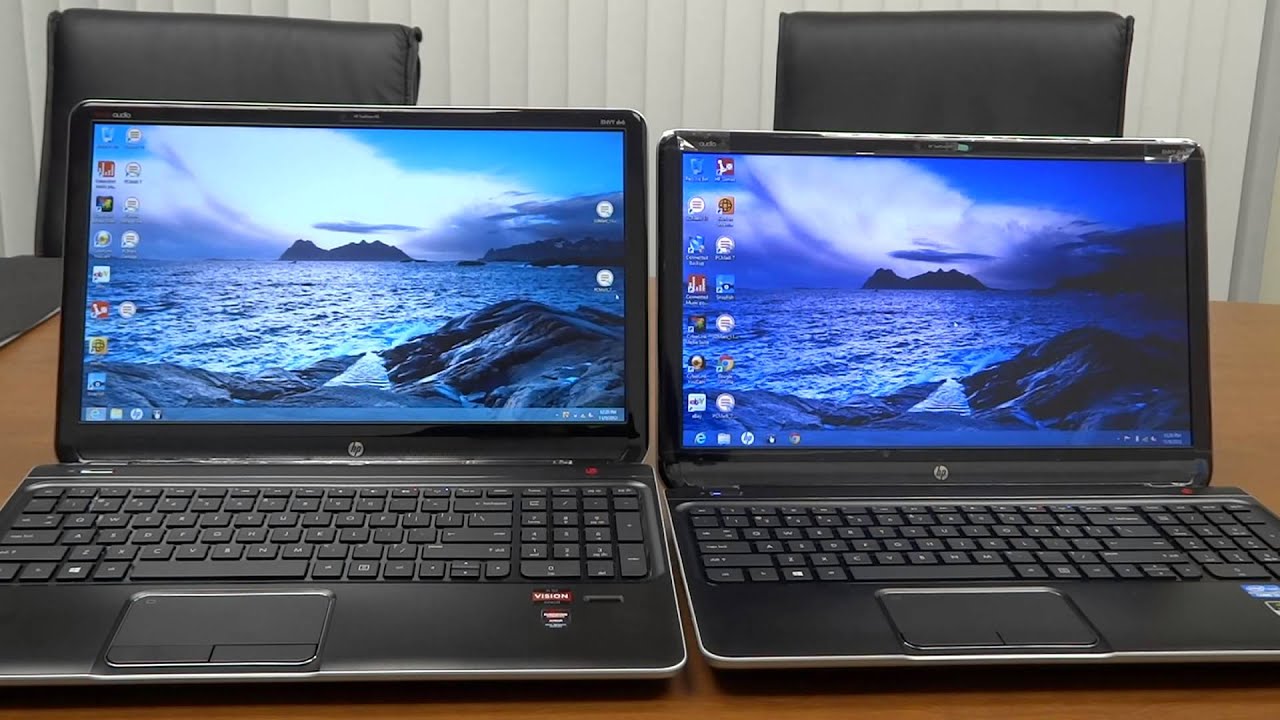
You may believe that there is no 1920×1080 resolution while utilizing Windows 10, however I guess you may not be right. You can change or tweak your 1366×768 resolution show by following a few stages. It’s not difficult to do and takes a brief time frame. Some need to realize how to build the 1366×768 Resolution vs. 1920×1080 Resolution more than it upholds. All things considered, the choice redo is accessible for PC screens as well. Thus, we should follow the means.
Method 1: If Display Change Option Available
Step 1: Go To Start Menu
To begin with, you need to go to the beginning menu. To do as such, you can press the windows button from your console or snap on the windows symbol from the base left corner.
Step 2: Click Settings
From the beginning menu, you will get the settings choice, and you need to tap on the Settings choice. Another page will show up.

Stage 3: Click System
From the new page, you should tap on the framework where show settings are accessible. You can scale 1366×768 to 1920×1080 windows 10 from that choice.
Stage 4: Check Display
Check the presentation alternative and snap on the resolution choice from the right side. In the downwards decision, you will get some default resolution settings. Assuming the 1920 x 1080 choice isn’t accessible, you ought to follow me to the following strategy.
Method 2: If Display Change Option NOT Available
On the off chance that your ideal screen 1366×768 Resolution vs. 1920×1080 Resolution not recorded windows 10, you need to follow this technique.
Step 1: Go To Start Menu
Initially, go to the Start menu by tapping the windows symbol or by squeezing the windows button from the console.
Step 2: Search Device Manager And Click
From the discourse box type “Gadget Manager” and snap that alternative. Another page will appear where you will see the gadgets that are appended to your CPU.
Step 3: Go To Display And Click On The Arrow
From the gadget administrator, you need to discover the Display choice and snap the bolt to bring another chance. Snap the update show choice to get the update. Here you will track down another exchange box seeming which needs your authorization.

Step 4: Click Search Automatically For Update Driver
Snap Search consequently for refreshed driver programming, and you will see that the PC will attempt to track down the most recent adaptation of the showcase driver. Ensure that you have a decent web association on your PC.
Step 5: Get The Update
You will track down the most recent update from the Intel family. Simply update the driver to get the necessary resolution. From that point forward, select the 1920 x 1080 resolution choice from the presentation settings.
You can likewise download a 1920×1080 resolution driver for getting the resolution on your windows 10 pc.
1366×768 vs. 1920×1080: Better Resolution?
Here are the differences between a 1366×768 pixels resolution and a 1920×1080 pixels resolution and which is better:
1920×1080 is usually better because it’s a higher resolution and provides better image clarity.
There are reasons to choose a lower resolution, such as to save computational power.
Many displays can adjust the screen resolution below their maximum, so having a higher maximum resolution gives you more control.
So if you want to learn all about whether 1366×768 pixels or 1920×1080 pixels is the better resolution for you, then this article is for you.
It’s time for the first step!
What Do the Resolution Numbers 1366×786 and 1920×1080 Mean?
The numbers in a screen resolution refer to the number of pixels used to produce an image within that resolution. More specifically, the resolution depicts the number of rows and columns (in that order) of pixels that will be on a screen.
In a raw sense, 1920×1080 resolution has double the number of pixels when compared to 1366×768.
What does it mean to have more pixels? This yields two results. One relates to image clarity, and the other relates to dots per inch (or DPI). Let’s talk about image clarity first.
Increasing the number of pixels in the image increases the sharpness and clarity of the image. The easiest way to understand this is in image enlargement.
If you zoom in on an image enough, it eventually becomes blurry. You can try it on your phone right now. Take a picture and see how far you can zoom in before the image quality suffers.
Any image will fall victim to this inevitability, and it has to do with pixels. More pixels create more data for the image, and that allows you to zoom in closer before you get blurriness or distortion.
There is a famous picture you can access online that used 120 Gigapixels in its formation. It allows unprecedented amounts of zooming, and you can play with it here.
What does all of this mean for a screen resolution? Larger screens benefit from higher resolutions. If you try to watch a low-definition video on a 50-inch TV, you’re going to see the problem. So, any chance to increase screen resolution helps when images are enlarged.
But, if the screen isn’t very large, the image improvements you get from higher resolutions can be hard to notice with the naked eye. What’s more is that high resolution impacts more than just image clarity, and it’s important to take everything into consideration.
One of the other aspects impacted by screen resolution is DPI. This refers to the number of dots that can fit in an inch of the screen in any direction.
When watching a video or looking at images, DPI and screen resolution really mean the same thing. When you use a computer, you probably control things with a mouse. This is where DPI takes on its own meaning that is worth learning.
The mouse has to travel across every single dot in each inch in order to move across your screen. If you have a higher DPI, it takes more motion from the mouse controller to move the cursor on the screen.
Put more simply, with a traditional mouse. You have to move your arm farther to get the mouse on the screen to respond.
So, is a higher or lower DPI better for your mouse? That really depends on the application. If you need very precise mouse movements (such as for gaming or picture editing), then a high DPI is usually better.
If you’re trying to move the mouse faster, a lower DPI can be beneficial. It’s a matter of preference.
But, there’s a bottom line. Having more pixels to cover increases the time it takes to move your mouse across the screen. At the same time, that improves mouse accuracy. There are mouse settings that can also be adjusted to compensate for this, so you can customize your experience.
In the mouse settings, you will typically see a DPI setting. This is technically referring to something different from the number of dots on your screen, and it has an inverse effect.
In these settings, a higher DPI makes the mouse move faster, which should not be confused with the DPI that are determined by the screen resolution.
Which Resolution Is Better When Comparing 1920×1080 and 1600×900?
When comparing 1920×1080 pixels and 1600×900 pixels as resolutions for your laptop monitor or screen, how does that compare?
Among the two resolutions, 1920×1080 has more pixels, so it is the better resolution.
In general, more pixels per square inch improves the clarity of an image. This is especially evident when you zoom in on an image or scale it up.
What Are Aspect Ratios and Do They Matter?
The numbers in a screen resolution determine the aspect ratio. This is a term that describes the shape of the screen or the image. If you remember old CRT TVs, they were square.
Their aspect ratio was 1:1, meaning the vertical and horizontal lengths of the screen were the same. Meanwhile, most filming is done in a rectangular aspect ratio, so square TVs had to cut part of the image or blackout part of the screen to make everything fit.
Both 1920×1080 and 1366×768 are 16:9 aspect ratios. They are rectangular and the horizontal is longer than the vertical by almost a ratio of 2:1. The differences in the aspect ratio between these two are subtle, and in most cases, you won’t notice any meaningful difference.
The exception occurs when you use multiple screens. If you mix and match screen resolutions for a multiple display setup, having some at 1920×1080 and others at 1366×768 will cause subtle but noticeable differences. The screens will have to make adjustments, and you will end up with small shape distortions in the images.
For many applications, these differences are small enough to not matter, but if you need high-precision image clarity or are someone who notices and is bothered by these differences, it can be a problem.
1366×768 vs. 1920×1080: How Do Resolutions Impact Performance?
We’ve talked about how screen resolutions control the visuals that you see, but they also play a part in what happens behind the scenes. The device using the screen has to send a signal to every single pixel in order to properly form an image. When you’re playing video or otherwise changing images in real-time, that can constitute many signals for a high-resolution screen.
In other words, it takes more processing power to control a screen with more pixels. Since a high resolution can be more demanding, you might max out the video processing resources when you push the envelope of what a computer (or advice) can do.
In this case, a higher resolution can be a liability. You might get cleaner images, but you can sacrifice your frame rate as a cost.
What is frame rate?
This is the speed at which your screen is showing you new images. To put it in perspective, Hollywood movies are usually displayed at 60 frames per second (FPS).
At this frame rate, you can watch a movie in a theater, and it will look normal. If you watch that same movie on your computer and the frame rate drops to, say, 20 FPS, the video will look very choppy.
Now, frame rate usually isn’t an issue when watching a movie. That example just helps with visualization. In reality, the two functions on a computer that see frame rate problems tend to be gaming and video editing. These push the limits of video processing pretty hard, and they can exceed those limits, which results in a dropped frame rate.
When frames are dropping, one of the best solutions is to use a lower screen resolution. Since 1366×768 has basically half the number of pixels, it dramatically lowers the amount of computation the computer has to do to keep up with video demand. This is the case where a lower resolution might be preferable.
1366×768 vs. 1920×1080: Which Is Better for Laptops?
Not all laptops are the same, so you might be able to find specific exceptions to the following generalizations. That said, most modern laptops are built with a native resolution of 1920×1080.
That means they default to this resolution and are designed around it. As you can imagine, it suggests that this is the best resolution for laptops, but we can cut a little deeper into the topic.
Typically, higher resolutions are better for image quality on large screens. A 17-inch laptop is considered to have a large screen by industry standards.
Compared to stand-alone monitors and TVs, that’s not very big. What that means is that you are unlikely to see a major difference in image quality regardless of which of these two resolutions you pick.
Similarly, most of the programs you would run on your laptop won’t tax it enough for the resolution to impact performance, so you have a lot of freedom here.
The one situation where the resolution really matters is when you attach an external monitor to your laptop. In that case, the higher resolution will be more noticeable with a larger screen, and most people prefer 1920×1080.
Here’s the bottom line. Laptops usually default to 1920×1080 and run better on it.
You can drop to 1366×768 if you want, but in either case, you are unlikely to notice any real difference between the resolutions unless you plug a larger monitor into the laptop. In that case, you can treat it just like any other PC, and the higher resolution is usually better.
1366×768 vs. 1920×1080: Which Is Better for Computer Screens?
Computers have a default screen resolution, and it is usually 1920×1080. Everything on the computer is designed for that default, so in the vast majority of cases, it’s the better option. There are two notable exceptions—the first we just covered together. If you need to save computational power, take the lower resolution.
The second exception is when 1920×1080 is not the default for a computer. Older computers default to lower resolutions, and some newer resolutions are starting to default to resolutions higher than 1920×1080.
In either case, the native resolution (or default resolution) will display everything at the size and shape intended by the developers. This can improve your experience.
But, if you want more clarity or more DPI, then 1920×1080 is always going to be better than 1366×768.
1366×768 vs. 1920×1080: Which Is Better for TVs?
TVs are a different story from computers. On a TF, high resolution is basically always better. You get a sharper image and the option to play higher definition videos.
Since the TV doesn’t have to do much processing, you’re not worried about frame rates. Frame rates will be determined by the player or streaming service, and they are all capable of handling the processing power needed to use your TV at 1920×1080 resolution.
There is an exception, and that is when your TV is being used as a computer monitor. In that case, refer to the recommendations in the previous section.
Let’s really drive this point home. Most new TVs operate in the 4K range. To put that in perspective, 4K video operates with a resolution of 3840×2160. That’s four times the pixel count of 1920×1080 (hence the name 4K).
Even with this massive increase in pixel count, 4K TVs are not known for dropping frames. Playback is fine, so you can prioritize higher pixel counts and resolutions for a TV.