Best Ways to Get Adobe Photoshop For Free

If you want to know everything about Photoshop, especially on how to download Photoshop for free, then this article is for you.
Adobe Creative Cloud offers different creative applications that every graphic designer needs in their day to day work.
Each app has its own special uses and purposes, but if you’re looking for a photo-editor from Adobe — Photoshop is a must-have app for you.
How to install Adobe Photoshop for free?
Photoshop is the best photo editing app for all kinds of creatives, especially photographers and graphic designers.
That’s why in this article, I’ll try to cover and answer all your questions about Adobe Photoshop.
Starting from its definition and uses, a tutorial on how to install Photoshop for free, as well as on how to get Adobe discounts — I’ve got you all covered.
I’ve included the step-by-step process to download Photoshop for free, as well as the prices of each plan if you wish to continue using the app after the free trial.
I also highlight the ways in which you can possibly get the Photoshop full version on your smartphones, tablets, and iPads for free.
So if you’re a creative person that wants to learn everything that you must know about Adobe Photoshop, then this article is for you.
PS. If you’re interested in other software that you can use for your creative work, you can check out my other article where I feature the Adobe Software List.
How to Download Adobe Photoshop
- What is Adobe Photoshop?
- Why do you need Photoshop?
- Download Photoshop for Free
- How To Buy Photoshop?
- Get Photoshop Discount
- Photoshop for Android & iOs
- Photoshop Alternatives
PS. Adobe Photoshop has both desktop and mobile versions, although desktop versions have a monthly subscription fee, mobile versions are free of charge.
1. What is Adobe Photoshop?
Adobe Photoshop is one of the most popular and most used applications in the Adobe Creative Cloud.
Photoshop is the best photo editing app for creatives.
It is an excellent tool to have on your device if you wish to edit and compose multiple layers of picture files, graphics, and text.
Adobe Photoshop is a raster graphics editor for Windows and macOS, created and marketed by Adobe Inc.
It was founded in 1988 by Thomas and John Knoll; since then, the software has become the industry standard not only for raster graphics editing but also for digital art in general.
Layering is primarily used to add depth and versatility to photo editing and design methods.
As a result, it offers strong picture editing capabilities that may be used to create spectacular photographs.
If you want to know more about Adobe Photoshop, you can visit the official Adobe Website.
2. Why do you need Photoshop?
Photoshop is widely used by professional photographers as well as other creatives, and it has become a must-have app for them.
Professional creatives consider Photoshop a must-have Adobe application.
In addition to image editing, Photoshop is a full-fledged graphics editor, which many creatives currently prefer over an app.
And if you’re wondering, why do graphic designers and photographers need Photoshop?
The simple answer is that it’s because Photoshop is the most powerful app for both creating and enhancing images.
Layers make it simple to develop templates that can be edited and rearranged with one click.
And to give you some of the benefits of using Photoshop for graphic designers and creatives as a whole, here are some points to know:
Uses of Adobe Photoshop
- Utilize Photoshop’s unique features, tools, and settings to express your creativity.
- Design web pages, flyers, posters, business cards, social media posts, logos, and more.
- Using Photoshop’s clone stamps and healing brushes, you can restore old photos.
- Enhance photos with brightening, contrasting, and sharpening tools.
- See the software’s power in producing eye-catching, professional designs.
PS. If you want to know how to get Adobe Photoshop for free or how to subscribe to its full version, just keep on reading.
3. Download Photoshop for Free
Since I’ve already provided you with some of the uses and great features of Adobe Photoshop, the next question in your mind might be this:
How to download Adobe Photoshop full version for free?
Just so you know, you can download Adobe Photoshop for free as a trial for seven days — and here’s how.
The first thing that you must do to be able to get Photoshop for free is to visit the official website of Adobe.
As soon as you are on the website, you’ll see two options, which are “Free Trial” and “Buy Now”.
But since you wanted to try and explore Adobe Photoshop for free, go ahead and hit the “Free Trial” button.
After that, you’ll be able to select your desired plan — for individuals, for students, and for businesses.
You will be asked to create your Adobe ID and input your payment details, but don’t worry because as long as you cancel your account before the free trial expires, you won’t be charged.
Although you don’t have to pay anything, you’ll be able to enjoy the full version of the software, which includes all the features and updates in the latest version of Photoshop.
Given this feature, you can play around with the full version of the software to see if it meets your requirements, and if so, you can continue your subscription.
4. How To Buy Photoshop
Once the 7-day free trial has ended and you’ve enjoyed the features and uses of Photoshop, you can buy a Creative Cloud Membership.
Creative Cloud offers various plans with different prices to choose from.
Purchasing a monthly or annual subscription is the best way to continue to have access to the full version of Adobe Photoshop after the free trial.
As you can see in the image above, Adobe CC is offering its users a variety of choices to choose from.
Basically, if you’re looking for the cheapest way to buy Photoshop, you would probably consider the Photography Plan (20GB), which costs $9.99/month.
It includes the Photoshop app for desktop and iPad, Lightroom for desktop and mobile, Lightroom Classic, Adobe Portfolio, Fonts, and Spark.
Take note that the Photography Plan is also available in 1 TB and you can get that for only $19.99/month.
However, if you want to have the best plan for creating beautiful graphics, photos, and art for desktop and iPad, I would suggest the Photoshop Plan.
It costs $20.99/month and it comes with Photoshop on desktop and iPad, 100GB of cloud storage, Adobe Fresco, Portfolio, Fonts, and access to the latest features and updates as soon as they’re released.
Lastly, the best option is to get the Creative Cloud All Apps package — you’ll be able to enjoy all the Adobe apps and you can save a lot of money by not buying a subscription individually.
It only costs $52.99 and it is absolutely perfect for creatives that need other Adobe software aside from Photoshop.
5. Get Photoshop Discount
If the mentioned prices seem a bit expensive for you to afford, don’t worry because Adobe CC offers amazing discounts for you.
How to get an Adobe discount on Photoshop?
Although you can get Photoshop alone, it is much more practical to choose the Photoshop+Lightroom bundle, so you can save up to 50% on your subscription.
Did you know that nowadays, there is only one photography bundle that serves as the best deal on Adobe Photoshop?
Yes, that’s right, there are no such special offers like that on single applications like Adobe Illustrator or Adobe InDesign.
However, if you want to use 20+ creative desktop and mobile apps, you must purchase the entire Creative Cloud All Apps collection.
By that way, you’ll be able to enjoy all the applications that graphic designers might need, including Illustrator, InDesign, Premiere Pro, and many more.
From $52.99/month, which is the original price, you can get the whole Adobe CC apps for just $19.99/month.
In short, you can save up to $33.00 per month with this discount (it is only applicable for the Adobe Students’ Discount).
If you want to know more about the Adobe discounts in general, check this YouTube video out.
6. Photoshop for Android & iOS
If you’re an on-the-go creative, you’ll most likely want to have access to Adobe Photoshop using only your mobile phone and iPad.
How to install Adobe Photoshop for smartphones and iPads?
Adobe Creative Cloud has a lot of apps for Android and iOS that you can download to your smartphone or tablet.
Some of the apps that you can install on your devices are Adobe Photoshop Express, Photoshop Mix, Photoshop Sketch, Lightroom Mobile, and Photoshop Fix.
And to give you an idea of how these apps work, here’s a short description for each:
- Photoshop Express — free image editing and collage making mobile application from Adobe Inc which is available on iOS, Android and Windows phones and tablets.
- Photoshop Mix — photo-editing app that, among many other things, lets you put two photos together to create one spectacular image.
- Photoshop Sketch — drawing app that offers you loads of useful tools — pencils, fountain pens, markers, erasers, acrylics, ink brushes, pastels, splash colors, etc.
- Lightroom Mobile — free, powerful photo editor and camera app that empowers your photography, helping you capture and edit stunning images.
- Photoshop Fix — enables powerful, yet easy image retouching and restoration on your Android and iOS phones, as well as on your tablets and iPads.
These apps give you access to unique Photoshop tools while you’re on the go, so you can edit, create, and share photos at any time and from any place.
And do you want to know what the best thing about this Adobe mobile software is? They are ALL FREE to download.
You just have to search for and find these Adobe Photoshop mobile versions on your Playstore or Appstore and then simply hit the download button.
What are you waiting for? Try this Adobe Photoshop app on your mobile devices and iPads for free!
7. Photoshop Alternatives
Although Adobe Photoshop is considered the best creative application for editing photos, there are also alternatives that you can find online.
What are the best alternatives to Adobe Photoshop?
While some are better than others, not every app is capable of helping you create incredible works of art or edit your photos.
Some of these Photoshop alternatives are 100% free, while others require a payment, but at an affordable price.
As a graphic designer, you have the option to consider using these alternatives, but I recommend that you stick with Photoshop.
Adobe Photoshop covers almost everything that a creative needs for a photo editing application.
And if you’re worrying about the monthly subscription fee, just remember that you can get the Photoshop mobile versions for free.
So if you’re looking for the best application for editing images, Adobe Photoshop is absolutely the best option for you.
Conclusions
Photoshop is one of the best and most popular Adobe applications for all kinds of creatives, especially photographers and graphic designers.
Adobe Photoshop is available for free (7-day trial) to creatives who want to experiment with its features.
You don’t have to pay for the first 7 days, but if you enjoy it and decide to continue using it, you can buy an Adobe CC membership.
You’ll have different options to choose from depending on your needs and budget as well.
Don’t worry because whatever Photoshop plan you choose, Adobe CC has discounts to offer you, so you can save a lot.
Take note that this photo-editing app is not only available for desktops; you can also install Photoshop on your smartphones, tablets, or iPads.
I hope this article answers all your questions about how you can download Photoshop for free, as well as other necessary things about the app.
As a professional creative, would you recommend Adobe Photoshop to new users? — Leave a comment below.
Скачать Фотошоп бесплатно на русском языке

Фотошоп — это софт для редактирования изображений и создания дизайна, предназначенный для фотографов, художников и прочих профессий, подразумевающих работу с изображениями. Программное обеспечение содержит ряд инструментов, которые используются для создания и редактирования картинок всех форматов. Оно позволит вам улучшить качество, произвести кадрирование, вырезать лишние объекты, сменить фон и многое другое. Софт предлагает опции для цветокоррекции и обработки RAW-файлов.
Также этот фоторедактор позволяет создавать рекламные материалы, иллюстрации, полиграфическую продукцию и графические элементы.
Чтобы скачать Adobe Photoshop, загрузите редактор с официального сайта или установите активированный продукт с торрента. Не забудьте выбрать версию, подходящую под вашу ОС.
Photoshop создан для профессиональных дизайнеров, фотографов и художников. Оно является частью службы Creative Cloud, представляющей собой подобие экосистемы приложений, отвечающих нуждам современного человека. Фотошоп распространяется с эффектами и фильтрами, а также имеет галерею кистей, которые позволяют создавать цифровые рисунки. Также вы сможете работать со слоями и масками, создавать и загружать трехмерные фигуры, оформлять типографику и вручную настраивать каждый элемент.
У вас есть возможность скачать Адобе Фотошоп на русском. Благодаря постоянным обновлениям и добавлением новых функций, Adobe PS всегда актуален для профессионалов и незаменим в ретуши фотоизображений, допечатной подготовке полиграфической продукции, создании иллюстраций и анимаций.
Adobe Photoshop 2021
Хотите создавать яркие уникальные фото, изображения, рисунки и 3D-объекты на ПК и iPad. Встречайте новую версию самого востребованного редактора Photoshop 2021 от компании Adobe. Данное обновление содержит большое количество улучшенных функций. Например, теперь пользователи планшетов iPad могут запустить прямую трансляцию при помощи меню «Экспорт».
Если вам необходимо срочно оформить креатив для рекламы или отредактировать фото, инструмент данный инструмент вам просто необходим. Он при помощи искусственного интеллекта анализирует текущую картинку, выявляет небо и вполне реалистично выполняет замену. На текущий момент в базе данных Photoshop небольшое количество изображений для замены, но программой предусмотрена возможность добавления картинки из вашей собственной коллекции. Изображение можно отрегулировать настолько естественно, что невозможно будет найти признаки изменения фотографии.
Фотошоп 2021 — редактор изображений нового уровня
Новые не деструктивные фильтры построены на базе искусственного интеллекта, который глубоко анализируют портрет и позволяют нам менять изображение в невиданных ранее масштабах. Так, фильтр «Умный портрет» может заставить лицо на фото улыбаться, двигать головой, изменить черты лица, даже открывать закрытые глаза и менять направление взгляда.
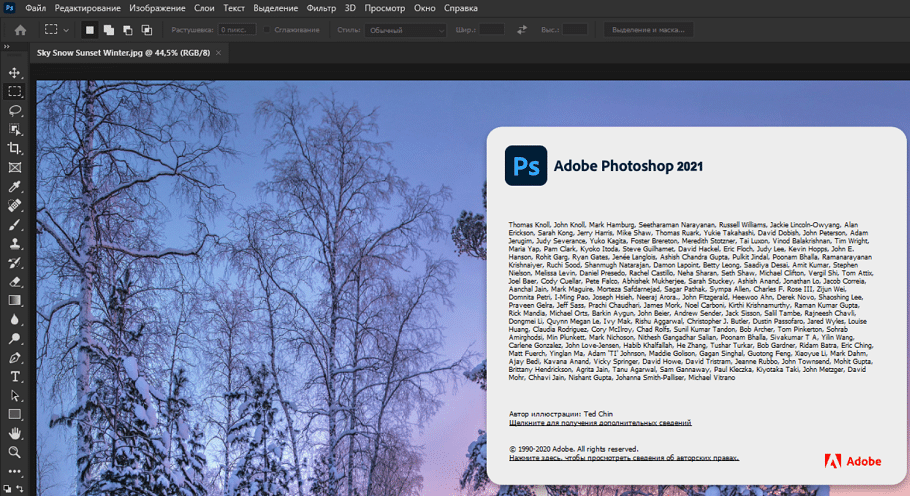
Функция позволяет изменить освещение на фото, что крайне удобно, а порой необходимо для студийных съемок. Также нейронные фильтры обрабатывают и улучшают фотографии, восстанавливают старые, раскрашивают черно-белые изображения в цветные.
Обновлен и довольно востребованный инструмент «Выделение краёв», с помощью которого можно четко разделять элементы переднего и заднего плана. Новые функции «Уточнить волосы» и «Режим уточнения с учетом объектов» облегчают расчесывание волос или других объектов, которые могут смешаться с фоном из-за похожей текстуры или цвета. Ранее работа с волосами в Photoshop до сих была не самой удобной и легкой. Но теперь волосы можно выделить на фото одним щелчком мышки, т.к. распознаванием занимается искусственный интеллект.
↓ Видео инструкция как установить и активировать ↓
Если Вам требуется помощь в освоении инструментов, на новой панели «Обнаружение» есть несколько новых руководств, которые помогут вам освоить новые навыки. Панель предоставит вам контекстные подсказки для справки по функциям и учебные пособия, которые основаны на вашей работе и проектах.
Бесплатно Adobe Photoshop 2021
— Данная версия работает только на Windows 10 на Win 7 рекомендуем Photoshop 2020 или CS6.
— Ничего не вырезано (официальная версия x64).
Как активировать программу, смотрите ниже.
Активация Adobe Photoshop 2021
Для того чтоб активировать программу необходимо перенести файл Photoshop.exe из архива в папку установленной программы. Активация протестирована с официальной версией Фотошопа которую вы можете скачать с данной страницы, на другие версии ставить данный файл активации не советуем.
Пароль на архиве: adobe-2021
Примечания по установке Adobe Photoshop 2021:
1. Данная версия Фотошопа работает исключительно на Windows 10 x64 это заложено изначально компанией Adobe. Вы можете установить Photoshop 2021 на windows 7 но при открытии будет всегда ошибка как на картинке ниже! В данном случае рекомендуем Photoshop 2017.
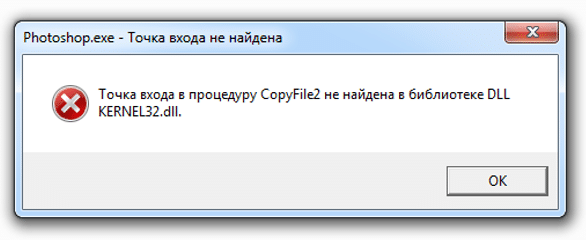
Если вы установили на win 7 и только потом поняли что она не работает, удалить стандартными методами не получится так как программа удаления оповестит вас что будет работать только на win 10. Для решения данной проблемы воспользуйтесь утилитой удаления Adobe Photoshop.
2. Для того чтоб не было ошибок в процессе установки, обязательно отключается интернет в начале установки, пока программа не установится. Когда закончится процесс установки Фотошоп 2021, интернет сам включится, не переживайте!
Если вы хотите можете скачать Фотошоп 2021 торрент версии, но стоит предупредить что данный метод не совсем безопасен. Зачастую такие версии блокируются антивирусами.
Используйте силу искусственного интеллекта и воплощайте свои идеи в жизнь с помощью обновлённого фоторедактора Photoshop.
Где скачать и как установить Фотошоп?
Вопрос, который вынесен в заголовок этого поста — один из главных вопросов для начинающего пользователя программы Adobe Photoshop. На данный момент программа Adobe Photoshop – это одна из популярных графических программ, которая покорила многих пользователей.
С помощью этой программы вы сможете:
- делать ретушь фотографий;
- создавать коллажи;
- оформлять дизайн сайтов, презентаций;
- создавать картины (цифровая живопись).
Где скачать?
Программа Adobe Photoshop платная, но вы можете изначально скачать бесплатную версию для того, чтобы ознакомиться с ней.

В каталоге мы выбираем «Photoshop» и нажимаем на ссылку «Загрузить пробную версию».
После того, как перейдете по ссылке, у вас автоматически начнётся скачивание установочного файла программы.

Файл по умолчанию будет скачен в папку «Загрузки», если только вы не поменяли настройки вашего браузера.
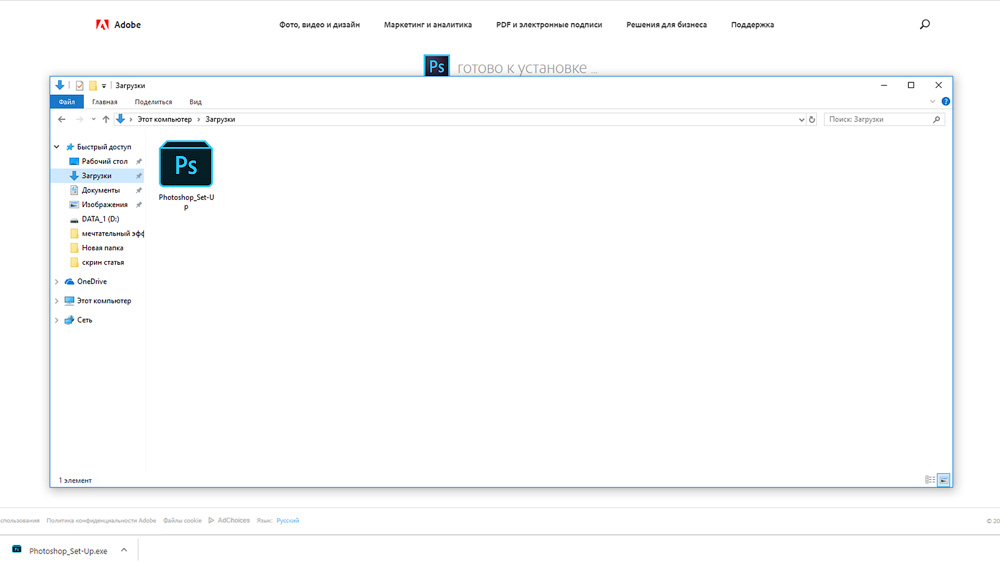
Как установить?
Запускаем файл Photoshop_Set-Up.exe. Далее появляется окно «Установщик Photoshop СС».
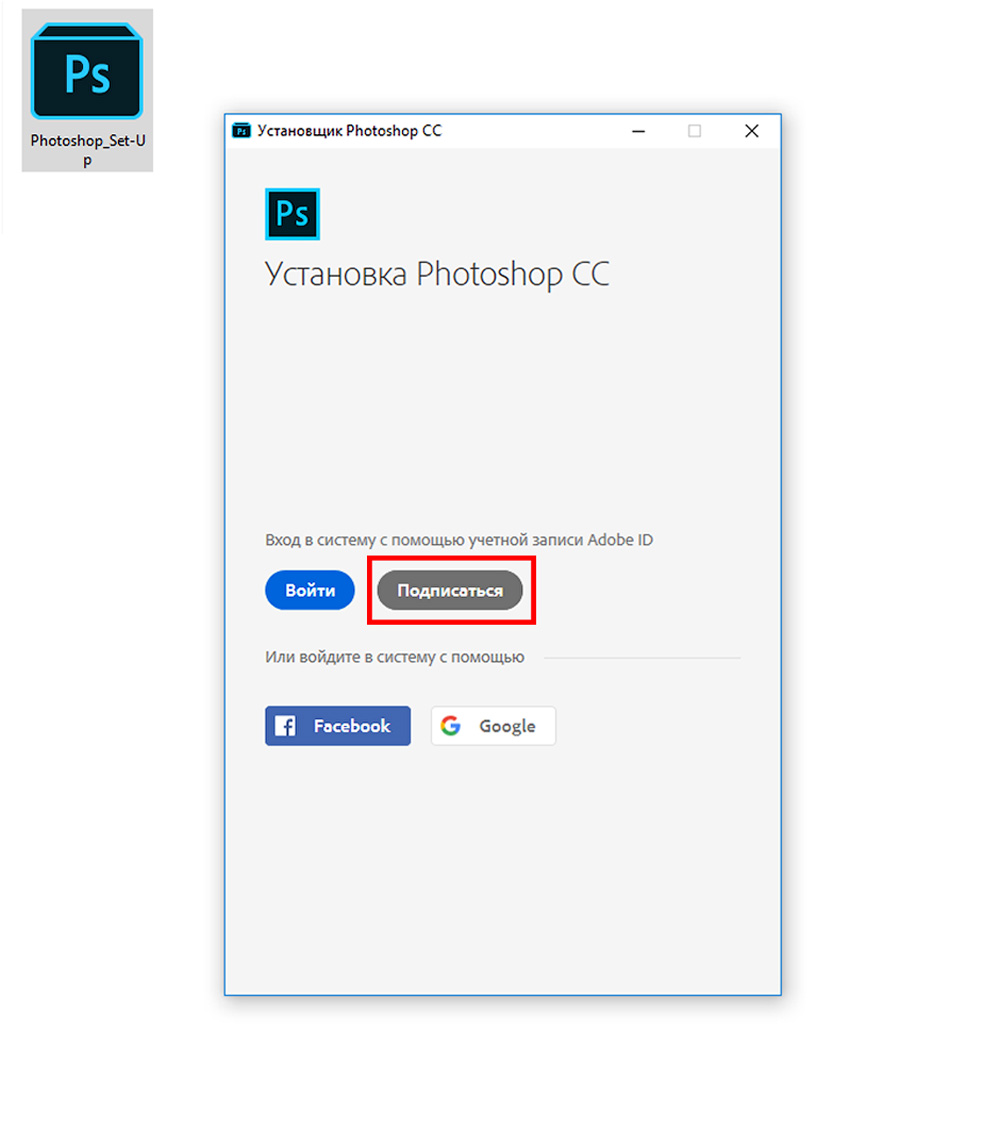
Если вы еще не регистрировались, то выбираете «Подписаться» и далее указываете необходимую информацию.

После нажимаем «Зарегистрироваться». Далее проходим не большой опрос и нажимаем «Продолжить».
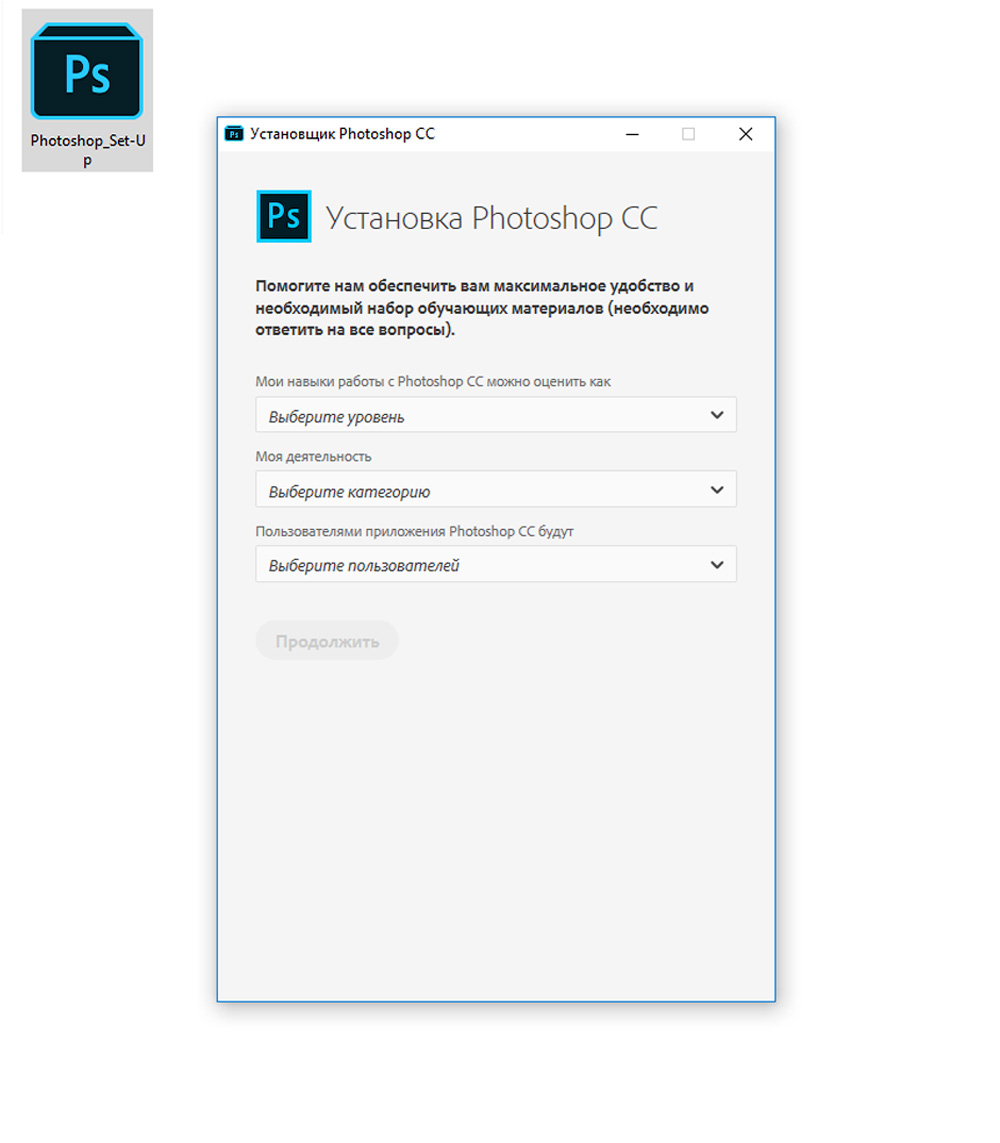
После прохождения процедуры регистрации у вас начнется автоматическая установка пробной версию программы Photoshop CC.
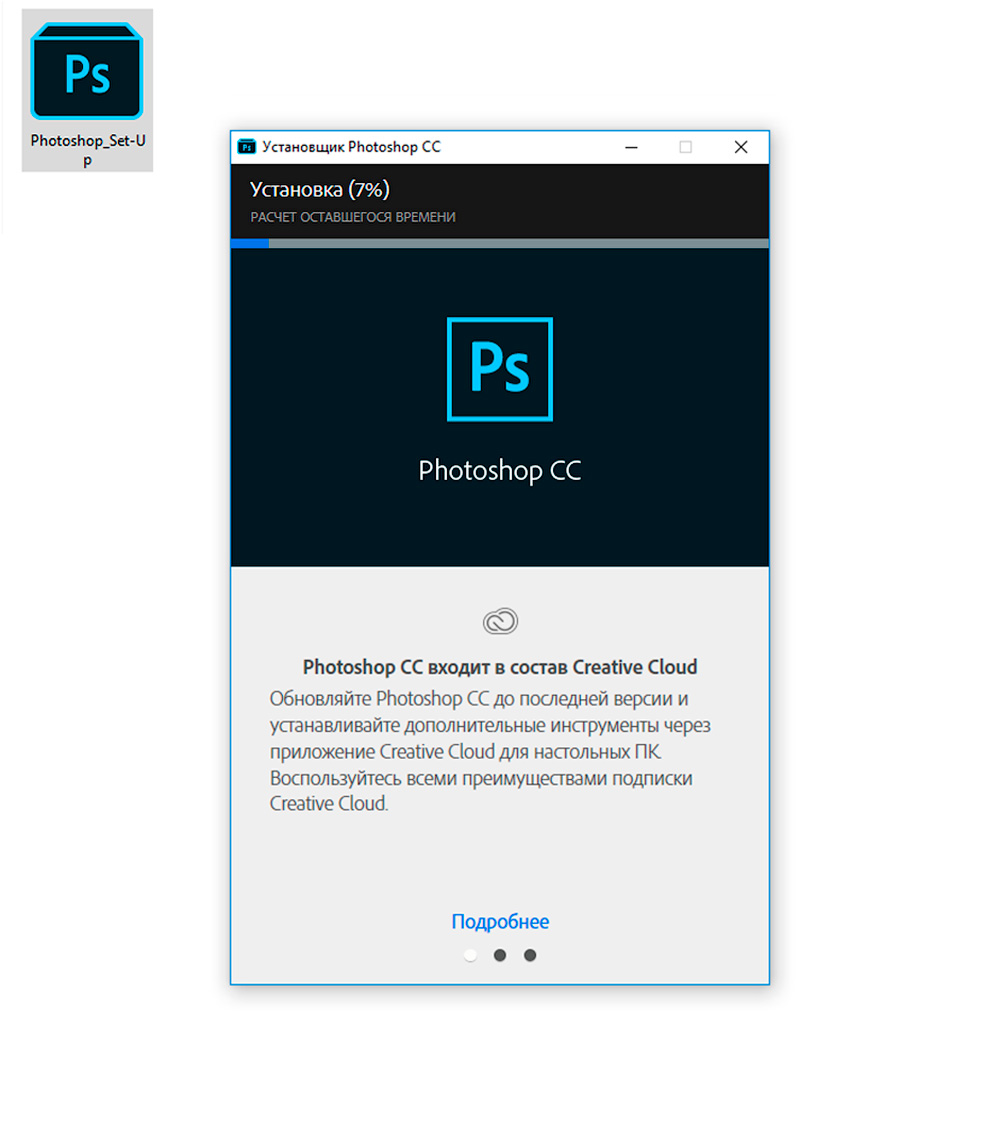
После завершения загрузки вы сможете открыть программу Photoshop CC и начать работать. Доступна она будет всего 7 дней.
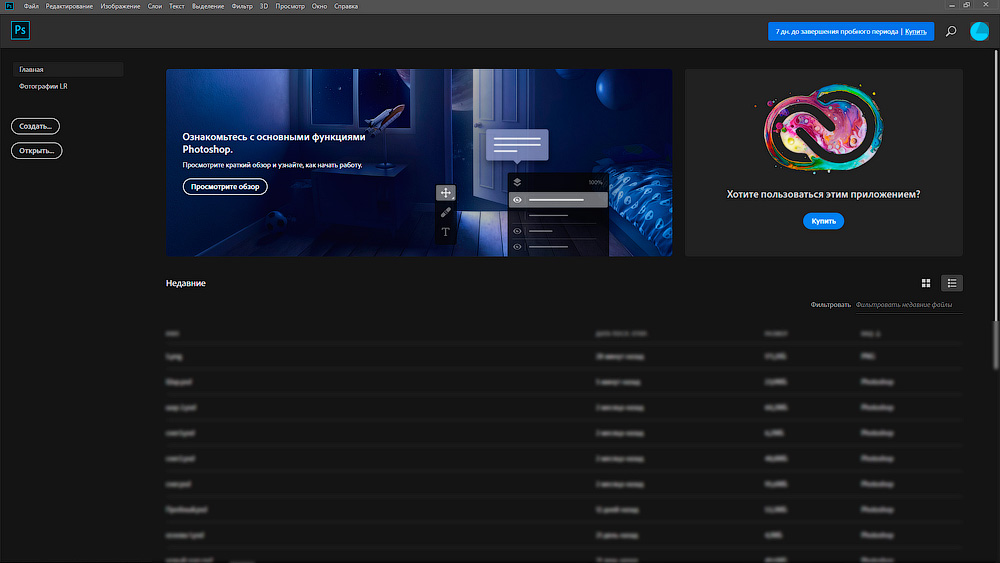
В приложении Creative Cloud вы увидите кнопку «Купить».

Если нажать на кнопку «Купить», то вы можете ознакомиться с различными планами. Если вы работаете сами на себя, то самый оптимальный для вас вариант – это план «Индивидуальные пользователи» за 644 руб в месяц.

Когда вы приобретете подписку, то кнопка «Купить» изменит свой вид на «Открыть» и вы сможете спокойно пользоваться программой Photoshop CC, программой Lightroom CC и другими возможностями, которые предлагаются в этом пакете.
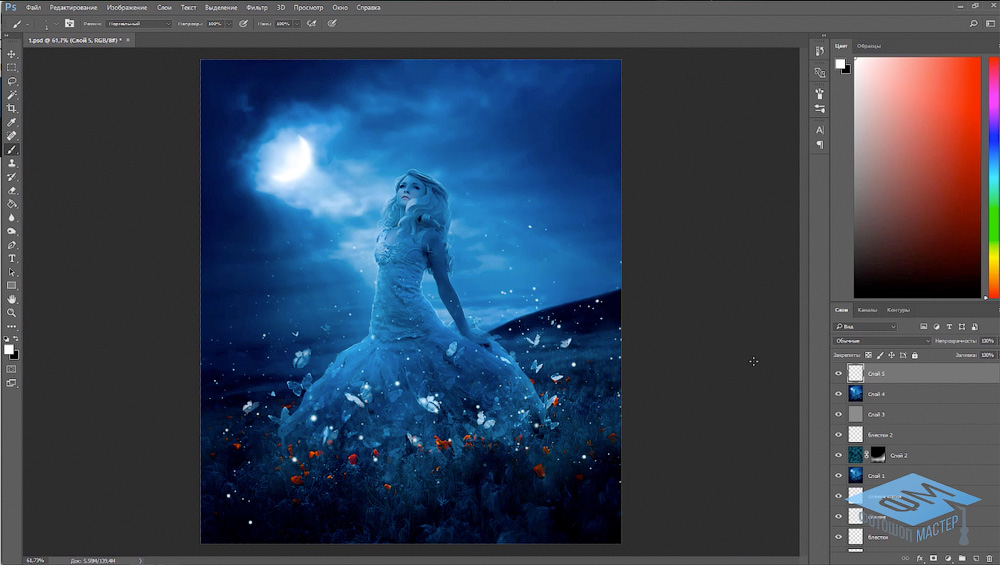
Если у вас нет возможности покупать новую версию программы Фотошоп, то читайте эту статью.
Пошаговое обучение по Adobe Photoshop
Если вам нужно качественное пошаговое обучение по Adobe Photoshop в видеоформате, которое разработано специально для новичков, то рекомендую вам обратить внимание на наш новый курс, который называется «Фотошоп с нуля в видеоформате 4.0».