Foxit Cloud
Using PDF software to create documents gives you the ability to share content with readers on any device or computing platform as long as they have a PDF reader installed. Since PDF readers are free from the major PDF software companies, such as Foxit, reading a PDF file is almost never a problem.
However, what if your PDF software gave you even more functionality instead of just creating or reading documents that you can attach to an email or upload to a server? That is exactly what Foxit Cloud’s newest PDF solution provides for users.
What is Foxit Cloud?
Many people know that the cloud enables them to host a wide range of things on the Internet. Some are familiar with cloud based email or file storage, others use software hosted on the cloud or even network resources that are cloud based.
Foxit Cloud provides tools for securely managing and sending PDF documents, as well as PDF forms. With Foxit Cloud, there are several features that make PDF document handling much more convenient, and safe.
Securing Your Shared Documents
Secure Send is a feature that gives you the ability to securely share PDF documents, and retain full control over them. You can specify exactly who can view the document and what they can do with it. This protects the document against unauthorized viewing, copying, or forwarding. Another valuable tool is the ability to retract your document from the people that it has previously been sent to, which is great for maintaining protection and control over sensitive information.
Faster PDF Form Distribution and Processing
Forms Publisher allows you to take a fillable PDF form and convert it to an online format, which can be accessed from anywhere by anyone. The individuals filling out the form will be able to complete it from any web browser without any special software, digitally sign the document, and then submit their response back to you. You now have the ability to view and download the form responses from everyone who filled it out in a single easy to manage data file. In addition, you can also download individual copies of the completed forms.
Manage Your Own Forms Better
Fill-A-Form gives you tools for completing and submitting PDF forms, as well as tracking them. You can easily complete your form, submit it to the appropriate party via their email address, and then get a receipt confirming that it has been delivered. Furthermore, digitally signing the document is possible, even if you don’t have any PDF software available to you (just a web browser). On top of that, you will always have a completed copy of the form for your records, as well as the details (time and destination) of your submission.
Foxit Cloud — Reviews, Features, Benefits and Alternatives
Any frequent user of electronic signatures and official document creation knows about Foxit Cloud. So what is this Foxit Cloud? It is a tool that is greatly helpful in affixing digitally secure signatures on documents of importance and passes them around in real time. If you are planning to buy it and want to read Foxit Cloud review beforehand, you have reached the right page. All information including Foxit Cloud review, features, and benefits are explained below in a wide-ranging manner.
- Part 1: Features of Foxit Cloud
- Part 2: User Reviews of Foxit Cloud
- Part 3: Foxit Cloud Tutorial — How to Use
- Part 4: Best Foxit Cloud Alternatives
Part 1 What is Foxit Cloud and the Benefits
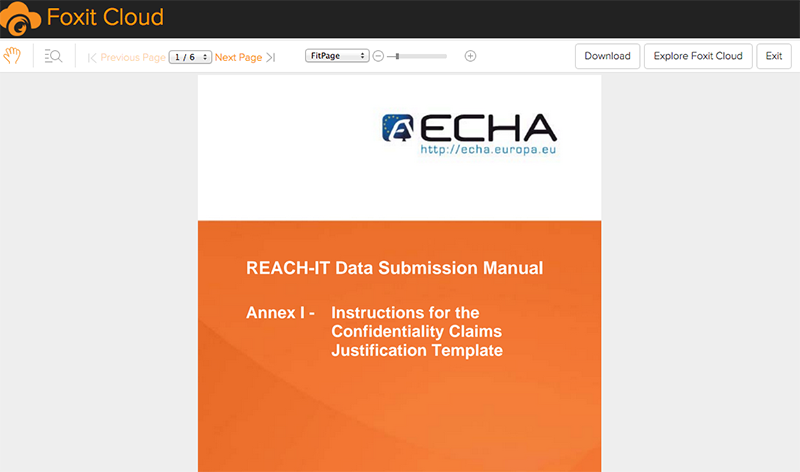
Foxit Cloud is intuitive software that allows the users to create PDF documents from the scratch and edit it using the assortment of options available. The safety and security of the documents are specially taken care of. When you first sign up, you are even eligible for a free cloud space of 1 GB. Some of its great features are-
- Viewing and modifying security settings to meet your end
- Draw and erase easily on the PDF file
- Arrange elements present on page according to wish
- Magnification tool, loupe, and marquee are also available
- Effortlessly add, manage and remove bookmarks
Benefits of Foxit Cloud
Being a feature rich software, Foxit also takes care to maintain the strictest standards of security as far as the signing and document information is concerned. This makes it a great option to be used for official purposes. Your business documents are safe.
- You can create an entirely new PDF file
- Alternatively, you can combine different PDFs
- Splitting and editing PDFs is also possible
- Various options available for electronic signature creation
- Custom stamps or presets can be applied on any page
- Rotating and splitting pages is also very easy
- Drawing and erasing option for any PDF file
- Password protection and strict authentication system
Part 2 Some Reviews of Foxit Cloud
Based on a user review as discussed on Softpedia
«Foxit Reader is multi-lingual, cross-platform (Windows, iOS, Android) and worked smoothly on 64-bit Windows 8.1 Pro during our evaluation, without hanging, crashing or popping up error messages. Docs were quickly opened, while CPU and RAM consumption was minimal. It has a comfortable interface and intuitive PDF reading and editing tools. After setting it as the default PDF viewer, the supported files are opened in new tabs in the program, without closing the previous ones.»
User disliked-
«The free edition’s installer includes adware. Only the full version excludes these third-party components from the setup.»
Part 3 How to Use Foxit Cloud for Electronic Signature
Follow the steps below to use Foxit Cloud for electronic signing-
• Step 1- SIGN UP OR LOG IN
Go to the home page and click on Sign Up if you are a new user. Fill in your details like email, new password, and name etc. After you verify your account, you will be granted access. If you already have signed up, just log in by entering your credentials.
Step 2- CREATE A SIGNATURE
Click on «Comment» tab. Select «PDF Sign». You have options to create your signature. You can write it, draw it or make one using clipboard content. Once you save your signature, all that’s left is to sign your intended document.
Step 3- APPLY AND DROP TO LOCATION
Simply drop your saved signature to the places where you want to sign the documents. After you are happy with the position, click «Save».
Part 4 Better Choices for Electronic Signatures
1) SignX
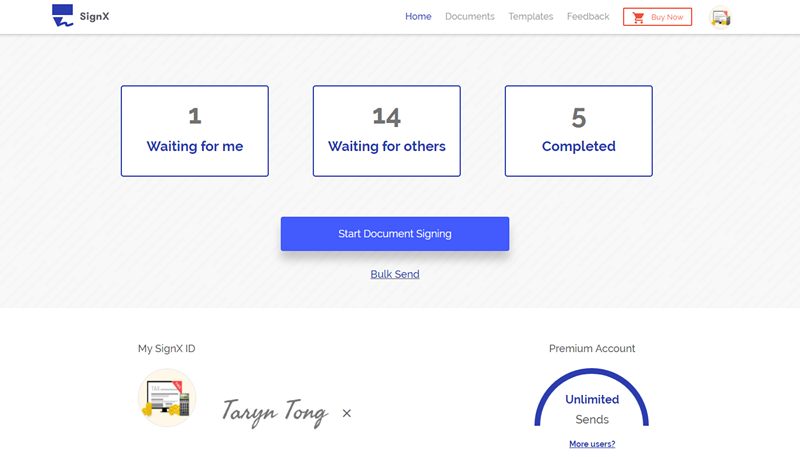
If you need an electronic signing tool that helps you remind the signer by sending them notifications, SignX is your best bet. You can sign, send for signatures fast and secure. The tool provides you with the liberty to add different kinds of signatures, whether it is drawn, handwritten or imported from a picture, SignX allows all three. After that, electronically signing documents is just a drag and drop away!
- Legally binding electronic signatures
- Send document for signing on bulk basis
- Manage signed documents easily from any device
- Tamper free technology to safeguard your data
- Multiple users are allowed to add or remove by one single admin
2) Adobe Sign
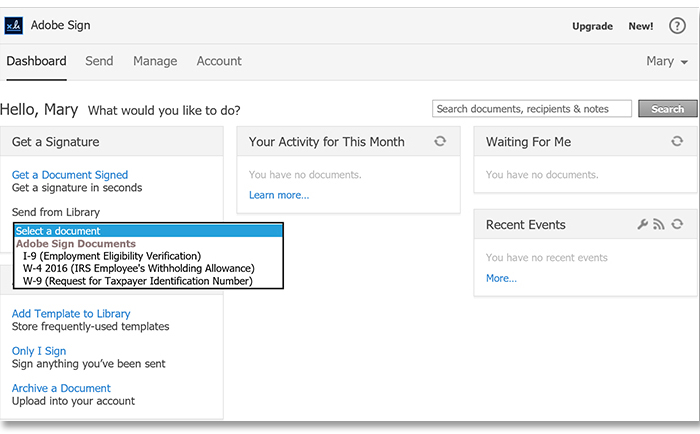
Adobe is not an unknown name in the PDF signing universe. There are a lot of reputed products from the company and this one boasts the same quality. It is possible to upload files on the platform using Dropbox, Acrobat.com and Google Drive. It provides safe and legal signatures in an easy way.
Pros:
- The tool is used by many famous companies
- Integrating with other apps is efficient
- Mobile app is downloadable for both major platforms
Cons:
- Many times, the upgrades are paid
- Very costly when compared to other options
3) Nitro Cloud
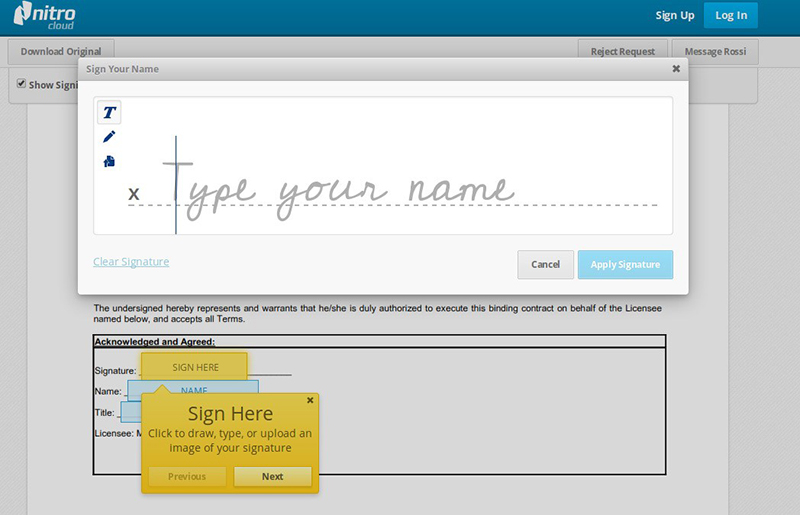
Nitro Cloud does not only allow you to convert different file formats into PDF and vice versa. There are many other options that it offers, like creating a new PDF file, editing and annotating it, putting an electronic signature on it and much more.
Pros:
- Offers safe space on cloud
- Editing words and content on PDFs is easy
- Rearranging graphical elements is effortless
Cons:
- It may not be secure to upload your file to on a website
- It doesn’t let you download straight away, must provide your email
4) RightSignature
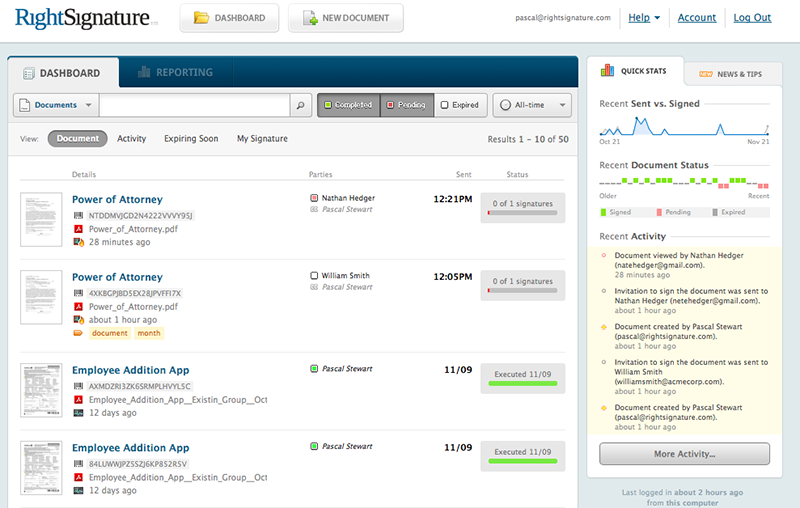
RightSignature is an electronic signature tool from Citrix. It lets you apply your digital signature on your important documents and share it with other signers. It enables you to sign 5 documents every month on a free trial, which can be upgraded anytime to a premium version, which lets you sign unlimited documents per month.
Pros:
- Browser based, no need to download
- Templates are available
- Can be integrated with SalesForce, Dropbox etc.
Cons:
- SharePoint integration is absent
- Free version only available until trial ends
5) SigningHub

SigningHub is another variant of electronic signature software that permits signing and sharing of documents via its platform. It is capable of accelerating your operational speed manifold. Not only you will have a fully automated signing process, it will also be completely authenticated.
Welcome to Foxit Cloud!

View your PDF documents from anywhere, even if you don’t have your computer or mobile device with you. Access your Foxit account from any web browser wherever you are to view your documents.
Language Translation
Receive documents from anyone, and never worry about being able to read the content. Foxit can translate the text to your native native language, or any other language, as they are being read.
Fill and E-Sign Documents
Fill and electronically sign documents and forms using any web browser. Once submitted, your recipient will receive an email with the completed PDF, and you’ll always have a copy in your account.
How Does Foxit Work?
Foxit works with any of your existing PDF documents, and makes them available to you anywhere. Simply upload them from Foxit PDF Reader (using the Foxit tab), or through the website. In addition, you can use Foxit to translate document text within Foxit PDF Reader (all you have to do is toggle the translation option under the Foxit tab). You can also submit completed forms and documents from your web browser by logging into the Foxit website, uploading them, then filling, and e-signing them if required.
How to Get Started
To get started, click «Sign Up» at the top of this page, or create an account in Foxit PDF Reader. All you need is a valid email address. Once you sign up, a temporary password will be sent to you, which you can change at anytime.
You can upgrade your account at anytime to include additional document storage, translation services, or form filling and e-signing, based on your needs. Just click the «Pricing» button above to see a feature comparison.
Foxit Reader что это за программа и нужна ли она на компьютере
Здравствуйте, любители компьютеров. Уверен, что каждый пользователь ПК после переустановки системы всегда инсталлирует определенный набор программ, которые нужны для работы, развлечений и обслуживания компьютера. Чтобы открывать файлы формата «pdf», советую обязательно узнать больше про Foxit Reader — что это за программа и нужна ли она на компьютере.
Назначение
Мне часто приходится сталкиваться с pdf-книгами, которые содержат не только текст, но и ссылки, изображения, прочие элементы форматирования. Перепробовал немало программ, но большинство из них очень медленно подгружало новые страницы (особенно, если на них было много картинок), иногда возникали проблемы с отображением шрифтов.
Когда впервые скачал Foxit Reader, то был приятно удивлен простотой интерфейса, скоростью работы и достаточным функционалом. Вот так выглядит рабочее окно приложения:

Согласитесь, всё понятно и не запутанно.
Многие утверждают, что есть более продвинутые аналоги, которые позволяют даже редактировать pdf, вставлять свои комментарии. Не спорю, можно найти ПО для Windows с большим набором возможностей, но быстродействие утилиты при этом существенно снижается, что неприемлемо для чтения.
Большим недостатком Фоксит считается то, что он не поддерживает формат сканирования «djvu». Лично мне это не доставляет неудобства, поскольку можно за считанные минуты выполнить конвертирование и продолжать пользоваться качественным приложением. Продолжаем рассматривать тему «Foxit Reader — что это за программа и нужна ли она на компьютере».
Основные особенности Фоксит Ридер
Стоит отметить, что инсталлятор «весит» всего несколько мегабайт, устанавливается быстро и не потребляет много системных ресурсов, в отличии от «популярного» Adobe Reader. Раз Вы заинтересовались PDF просмотрщиком, тогда рекомендую интересную статью про лучший конвертер PDF в Word, о котором я писал ранее.
Также, доступна версия portable, которая не требует установки. Достаточно просто запустить файл «exe», который можно поместить на съемный носитель (флешку).
В последних обновлениях наконец-то была реализована 100%-я поддержка русского языка. До этого момента в настройках можно было выбрать «Russian», но некоторые элементы управления все равно отображались на английском, или были «криво» переведены.
Инструменты
Foxit Reader – это полноценная «читалка», которая поддерживает следующие возможности:
- Открытие любых модификаций pdf;
- Отправка документов на печать: целиком или постранично (выборочно);
- Увеличение определенных участков с помощью инструмента «Лупа»;
- Развертывание книг на весь экран для более комфортного чтения;
- Быстрая отправка документов по электронной почте;
- Создание снимков (скриншотов);
- Выделение текста для последующего копирования в буфер обмена.

На скрине я отметил, как поменять язык, если нужна русская версия.
Рекомендую перейти на следующую страницу для скачивания без регистрации и отправки смс. Загрузка происходит непосредственно с официального сайта, что исключает вероятность заражения вирусами.
Теперь Вы знаете, Foxit Reader что это за программа и нужна ли она на компьютере.